RDM (SQL datasource) to DVLS (SQL datasource) migration

Hello,
we plan to migrate our RDM/SQL installation to DVLS/SQL. I have a few questions regarding the process.
At the moment, RDM user authentication is by "database" (integrated security/AD users).
We use RDM role based groups/security.
We like to change the user authentication from "database-based (integrated security, domain
\username)" to "domain-based (domain\username)".
We like to keep the former RDM roles/groups.
When using RDM, renameing roles breaks things/rights - with DVLS *not*, correct?
The SQL DB should stay and must be used with DVLS.
Is it correct, that DVLS is just another "layer" in between RDM/SQL?
When using DVLS in the first time, users still may access the SQL DB directly through RDM?
We like to move only a few RDM clients from the SQL datasource to the DVLS datasource
in the first time for testing purposes. Is that possible?
Also, may we forbid these first RDM users to directly access the SQL-DB, so they must use
the DVLS DB/datasource?
The migration should be executed with minimum impact.
If you have ressources regarding the migration process, I may read, please be so kind and give me the links.
Last, but not least: Is there a "real" Devolutions-Server documentation? The online help covers a lot of things, but one
has to jump all across the content forward and backward and vice versa - ending up in having open a lot of browser tabs open, losing the focus.
Best regards,
Daniel
All Comments (6)
Hello Daniel,
You are right, DVLS is a web front end application and resides between RDM and the SQL database. The users can also connect on the DVLS web UI to access the information and manage DVLS.
When migrating the SQL database to DVLS, it's no longer possible to directly connect to the SQL data source from RDM as the data is encrypted. So it's not possible to do the migration for few users only. I would then recommend you to try the migration in a staging environment using a copy of your SQL database.
Once the installation of DVLS completed, then you can migrate the users from database to domain properly using the Authentication Migration tool. Following this process, then the link to user groups and all user related information like the user vault are kept properly.
About the documentation, an article for this procedure should be soon available. And regarding the overall DVLS documentation, you will find on this page, the information regarding its configuration and the explanation for the different parameters. Then, in the DVLS Knowledge Base, you'll find the 'how to' article and troubleshooting articles.
Let us know if you have further questions about this.
Best regards,
Érica Poirier
Hello Érica,
thanks for the quick reply. That could get a little uncomfortable for us ... for reasons.
E.g.: Now we read data out of the existing RDM SQL-DB into our ERP system. Sessions started/ended is read by our ERP application.
This is a must have feature for us and is "hard coded" by the ERP developer.
This will break after migration - correct? This will be a show-stopper for us.
Is there an alternative, to work with the existing RDM database, without encryption?
Also an alternative to concurently work with a mentioned RDM direct SQL connection and connection to DVLS?
Also, I have some kind of strange behaviour. On my test-machine, I had out of the box a self signed certificate. I'm 100% (let's say 99%) sure, I did not manualy created one.
(base OS = Server 2022)
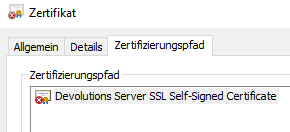
But on our test-machine in our productive environment (OS=2019), I do not have that certificate, so I may not connect via HTTPS.
What was my fault? Did I miss a step during DVLS installation?
Best regards,
Daniel
Hello Daniel,
About the data you're pulling out from the RDM SQL database, it may be not available from the DVLS SQL database. Let me know if you want to discuss about it during a call.
For the self-signed certificate, it's not your fault, most browsers won't support anymore self-signed certificates. Do you have the possibility to create a certificate from Let's Encrypt?
Best regards,
Érica Poirier