Create Usergroups from a Domain

Hello,
I we are settings the rights for the folders in RDM via powershell during the creation.
We have been using Devolution Server groups but want to switch to Domain groups.
How can I add an ActiveDirectory group to the user groups with powershell?
And can I use these these user groups to set the permissions via Powershell?
This is the current code:
$role = New-RDMRole -Name $customer -Description $desc
Set-RDMRole -Role $role
# Set the Permissions (View im RDM wird angepasst)
$view = @()
$view += $customer
$session.Security.ViewOverride = "Custom"
$session.Security.ViewRoles = $view
$perms = @()
$edit = New-Object Devolutions.RemoteDesktopManager.Business.ConnectionPermission
$edit.Override = "Custom"
$edit.Right = "Edit"
$edit.RoleValues = $view
$perms += $edit
$add = New-Object Devolutions.RemoteDesktopManager.Business.ConnectionPermission
$add.Override = "Custom"
$add.Right = "Add"
$add.RoleValues = $view
$perms += $add
$session.Security.RoleOverride = "Custom"
$session.Security.Permissions = $perms
Set-RDMSession $session -Refresh
Update-RDMUI
And it worked without any problems with the integrated user groups.
Thanks and best regards,
Stephan
All Comments (3)
Hello,
Sure it is possible to create a Domain user group in DVLS from a Domain group. When creating it using the New-RDMRole, make sure you properly set the group's name with the same name format as the other Domain user groups in your DVLS.
$role = New-RDMRole -Name "Downhill\testgroup" -SetRole
Then, you can use it's ID to set the permissions.
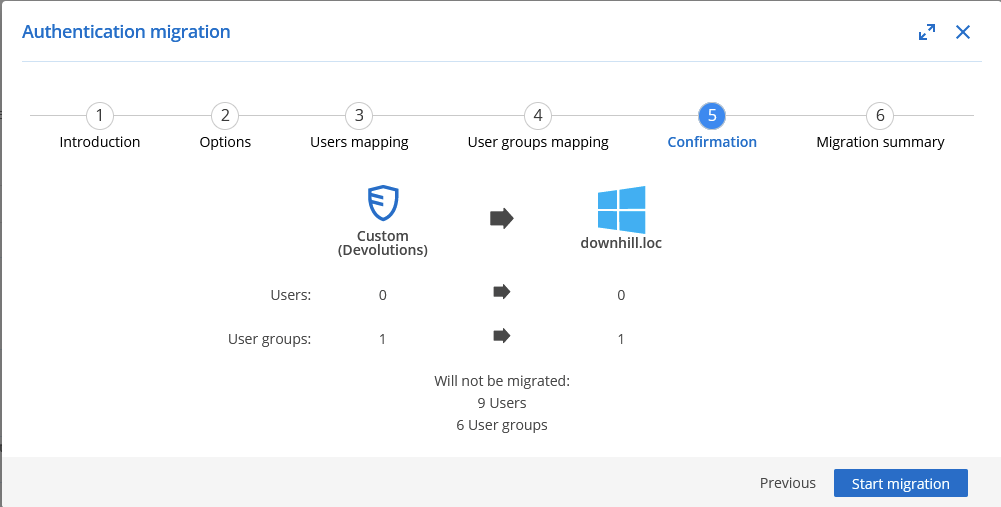
Another method, without using PowerShell, would be to use the Authentication Migration tool to migrate DVLS user groups to Domain user groups in DVLS. With this tool, you won't have to reconfigure all permissions.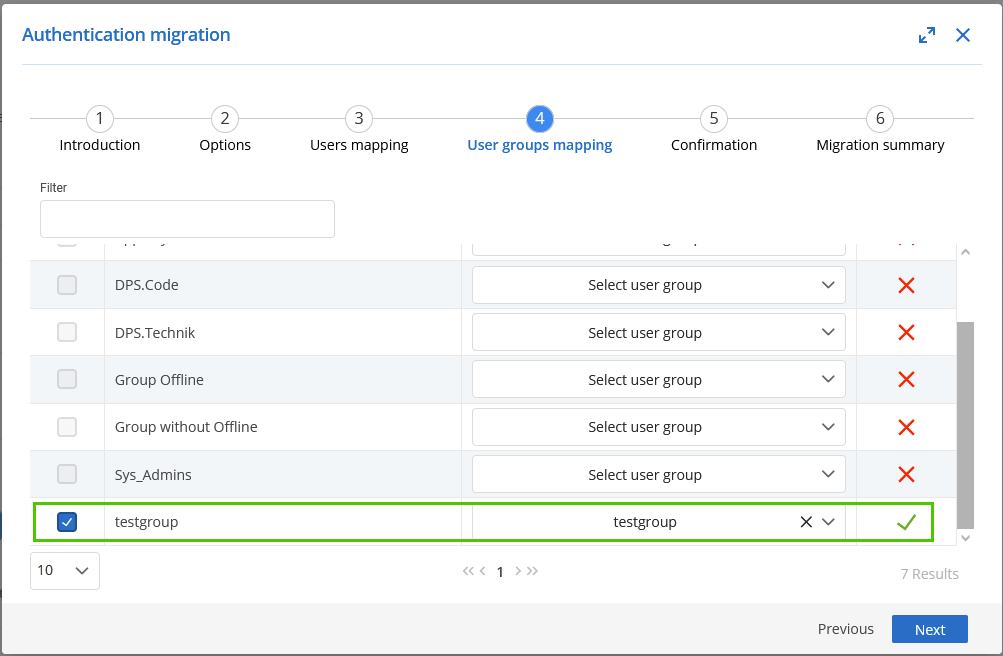
Best regards,
Érica Poirier
bc41b489-5af6-49ab-be15-cea28acca88a.png
165d8f2b-7080-464c-82b9-94424a5bdaa3.png
Thanks, that solved my problem.
Hello,
Thank you for your feedback and glad that your issue is now solved.
Best regards,
Érica Poirier