Last version of DVLS server broke Edge/Chome plugin

After updating to the last version of DVLS 2023.2.3.0, the plugin for Chrome/Edge browser stopped having access to the personal vault.
While looking at the plugin, can you make an option to have the copy OTP quick button when highlighting entry in the plugin search?
Currently there are only 3 buttons when highlighting the entry "copy password", "copy username", "view" buttons. To see the OTP users have to click on the view button and then scroll to the bottom of the entry to copy the OTP.
Another useful feature would be for the plugin to remember the last used entry and show it first in the list. Having multiple credentials for the same site while the plugin is unable to recognize the OTP field is a real pain to deal with. Users have to click the plugin then search for the entry, copy the username, then search again for the entry to copy the password, then once again search for the entry to click the view button, scroll down, and copy the OTP.
These annoying issues haven't been fixed for more than 4 years. hopefully you won't reply with something generic that this is not the right section of the forum since there is no section of the forum dedicated to the plugin!
Thanks!
All Comments (11)
Hello,
From what DVLS version where you updating from?
About the personal vault, is it selected in the Vaults section? If not, you can select it using the Select Vaults to Sync button on DWL extension.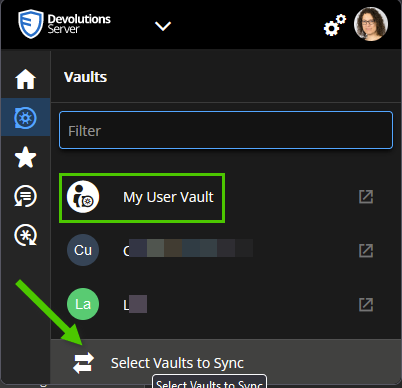
About the OTP button, we do have a similar request when DWL is connected to RDM. I will check with the engineering team if this can be also available with DVLS as well.
Regarding the last used item when you search for an entry, again I will discuss with the engineering team about it.
We will provide you with regular updates as soon as any progress is made.
We appreciate your patience during this process.
Best regards,
Érica Poirier
bd501224-c48b-4c85-8b01-ac5c4ecb1e98.png
Hello,
Following a discussion with an engineer, what DWL version are you using?
Using DWL browser extension 2023.2.1, the OTP copy button is available for website entries like the following.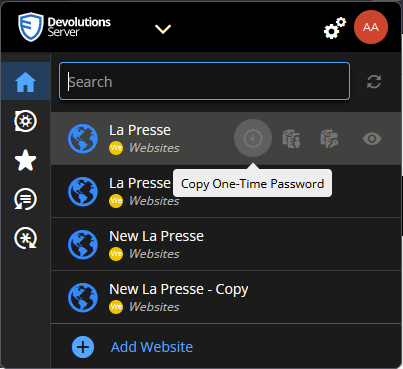
And if you want to have it automatically filled in, then you'll have to find and set the id/name of the OTP field using this method.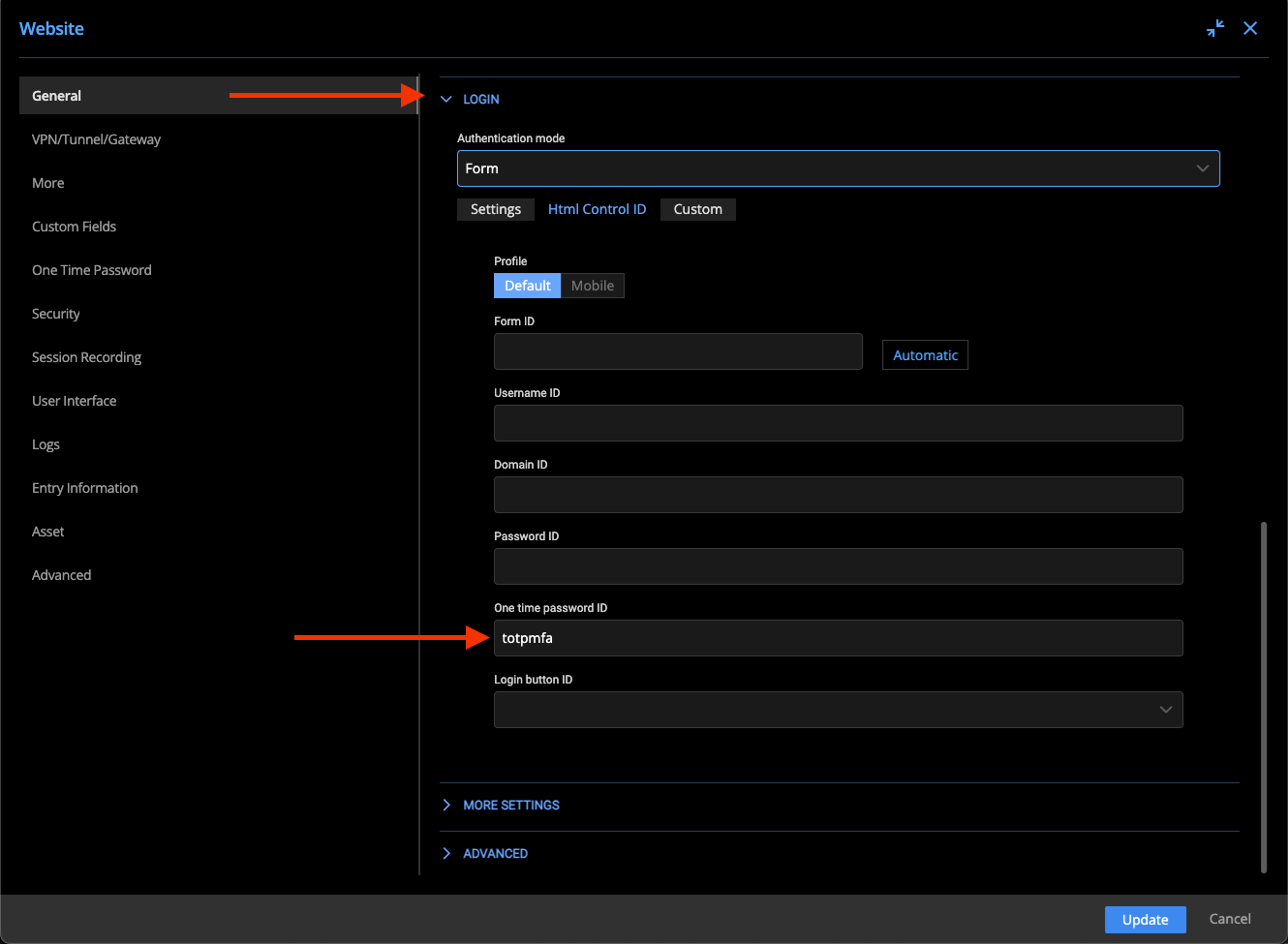
As well as the last used items will be found in the Recent section.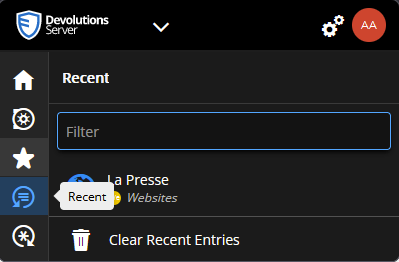
Let us know if you have further questions about this.
Best regards,
Érica Poirier
0fb28fbf-26c9-433a-a059-402995c02301.png
dfcbca23-5854-4d52-8144-e9a38006483f.png
038f0821-73b5-4f66-89b9-c7381b98686c.png
DVLS was updated from 2022.3.13.0 to 2023.2.3.0.
The button to select which vaults to be synced doesn't appear, I assume it is because the plugin uses the default value to sync all vaults.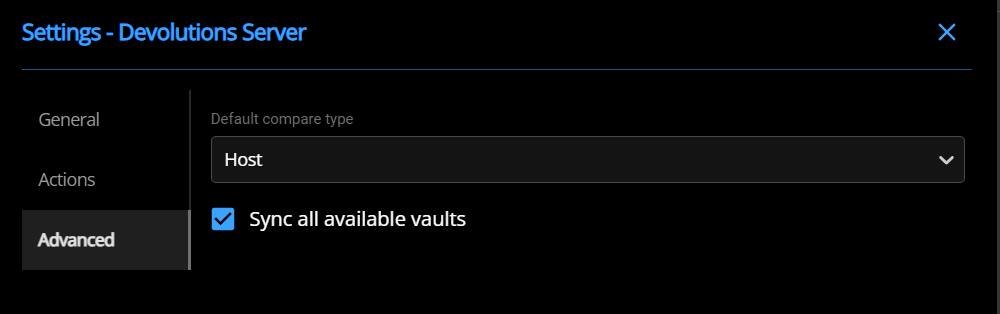
Selecting a specifically the personal vault gives this error message.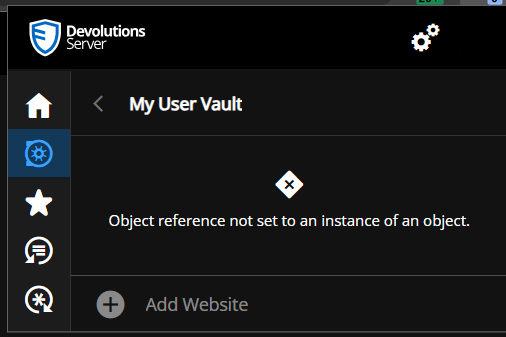
Thanks for pointing out the Recent, it seems that it will be partially helpful. There is still the issue that the plugin doesn't default to recent tab, but if it does, then searching for new credentials will require switching back to the home tab.
The recent tab does show the OTP button but having this button in the Home tab would be more beneficial.
Can the "One Time Password ID" have default value of totpmfa the way the username and password fields are? It is unreasonable to believe that someone will dedicate the time to update all of their web entries after using DVLS for so long.
Thanks!
c06e68c6-b95f-4dcd-8c0e-c823634fe1ff.png
b5d80fc0-87eb-46eb-8338-8f1f605d8535.png
Hello,
Thank you for your feedback.
For the User vault issue, we haven't been able to reproduce this error.
Do you get an error when you reach your user vault from the DVLS web UI?
Do you have any relevant error messages in the DVLS Logs?
For your other suggestion, I will ask an engineer to analyze them and we will get back to you about it.
Best regards,
Érica Poirier
We have no issues accessing personal vaults via DVLS web page or RDM application.
The only error message that I see is in the plugin when accessing specifically the personal vault.
The picture of the error message is attached in my previous post.
Can you move this tread to a support ticket?
Hello,
Thank you for your feedback.
That is a strange issue you're getting with the user vault. Are you the only having this problem? If so, what entry types do you have in your user vault?
For the support ticket, please send us an email at service@devolutions.net and add a reference to this thread and we will book a support session.
About the OTP default ID cannot be set as this field ID name totpmfa isn't a default value for every websites. A web designer can set it with a different ID name. Even if we want to develop anything to manage this, it's not an easy one to do. So for now, there is nothing we can do about it.
Best regards,
Érica Poirier
Hello,
Thank you for your patience.
As we have both reproduced the error with DWL, I have tried to reproduce it on another test system without luck. After further investigation, I have found that it's a problem on the server side. One of my Website entries was bound to a Credential entry that no longer exist in my User Vault. If I select that entry, I get the following error message on the DVLS web UI. The same one as what we got in DWL.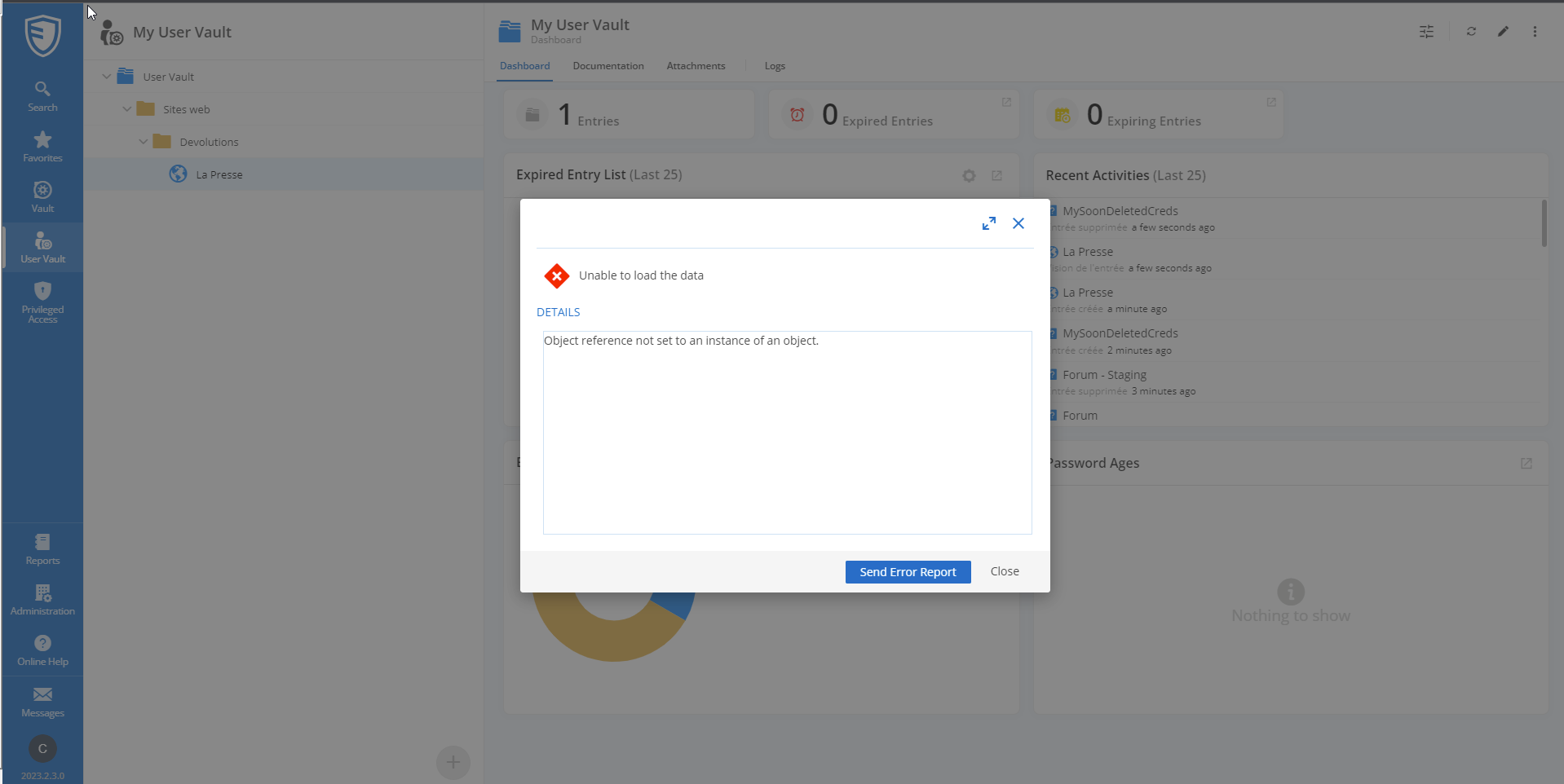
The workaround on your end, until engineering team will fix this to protect the web interface to prevent throwing this error, is to click on every single web entry in your User Vault on the DVLS web UI to get this error, then click on Close, and edit the entry to fix the missing credential entry.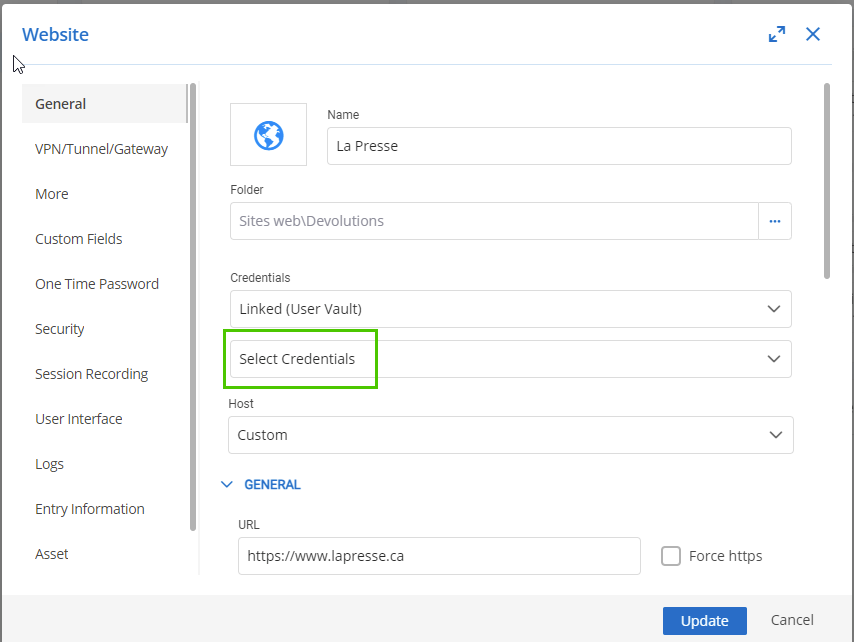
Once a fix will be available, we will post it here.
Thank you again for your patience!
Best regards,
Érica Poirier
1472e17a-6025-426d-a6a4-a80e6c210097.png
ce529ef0-d017-41a3-94ae-08f54ab6f42d.png
Yup, that fixed it. I had a folder set with credentials that is no longer present and a web entry.
is the fix going to ignore the problem for such cases or actually change the web entry back to the default credential setting?
Hello,
Thank you for your feedback and glad that helps to fix your issue.
The fix should ignore the problem and won't modify an entry with that problem.
I have tested it on a shared vault and that bug isn't triggered and it doesn't update the credentials property. So I guess the engineering team will apply a similar behaviour in the user vault.
Let us know if you have further questions about this.
Best regards,
Érica Poirier
Hello,
A new release, version 2023.2.7.0, is available for DVLS and contains a fix for your issue. Let us know if that works for you.
Best regards,
François Dubois