Version 2023.2.2.0 (June 27, 2023)

If you are using RDM as the client, RDM 2023.2 is required for this DVLS version
IMPROVEMENTS
- Core - Improved warning message when passwords don't comply with password security settings
- Core - New Devolutions Server installation set 'Enable internet access' to true
- PAM - Added checkout reason in logs/reports
- PAM - Added support for preferred domain controller in AD provider
- Recording Server - Added a tool to re-index recordings from different Devolutions Gateways
FIXES
- Core - Fixed an issue where activity logs could not be opened
- Core - Fixed an issue where entries can't be saved in system vault
- Core - Fixed an issue where no notification was sent if the delete operation was made with RDM
- Gateway - Fixed an issue where Devolutions Gateway could not be used if no ID was configured on it
- Web - Several UI fixes
## CONSOLE RELEASE NOTES ##
IMPROVEMENTS
- New Devolutions Server installation set 'Enable internet access' to true
Richard Boisvert
All Comments (12)
Hi Richard
With the latest DVLS Version we have the issue that an activated Syslog UDP Logging Configuration will almost brake DVLS.
Everything gets really slugish and some Errors are listed in the datasource:
SocketException - Error due to lack of resources.
at Devolutions.Server.Managers.SysLogManager.SenderUdp.SendMessage(Byte[] data)
at Devolutions.Server.Managers.SysLogManager.SendMessage(String messageId, SyslogEvent syslogEvent, String message, LogMessageType logType, String appName)
Server has plenty of ressources available.
If I turn the Syslog integration off everything continues to work again.
Is there no license needed for PAM with the latest version?
All the features are available even if we don't have any license.
Kind regards
Hello Jannis,
I will open an internal ticket regarding the syslog, thank you for reporting the issue.
Regarding the PAM, without a license, you should receive this warning, is that not the case?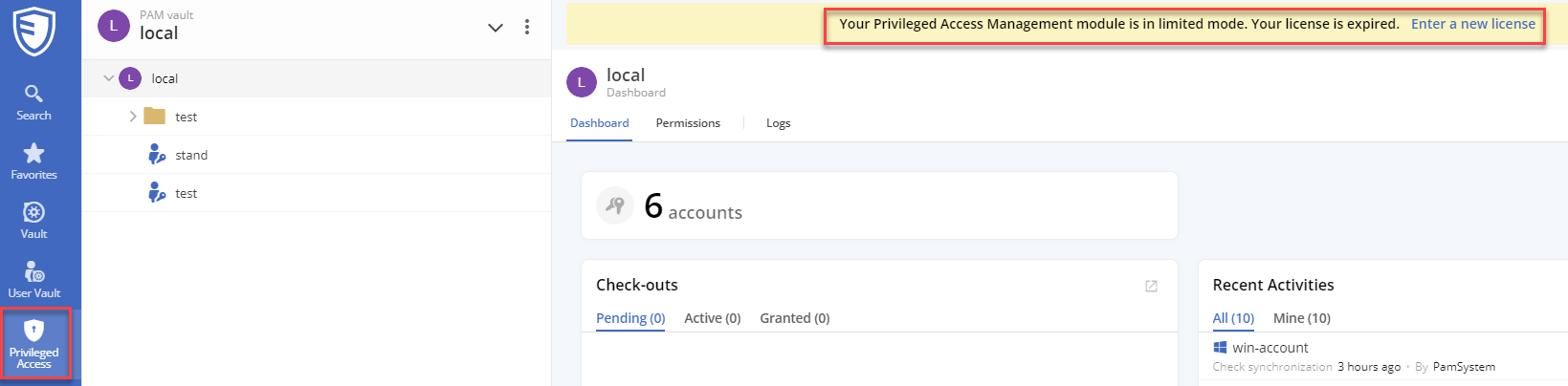
Best regards,
Richard Boisvert
d2be0d53-ffed-4615-ab8c-1be8284b413a.png
Hi Richard
Okay, we would like to turn syslog on again since we use it for compliance.
Hmm I'm not sure about the PAM Module but it is definitily more present since the last update.
Since the update i receive multiple errors on a daily base. Where should I send you the Error reports?
ArgumentNullException, SqlException - Violation of PRIMARY KEY
Kind regards,
Hello Jannis,
I will let you know once I have an update regarding the syslog.
Regarding the daily errors, you can export the server logs from the web interface and send them to service@devolutions.net - https://docs.devolutions.net/kb/devolutions-server/how-to-articles/view-server-datasource-logs/
Best regards,
Richard Boisvert
Hello Jannis,
I would like to have more information about issue with syslog. Did you configure it lately or you had a syslog already configured even before the server update ?
And for the PAM issue that you talked, do you have a PAM license ? Or have you ever had a PAM license in your configuration ?
Best regards,
François Dubois
Hi François
We had Syslog UDP configured for almost over 1 year.
No we never had PAM license or PAM trials or anything like that.
Kind regards,
Hello Jannis,
So if I understand correctly, you had Syslog configured for almost over 1 year, without any issue and after the update, it stopped to work ? Am I right ? Because with the error that you sent us, it looks like that your syslog connection is down.
And for the PAM issue, are you talking that you are seeing this for all users ? If you don't have a PAM license, you should not have that, it is an error. Let me know if we are talking about the same issue. 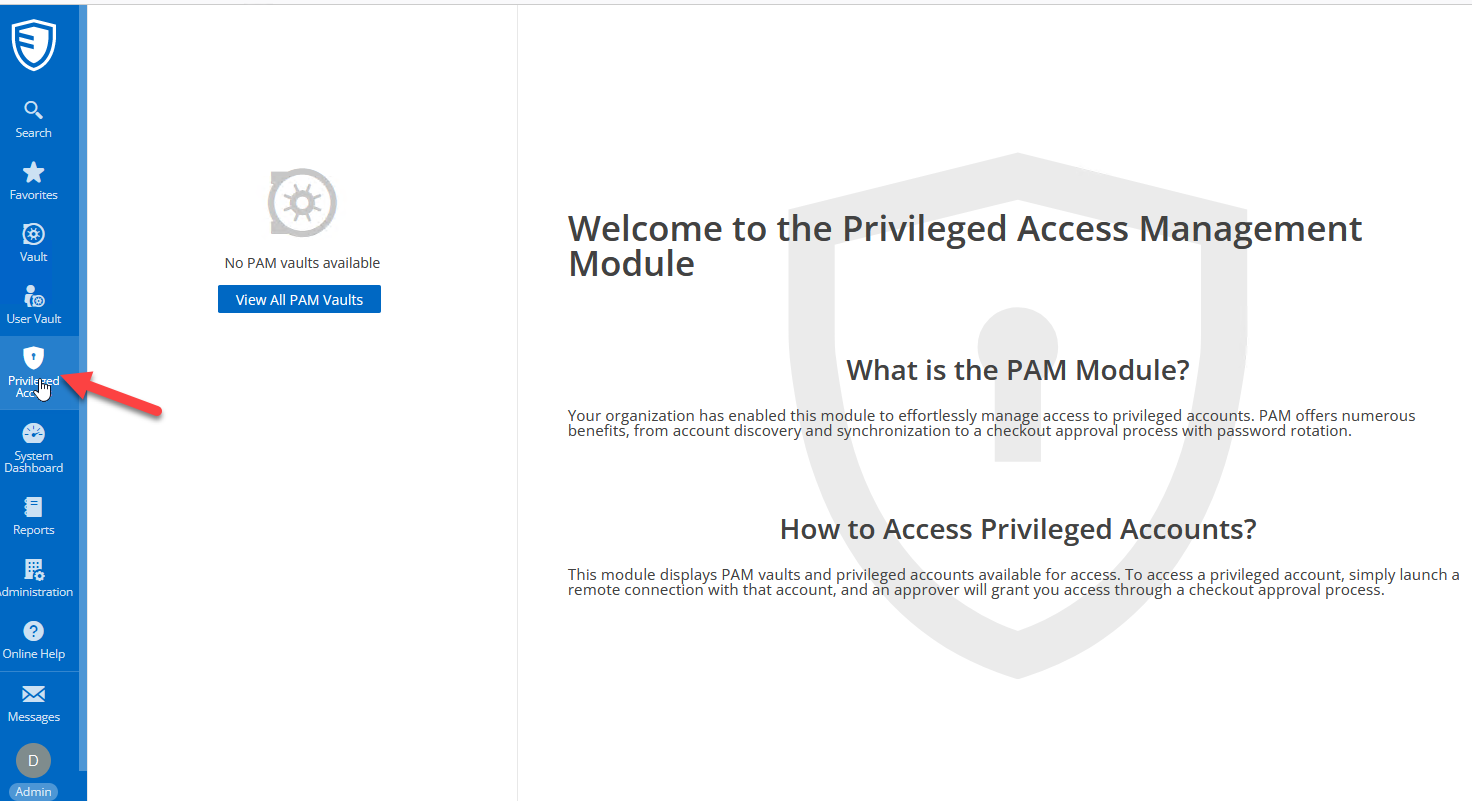
Best regards,
François Dubois
4e29a3b4-7245-428c-add7-ac676e5859d4.png
Hi Francois
As you can see in the screenshot it stopped in the same moment we updated DVLS to the latest Version.
Nothing else was changed and all our other syslogs are working.
Don't bother anymore about PAM, it's just more present in the latest Version of DVLS and RDM as it was before.
Kind regards,
50b46474-8020-4a80-959b-d501717e59ae.png
Hello Jannis,
We can't reproduce the issue with syslog. Could you tell us what was your previous version before updating to 2023.2 ? Could you try to restart the DVLS server in case resources are kept by our process ?
Best regards,
François Dubois
Hello Jannis,
We finally found the issue. A fix will be applied and a new build will be available soon, probably by the end of the week.
Best regards,
François Dubois
Hi Francois
Perfect, I will install the update and check if syslog is working again.
Kind regards,
Hello Jannis,
A new version is now available (2023.2.3.0) and the syslog issue is fixed. Let us know if it works for you.
Best regards,
François Dubois