Connect using Appkey and Appsecret

Hi
I am trying to connect to DVLS from a new windows2022 server with Devolutions.PowerShell
2023.2.0.0 against DVLS Version 2023.2.1.0.
I have used the Method 1 this: https://docs.devolutions.net/kb/devolutions-powershell/devolutions-server/powershell-connectivity/
This commands work:
Get-RDMRepository
Get-RDMCurrentRepository
But when I try Get-RDMSession I get: “Get-RDMSession: Connection not found.”
The APP has access on the vault and the entry.
What am I doing wrong?
All Comments (3)
Hello,
I just tested it on my end with the new release, and an application, and it works as expected (see below).
Can you confirm that the application as at least view and connect (execute) permissions in the vault you want to access?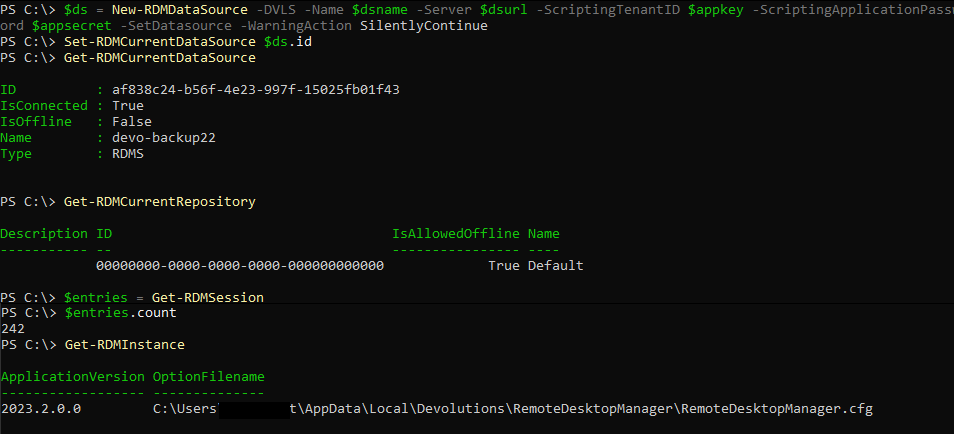
Best regards,
Richard Boisvert
72566a0a-9482-41ae-86d1-1b96b0b2d36b.png
Hi,
I had forgotten to give access on the top level in the Vault, hade only given access to the entry.
Thank you.
Hello,
Glad to see it was only a permission issue. Let us know if you have any other issues!
Best regards,
Richard Boisvert