Problems with DVLS/RDM Notifications

There seems to be strange behaviors regarding this.
I have set up to send notifications when entry type folders are created or deleted but I only recieve email notification for creted folder entry IF i don´t have any more filter added than "Action is Created".
If i add a filter that the entry type should be "Folder" i don´t get any email when a folder is created
Also , i don´t get any email when an entry is deleted with a notification setup for this.
Is there any log i can check if something acctually happens when it is supposed to ? Like i want to se if the system has tried to send a notification
Running DVLS 2023.1.7.0 and RDM 2023.1.23.0
All Comments (17)
Hello,
What folder type have you created or deleted?
As many folder types can be created (Company, Customer, Server, etc), we need to specify them in the Subscription dialog as shown in the following screen capture. You should have 12 folder types row in the subscription Filters section related to folders.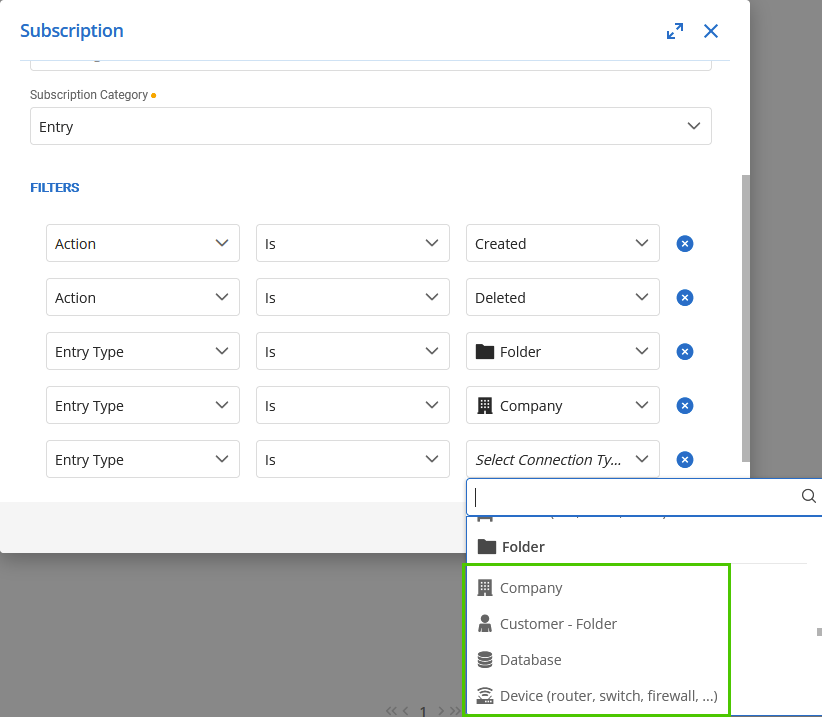
With this Subscription, I receive a notification for every folder type I create or delete.
Let us know if that helps.
Best regards,
Érica Poirier
71ed1156-ed18-4931-bb80-59b31d1358fe.png
Hi
When testing I have used the standard "Folder" when creating and added "Folder" to the subscription.
I have now added all 12 but still not notification , removing these filters and i get the notification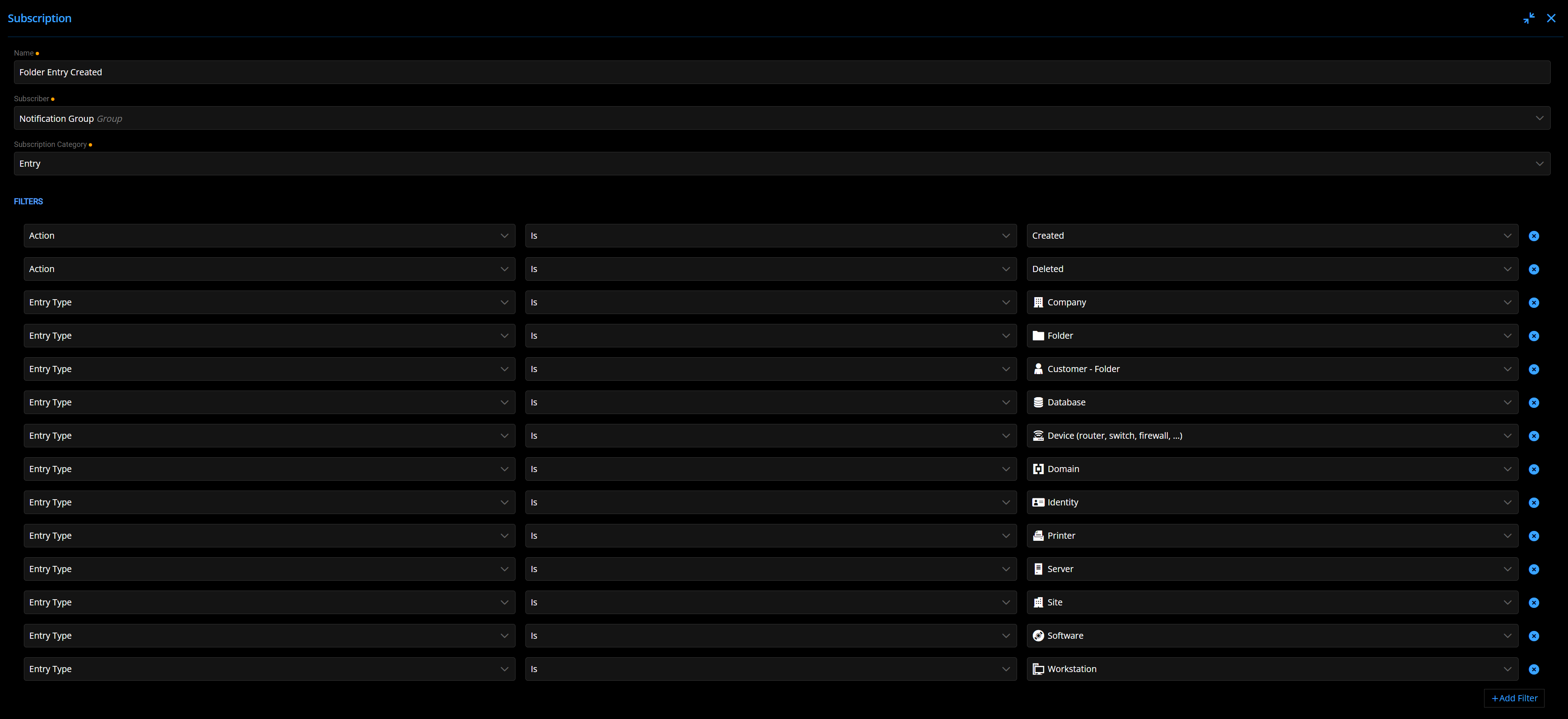
aa73522a-54d9-43a1-9912-240769214461.png
Hello,
Thank you for your feedback.
As the Scheduler sends the email notifications, is it properly running on the server where DVLS is hosted?
https://docs.devolutions.net/kb/devolutions-server/knowledge-base/scheduler-service-general-information/
If the Scheduler is running, you can try to restart it from the companion's tab of the DVLS Console?
Best regards,
Érica Poirier
Hi Erica
Well i guess ther Scheduler service is running properly since if i only have like this configured at least i get an email notification that it is created
No notification though when I delete the folder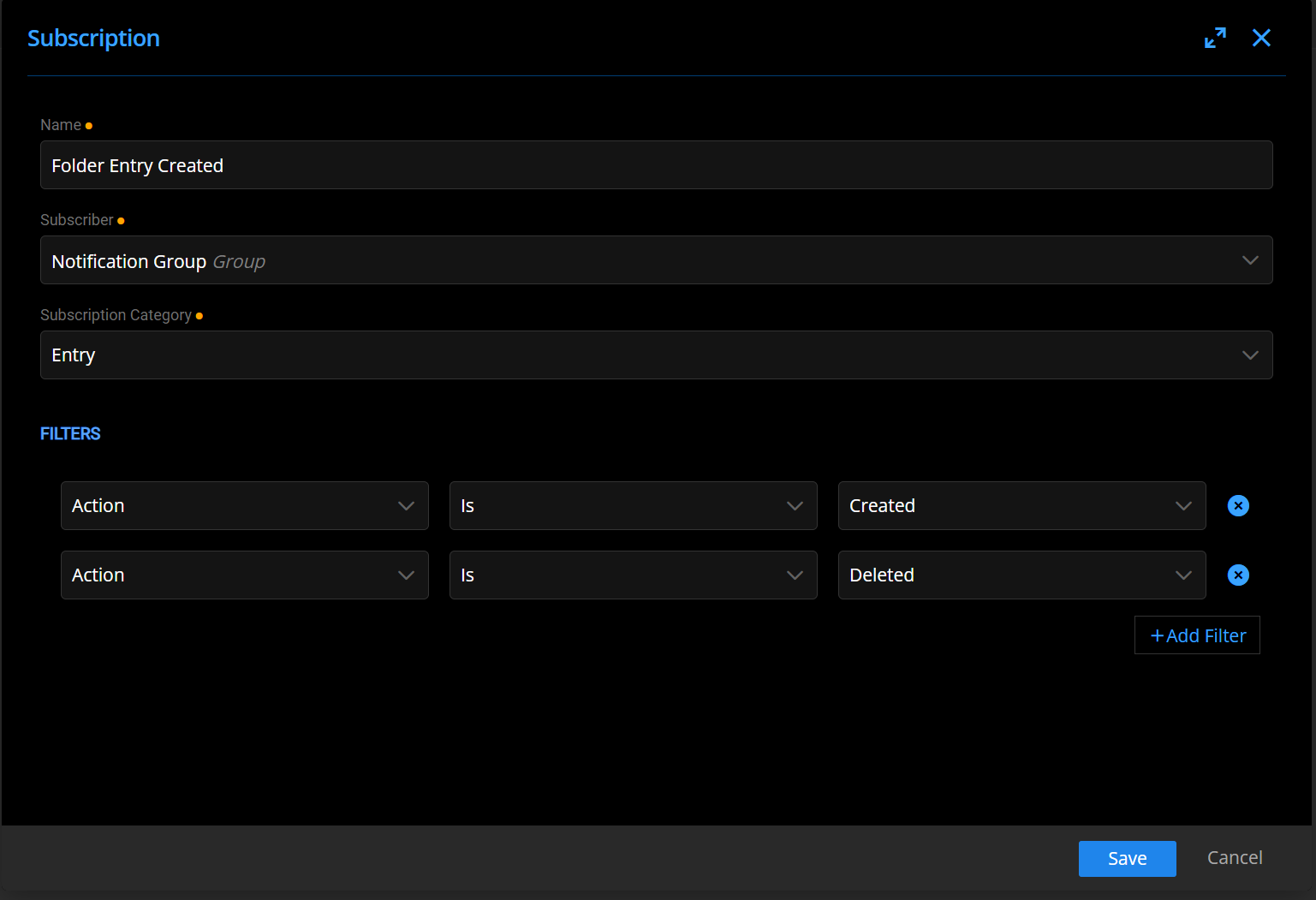
And also , I have this notification set up and here I get email notification when doing changes to "System settings"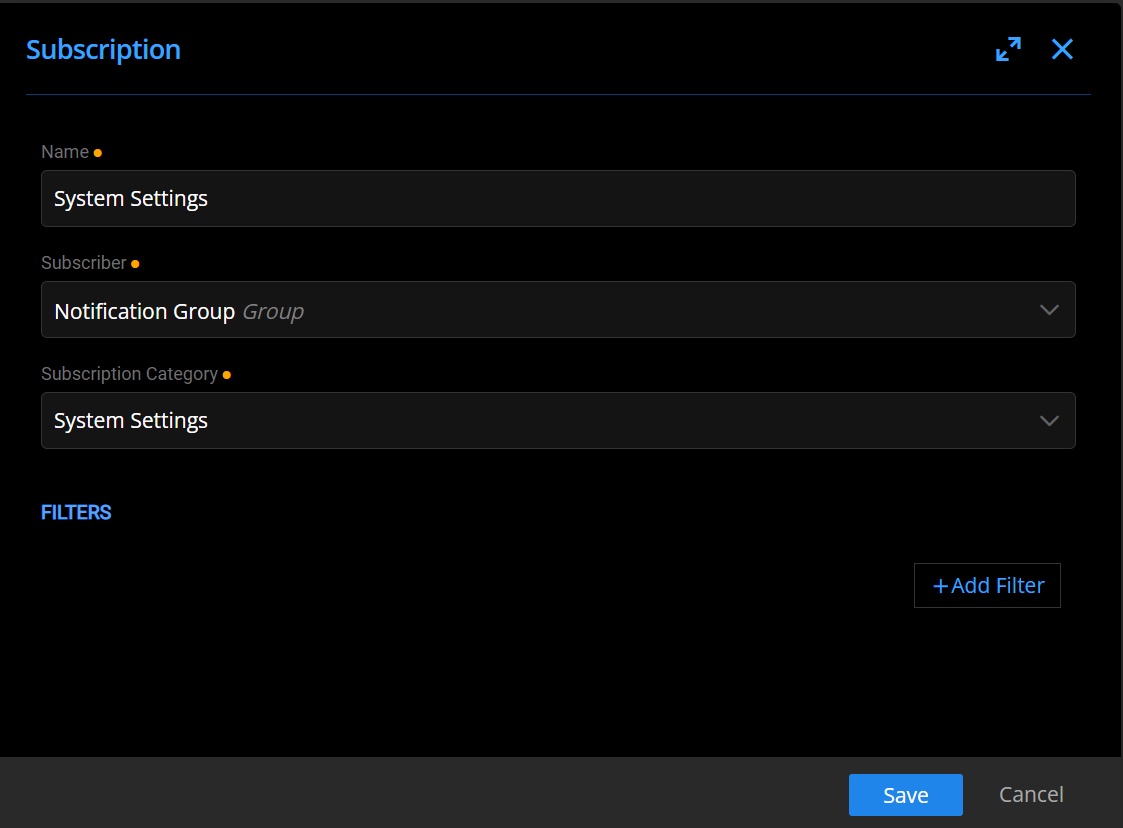
2105fc5f-5af5-4811-a0d2-0535e11aa64e.png
b1cb3289-d3b4-434d-ad7b-bfd61046f341.png
Hello,
Thank you for your feedback.
The only other problem I would suspect is the content of the NotificationEvent table in the database. Once all notifications are sent, then this table should be empty.
If that still doesn't help, please send and email to service@devolutions.net with a reference to this thread to book a support session for troubleshooting this behaviour.
Best regards,
Érica Poirier
How do I check the NotificationEvent table to see if it's empty or not ?
Hello,
You will need to connect directly to the SQL database using SQL Server Management Studio.
Have you tried to restart the Scheduler service (DevolutionsSchedulerService in Services of the server)? That should help to clean this table properly.
Best regards,
Érica Poirier
Hi Erica
The table seems to be empty and yes I have restarted the service multiple times
I will email and schedule a support session
Hi again
Acctually I see that nothing gets added to that NotificationEvent table when i do the delete of the folder.
When creating a folder I see the information getting added
Hello,
Thank you for your feedback.
We will then investigate during the support session and post the results here.
Best regards,
Érica Poirier
Hello,
We have found during the support session that when the delete operation is initiated from RDM, there is no notification created in DVLS.
A ticket has been submitted to our engineering team. Once a fix will be available, we will update this thread.
Thank you for your patience.
Best regards,
Érica Poirier
Hello,
Version 2023.2.2.0 has been released and contains a fix for that issue.
Best regards,
François Dubois
Hi
Yes , i got the notice about that version today and noticed the information about the fixes.
Have installed and tried it and can confirm that it works now
Glad to hear that :) Don't hesitate if we can help with something else.
Best regards,
François Dubois
Hi again
I have noticed that other notifications is not working.
I have set up to notify when a user is created/locked/deleted but i don´t get notified when a user is created from Azure AD (Auto create on first login)
If I go and create a user manually in the Admin GUI I get the notifications for this.
3b90630d-53c2-4659-b48b-32f9ebf1f3c1.png
Hello,
I have been able to reproduce this issue. A ticket has been sent to our engineering team.
We will post it here once a fix will be available.
Thank you for your patience.
Best regards,
Érica Poirier
Hello,
We released a new version yesterday (2023.2.4.0) and it contains a fix for the notification issue. Let us know if it works for you.
Best regards,
François Dubois