Adding a Wireguard VPN via PowerShell

Is there any way to add a Wireguard VPN through the PowerShell module, if needed using a .conf file?
Thanks in advance
All Comments (3)
Hello,
I don't think it's possible through PowerShell as the WireGuard VPN Add-On configuration is encrypted in the XML code on the entry.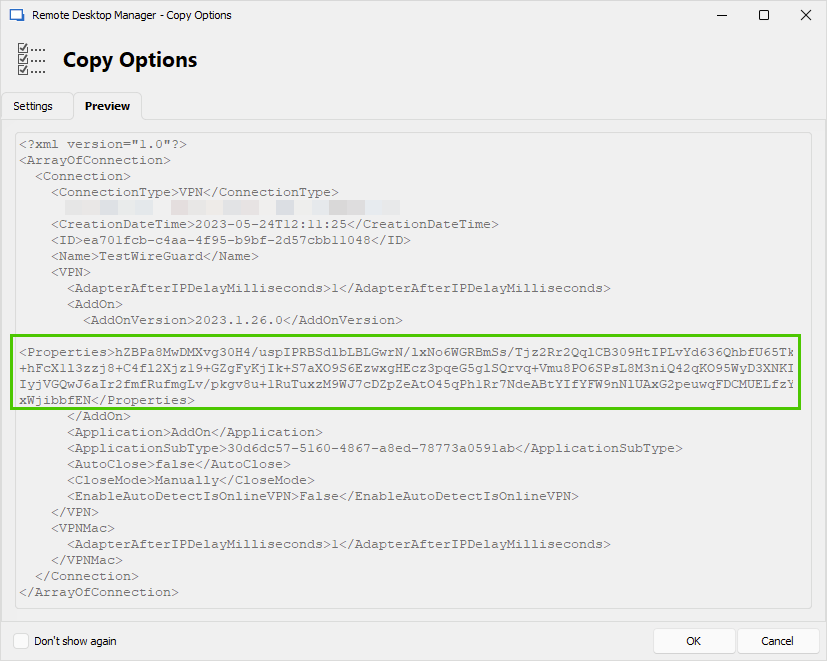
Best regards,
Érica Poirier
bc052765-f295-4c7c-ad13-4934209e059f.png
I Found a way to get an empty session of a WireGuard VPN into RDM:
1) First make a template of an empty WireGaurd VPN session
2) Get the ID of the template using Get-RDMTemplate
3) Make the session:
$vpn = New-RDMSession -TemplateID "588ff58e-2298-4e6f-99c9-b439a25d5435" -Type 'VPN' -Name 'WireGuard'
Set-RDMSession $vpn
Hello,
Thank you very much for sharing this solution with our community. This one will be helpful with other similar entry types.
Best regards,
Érica Poirier