Get-HubEntry - Progress bar - Hide

I've start using the "SecretManagement.DevolutionsHub" powershell module, to utilize that I can store my secrets inside a vault, and fetch them at runtime.
I'm looking for a way, to silence the Progress Bar that is shown while fetching a secret - as I don't need the information:
See below example: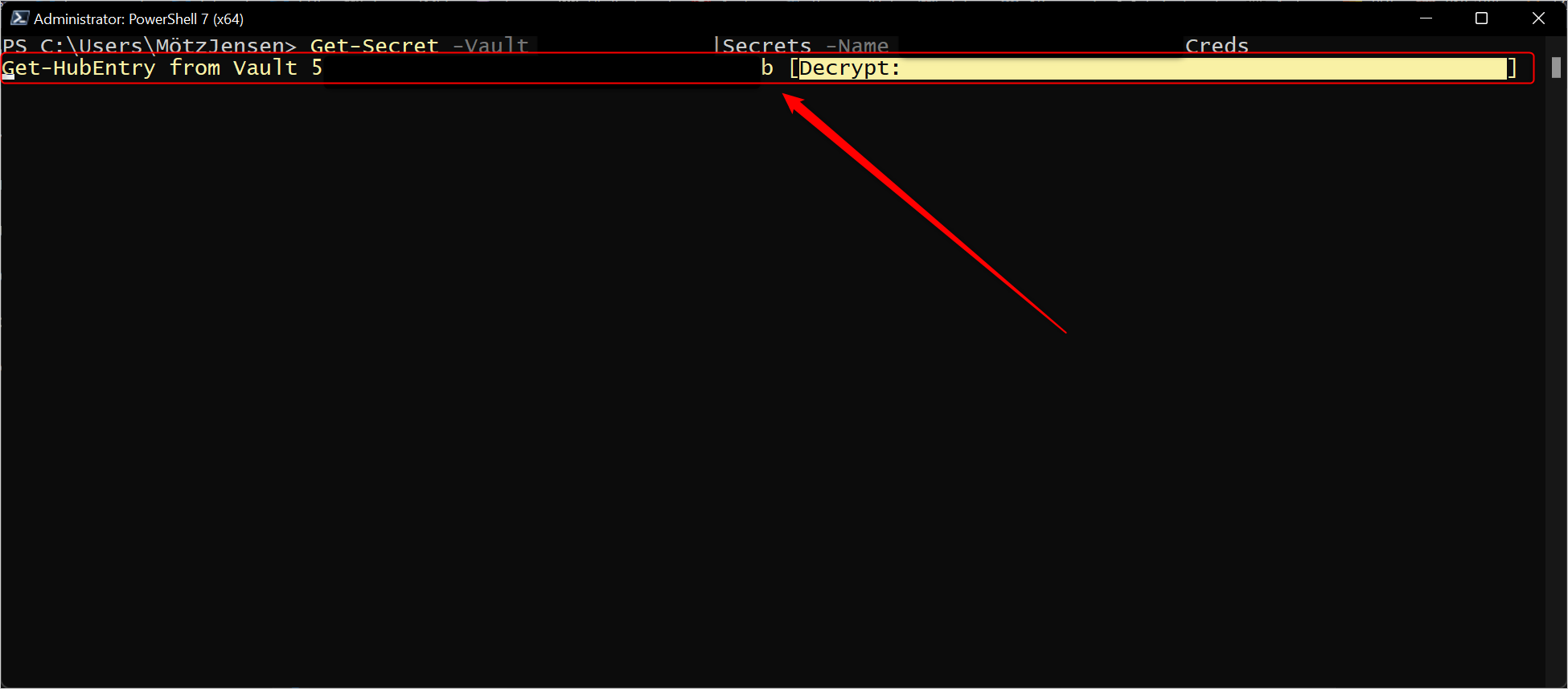
All known PowerShell tricks that would normally hide this, doesn't work.
$ProgressPreference = "SilentlyContinue"
$Global:ProgressPreference = "SilentlyContinue"
If the code is open source, I'm more than happy to assist if possible - to find a way to enabled people like myself to hide this progress.
image.png
All Comments (22)
Hi,
I don't think there's a way right now to silence the progress bar.
Even though our secret management module is (source), it looks like the Hub PowerShell module used by this module is the culprit here.
I'll open a ticket and look into it.
We are writing a replacement module that will be integrated in our new Devolutions.PowerShell PS module. That new SecretManagement module will use our RDM backend to retrieve password. That means one module could fetch credentials from Hub, DVLS or any data source supposted by RDM throught the Secret Management interface. I'll make sure that new module also silence progress bar when asked to.
Regards
Jonathan Lafontaine
While you're at it, it would make a huge difference - if you could support the metadata concept from the secret management module. It is not supported at the moment.
I can add multiple entries, with the same logical name.
This leaves me with multiple entries, where I would like to have an error - that I already have an entry with the same name. If I want to overwrite the secret, I would expect to use the -Force option.
For now, the module fetches the first entry, based on the guid id of the different entries. So not even last in or first created. Please take that into consideration.
Are you talking about the information returned by Get-SecretInfo?
If so, what metadata would be useful?
Jonathan Lafontaine
The powershell concept is that you can add a HashTable, that would be appended directly to your secret entry. This would enable the end-user to add any semi-complex metadata structure. This can be all kind of things - so I wouldn't limit what types / structures you should. Honoring the HashTable would make people capable of handle any future scenario, and make it easier to migrate from other platforms.
I can add multiple entries, with the same logical name.
This leaves me with multiple entries, where I would like to have an error - that I already have an entry with the same name. If I want to overwrite the secret, I would expect to use the -Force option.
For now, the module fetches the first entry, based on the guid id of the different entries. So not even last in or first created. Please take that into consideration.
Hello Motz,
Adding multiple entries with the same name will be prevented.
The default behavior of Set-Secret is to overwrite the existing secret. To prevent this, the switch -NoClobber must be used. No Force switch will be implemented.
Get-SecretInfo will return unique names (group\name). However, it is possible to have two entries with the same name in the same group in Hub. In those case, we are considering returning the ID as the secret name. Get-Secret, Remove-Secret and Set-Secret will fail in those case.
I can add multiple entries, with the same logical name.
This leaves me with multiple entries, where I would like to have an error - that I already have an entry with the same name. If I want to overwrite the secret, I would expect to use the -Force option.
For now, the module fetches the first entry, based on the guid id of the different entries. So not even last in or first created. Please take that into consideration.
Hello Motz,
Adding multiple entries with the same name will be prevented.
The default behavior of Set-Secret is to overwrite the existing secret. To prevent this, the switch -NoClobber must be used. No Force switch will be implemented.
Get-SecretInfo will return unique names (group\name). However, it is possible to have two entries with the same name in the same group in Hub. In those case, we are considering returning the ID as the secret name. Get-Secret, Remove-Secret and Set-Secret will fail in those case.
I might be doing things wrong, but with the current modules installed and configured, I get new entries for each Set-Secret. Are you talking about in the next release?
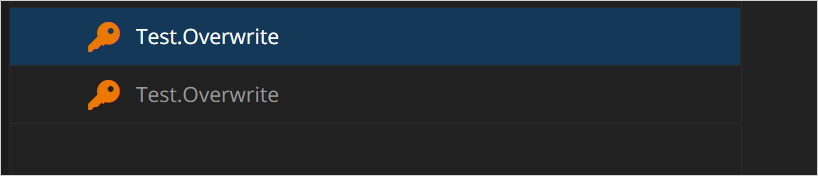
eaa85503-40be-4188-a15b-fcabf3748492.png
1a460f39-3505-484c-8632-d3b4a843992c.png
But listing the secrets, shows only one.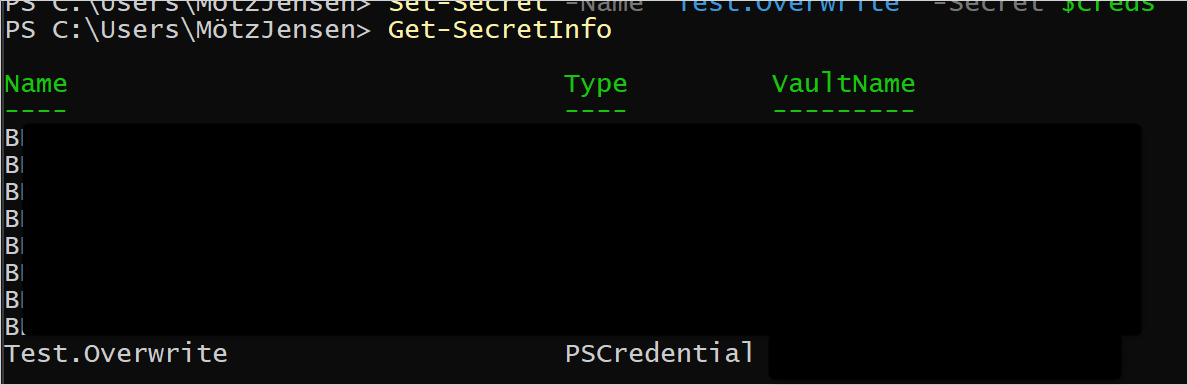
9fc9e7f6-4bf6-4fc8-9c5f-794864173851.png
Sorry, I was referring to the replacement module.
Hello Motz,
The replacement SecretManagement module is integrated in our Devolutions.PowerShell module (2023.1.0.5). If something is missing, feel free to let us know.
Maxime Bernier
Could you share what I need to run, to register a vault via the new module?
Current details, that I'm using with the "legacy" module:
Install-Module -Name SecretManagement.DevolutionsHub
$parms = @{}
$parms.VaultId = 'GUID'
$parms.ApplicationKey = 'AppKey'
$parms.ApplicationSecret = 'AppSecret'
$parms.Url = 'https://COMPANY.devolutions.app'
Register-SecretVault -Name "TEST" -ModuleName SecretManagement.DevolutionsHub -VaultParameters $parms
Test-SecretVault -Name "TEST"
I tried the following:
Install-Module -Name Devolutions.PowerShell
$parms = @{}
$parms.VaultId = 'GUID'
$parms.ApplicationKey = 'AppKey'
$parms.ApplicationSecret = 'AppSecret'
$parms.Url = 'https://COMPANY.devolutions.app'
Register-SecretVault -Name "TEST" -ModuleName Devolutions.PowerShell -VaultParameters $parms
Test-SecretVault -Name "TEST"
And it didn't fail. I can get secretinfo - but only from the default vault and not my "private" vault that I created, when I created with the first one. I'm splitting my vaults for usage with RDM and PowerShell only scripts. Is it possible to map directly to a specific vault, like with the "legacy" module?
We have several Shared Vaults, and I have a personal Vault. What I'm trying to support is to have a Shared Vault, used for PowerShell scripts / automation, kept clean from all the other objects, in the beginning only for me - but later to be shared across the team, so we can have the scripts working across machines.
Hi,
As I understand it, the new SecretManagement module leverages our RDM backend to access your data source.
With that in mind, it probably means you have to select the vault using the RDM api like so
$vault = Get-RDMVault -Name 'vault name'
Set-RDMCurrentVault $vault
If that works, I'll check to see if we could do that automatically using the $parms.VaultId = 'GUID' you specified while registering.
Jonathan Lafontaine
That worked flawlessly!
I can adjust my scripts to work with this 🤘
Just a quick update:
I now have all the features that I expect from SecretManagement. The meta data capabilities just works, which is going to make my life easier!
Thank you very much 😁
I said that a bit to early:
In the legacy module I can retrieve the secret, like this:
$tmp = Get-Secret -Name [SecretName]
$tmp.GetNetworkCredential().Password
But in the new module, the secret is blank, doing the same thing. I got a feeling that you don't populate the credential object with all properties.
So for now I need the legacy module, to obtain my secret value and the new module to obtain my metadata.
Should I start a new thread for us to collaborate on the missing secret information in the new module?
I don't think a new thread is needed.
If the legacy module can do it, so can the new one. We'll look into this.
Jonathan Lafontaine
Hi,
The latest release (2023.1.0.8) should fix blank password issue.
Let us know if any thing else is missing from the new module.
Regards
Jonathan Lafontaine
Just did my initial test - and it works.
Thank you for the very fast response to my issues!
People need to remove ALL previous modules and versions - if they want to avoid hitting the same issues I have been facing. Got some strange errors about types and stuff, that couldn't be casted.
But unregister the old vault, remove the legacy modules and making sure that I only had 2023.1.0.8 installed - start a new PowerShell session, worked flawlessly
Glad to know everything is working as intented now and thank you for the advice!
Jonathan Lafontaine
Hello,
If anyone else encounters this issue, this KB has the steps to resolve the problem: https://docs.devolutions.net/kb/remote-desktop-manager/troubleshooting-articles/install-package-already-available/
Best regards,
Richard Boisvert