Trouble with add data into server

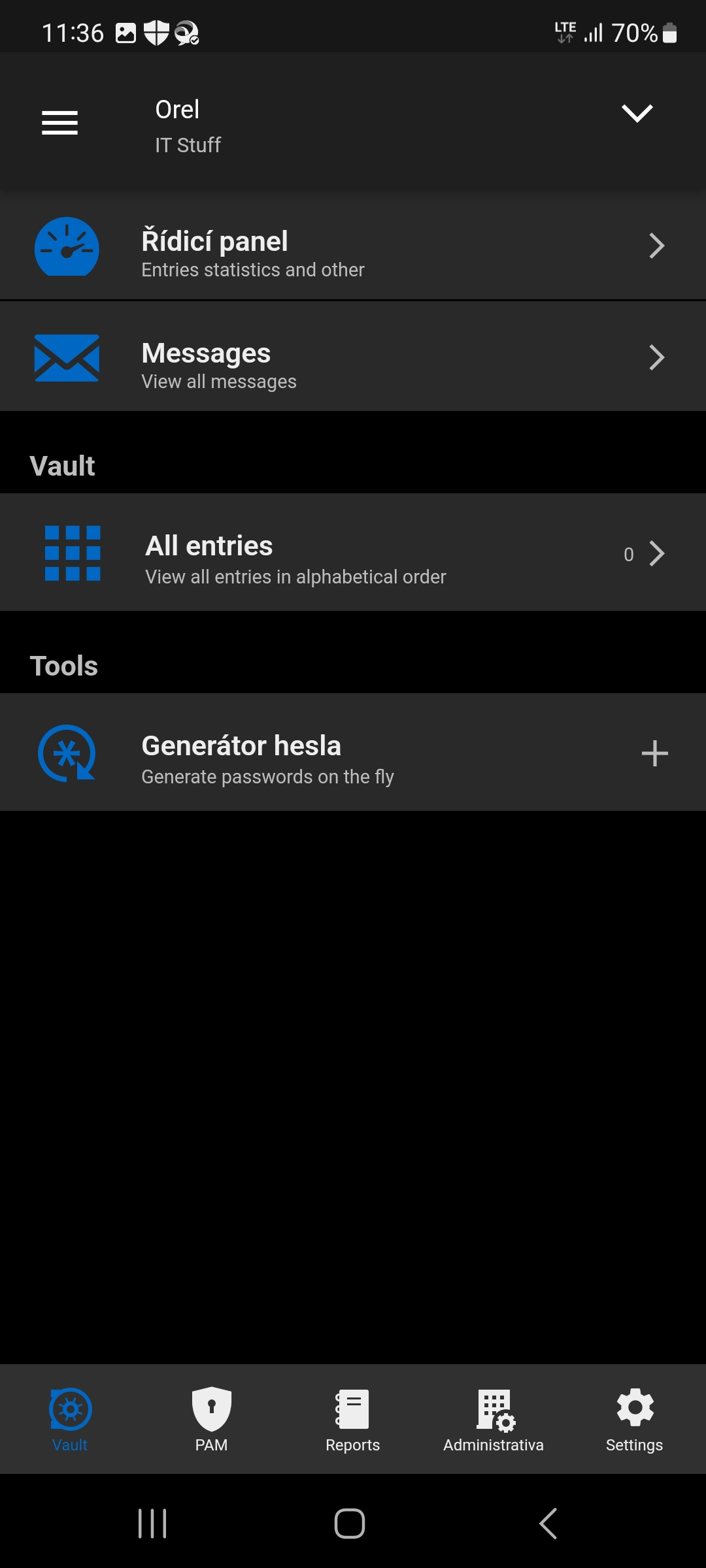
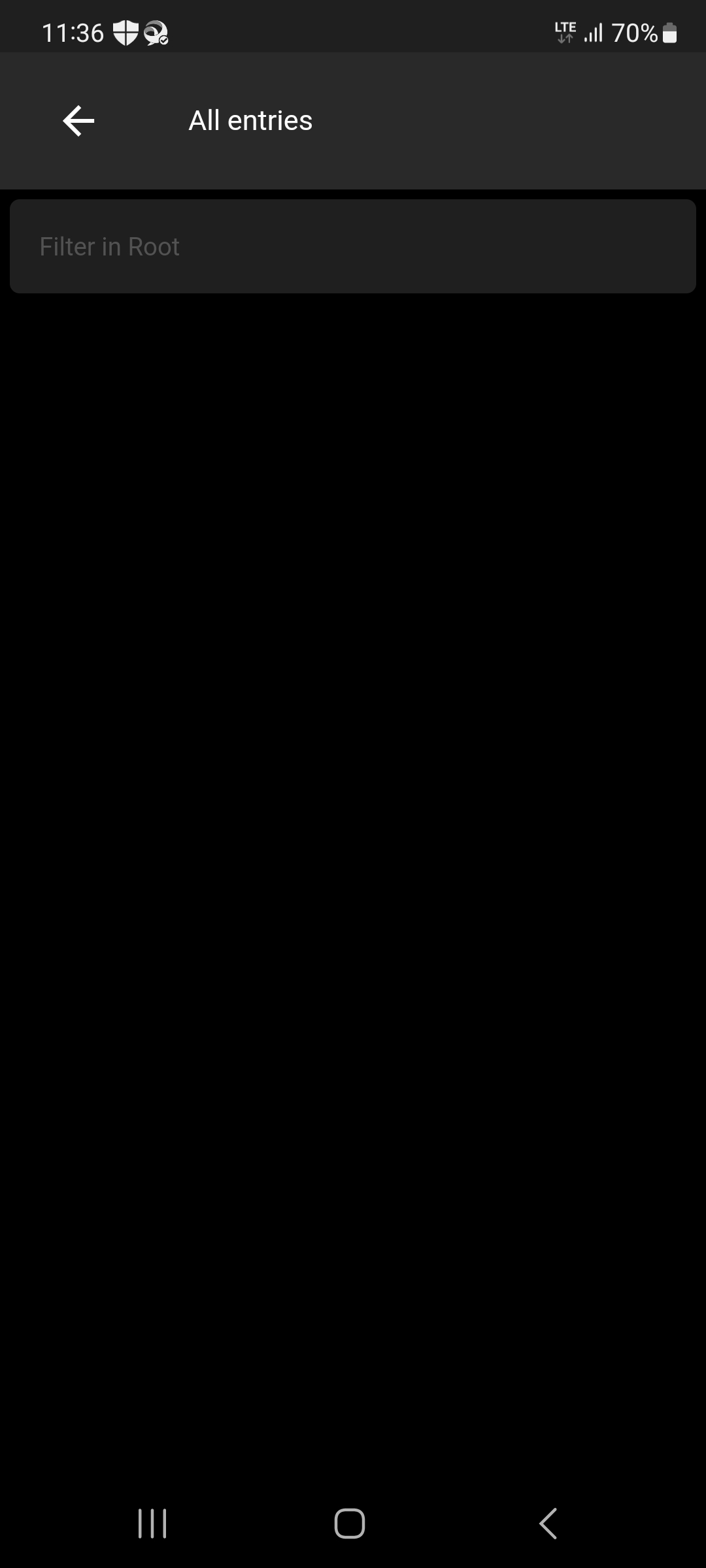
Good evening. It has a Dev server installed and I have created two users on it, both are admins and have access to the test Vault. In the web interface, I can add everything I need to the Vault, but the plus button is missing in the desktop and mobile applications. Please advise what I am doing wrong? Thank you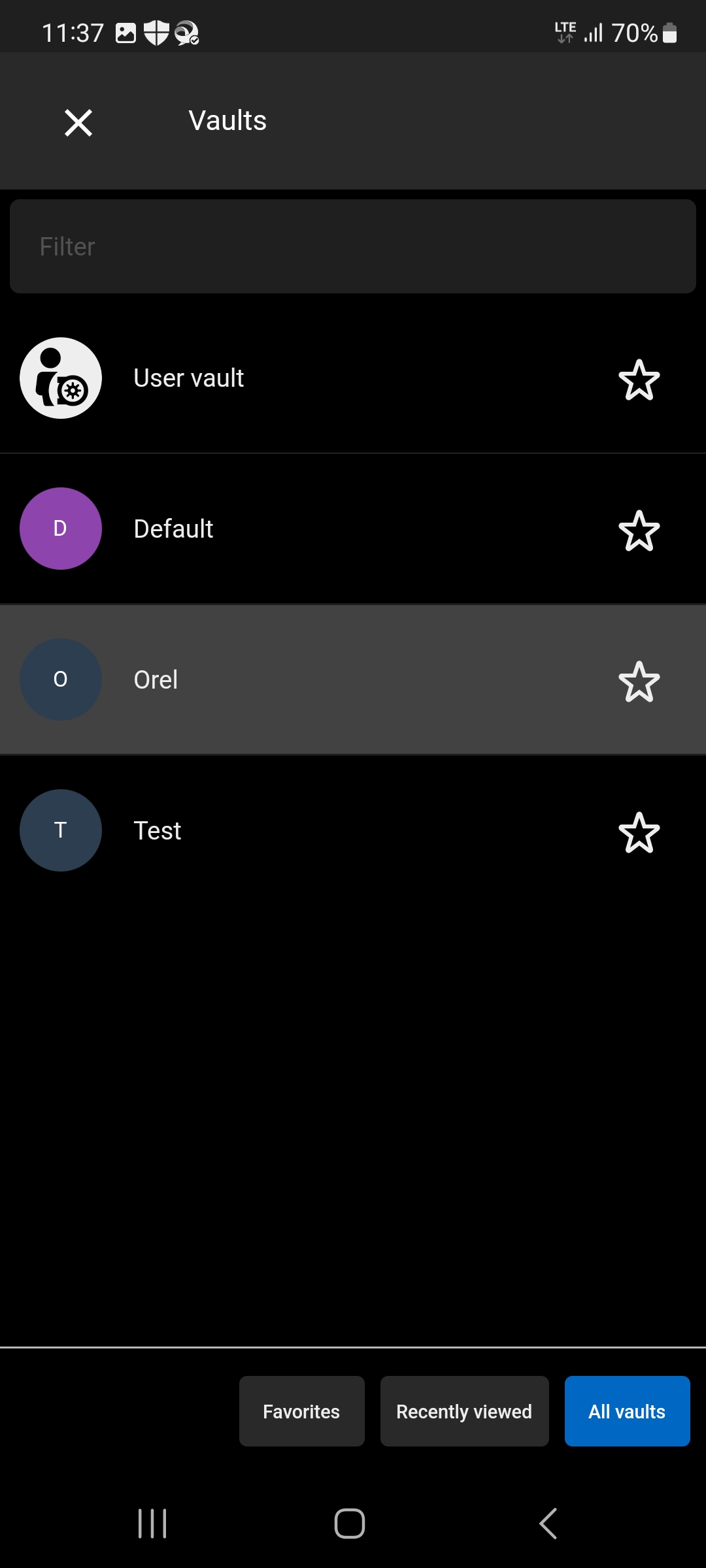
Screenshot_20221221_113701 1.jpg
Screenshot_20221221_113653 1.jpg
Screenshot_20221221_113646.jpg
All Comments (82)
Hello,
The Workspace application can only provide read access at the moment.
For being able to add entries other than on the DVLS web UI, then we recommend to use Remote Desktop Manager.
Let us know if you have further questions or if you need a trial license key for RDM.
Best regards,
Érica Poirier
Thank you for info. Bye.
Hi erica
What is the status of adding new entries via the app? We are just switching from Lastpass, where this is a standard feature. More than 50% of people are using their mobile as the main device. So adding and editing credentials is essential.
Thanks and kind regards.
Patrick
Hi Patrick,
As mentioned in my previous post, the Devolutions Workspace application can only provide read access.
RDM is already available on Android and iOS to add and edit entries.
Let us know if you have further questions about it.
Best regards,
Érica Poirier
Hi Erica
As it said "read access at the moment." I thought it's something temporary which will be changed in the future.
Lastpass shows an option to add a new password within safari on IOS. That would really be an addition for people switching over from any other password integration.
Could you add this as a feature request please?
Thanks and kind regards.
Patrick Frey
Hello Patrick,
Thank you for your feedback and your request.
I will ask our engineering team to have a look on your request.
Best regards,
Érica Poirier
Hello Patrick, this feature will be added as soon as possible as we are currently working on it. Also, just to be sure, the feature to add a password from Safari, is it through the autofill feature?
Thank you
I second this, we are a new customer trying to migrate from bitwarden and the inability to add creds through the mobile app coupled with the lack of safari web login plugin is leaving us underwhelmed
Hello Sebastian
Exactly, in Lastpass, it shows all the entries that match, but also has three dots, to go directly into the Lastpass app, where I can hit the + button and just add a new credential into lastpass (it will take the current website and any entered login and password into the entry) and I can choose in which folder or vault to save it.
Also when I open the App directly, I can, view, edit and add new entries directly. This should also be possible directly in the app, to add or change credentials any time on the go.
One other thing regarding security: When I use autofill with Lastpass on my mobile in safari, it always does a quick face ID before showing me all credentials to fill in. This sould also be added as an option, and also when opening the workspace app directly.
If you need any more information or screenshots, please let me know.
Cheers
Patrick
Hi, we will make the feature of adding an entry through the Autofill one our top priority for the next release while working on the previously discussed "Add/edit entries in DVLS".
The Face ID option is currently available in the App settings though. You can activate it by following these simple steps:
- Settings -> Security Settings -> Use biometric lock
By activating this feature, you will be prompted the face ID when you lock the app AND when you access your entries in the Autofill feature.
Best regards,
Sébastien Aubin
Product manager - Password Management
Hi Sébastien
Thanks, face ID is working.
One question for my understanding, when the autofill is able to create new entries in the DVLS vault, will it not also automatically be possible in the app directly? (I ask because that's what Lastpass does, it opens an instant of Lastpass out of the autofill) So only the edit function would be an additional thing.
Cheers
Patrick
Hi, the feature of adding/editing (Add & Edit are basically the same) entries on DVLS through Workspace is a very big one. Support all the entry types and all. But with the Autofill, we can create it for you and 'fill' the info ourselves, so it's very straight forward to do for us. That being said, we can make a 'phase 1' with only a few supported types for the Apps (Desktop, mobile, tablet). Can you specify which type, other that Website, you plan to use in a Phase 1 of DVLS on Workspace?
Thanks
Sébastien Aubin
Product manager - Password Management
Honestly I don't see any other types than Websites that are really needed in the app, as the workspace is used to fill in websites and not as a management tool for the whole vault. If I want to edit anything else I can still use the full RDM app.
So in version 1 I would only implement websites and perhaps credentials types but nothing else. And wait after that if there are really people who need to edit/add any other entry types from the mobile app.
Hi,
Excellent, as a Phase 1, we will add a few of the popular entry types including website. Thanks for your help.
I will let you know as soon as it's released.
Sébastien Aubin
Product manager - Password Management
Great! Thanks a lot!
Two more things, which I've noticed:
- I cant't search all vaults at once when I am in the app, but it seems to work in autofill. Could you enable a search over all vaults also in the app.
- I can't open an entry I have searched for via app in the safari browser. That's something I use all the time in Lastpass. I search for a website entry and then let it open via a click in safari and let it fill the credentials.
Thanks for taking a look at this. 🤟
Hi, as the DVLS integration is in a early stage right now, these feature are indeed not present in Workspace. We will look at it and try our best to include them in the previously discussed Stage 1 phase.
Thank you,
Sébastien Aubin
Product manager - Password Management
Hi Sébastien
Great, thanks! We encouter another problem at the moment with autofill.
We have 2 Vaults (besides the personal vault). And in the beginning it did not show anything in Autofill, even as it was activated. I than disabled autofill in the Workspace app, and enabled it again with all vaults, and hit the sync icon again. It than synced the vaults and everything was working.
We now imported credentials in the second vault, but these credentials never show up in autofill. I did disable it again. Unchecked the vaults, rechecked the vaults. Did another Sync. But still, it only shows me the Credentials of the first vault and nothing from the second vault.
What can we do, to get the second vault also to show in autofill? (it is selected in the autofill menu) And is autofill syncing automatically in the future?
Thanks and kind regards.
Patrick
Hi, That's a bit odd. If you search within the Autofill page (the one that opens when you click on 'Passwords' on your keyboard) they still don't show up?
Thank you,
Sébastien Aubin
Product manager - Password Management
Hi
No they don't show up when I search i the autofill dialog that opens.
But when I go into the app and select the vault and search, it finds it.
I even deleted the whole app and reinstalled it.
Still the same. When I uncheck the other vault from autofill, it wont find anything anymore. So it really only searches in the one vault and not in any other.
cheers
patrick
Hi, i'm sorry for that. While we're working on the Autofill, we'll look into it.
Thank you,
Sébastien Aubin
Product manager - Password Management
I tried it with a third Vault and this one is displayed as well. Only the "default" Vault ist not displayed in autofill.
But I don't see any difference between this default vault an the other vaults. Only that we have alot more entries (around 2400) in the default vault, also a lot more non-website entries, as this is our default working enviroment for RDM.
Is there any difference between the default Vault and the other Vaults which could cause this? I'm an administrator and should have access to everything.
Thanks a lot
Patrick
Hi, it shouldn't have any differences between the Default vault and the others. I think this is a bug rather than the Autofill configuration itself.
What we've seen on other bugs we found in the autofill feature are problematic entries within the app that cause the Autofill file creation to break and stop. In these cases, the result is the vault not being added in the Autofill so all the 2400 entries (in your case) are not present. Often, the problematic entries are created from an importer without a name or there is a missing information for the app the create the entries correctly.
Thank you,
Sébastien Aubin
Product manager - Password Management
Hi
Yes a lot of them were imported from Lastpass.
For what should I check to find the problematic entries?
Or is there a log to find them?
Cheers
Patrick
Hi, yes if you see a nameless item or something off you can try to fix it and resync in the Autofill dashboard. We'll look at the error report on our side in the meantime. I will keep you updated on the progress.
Thank you,
Sébastien Aubin
Product manager - Password Management
Hey
How do you have an error report, when we have a local DVFS server as a data source?
Or will the entries be synced via Devolutions into the app?
Thanks for a hint what entries are responsible.
Cheers
Patrick
Hello Sébastien
I made you a video of the autofill, just closing/crahsing when I enter more than 3 letters.
This only happens, since we imported more entries now, like it would crash when it has to search trough to many entries.
I tried to send you the video and also a link to the dropbox of the video, but the direct messenger just gets grey for a second and stays open. So either you got 7 messages from me now, or it did not work. Can you send me a direct message with your email so I can send you the video if you did not get it yet?
Thanks
Patrick
Hi
One more thing. We did import alle credentials from the default vault into a new Vault now. And there autofill is working now (only the problem that it closes when entering more than 3 letters) so it was not a problem of any empte entries.
But what I found is, that I cant select the default vault in the autofill list, when I don't check the "all vaults" at the top. So I think there is defenitly something wrong with the default Vault, which can't be selecte for autofill. Withing the workspace app, I can see and filter for all entries without problems. Hope that helps.
Here is a screenshot of the autofill, where it is not possible to select the Default vault with the tick box. 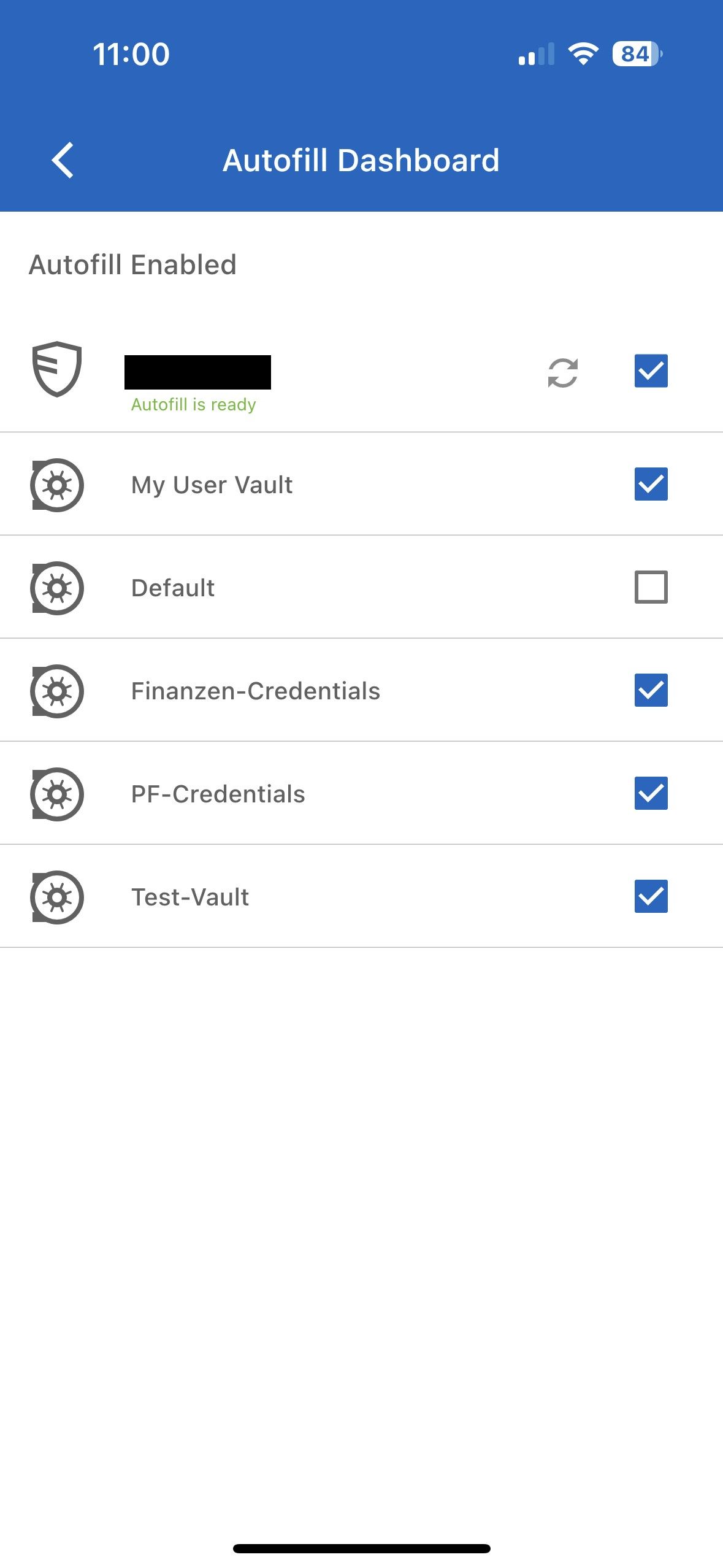
Cheers
Patrick
Default-Vault.jpg
Hi, I did receive your direct message containing the video, thanks for that. We'll look at it and fix the issue as as soon as possible. To follow your yesterday's message about the logs, yes we have logs but not directly about DVLS but more App wise, like the crash you had. To be completely honest, i'm not sure why it behave like this. We'll investigate but clearly there's something wrong with this.. In the meantime, can you keep your 'temporary' vault as is to continue using the Autofill?
Thank you,
Sébastien Aubin
Product manager - Password Management
Hi
We now shifted everything from the default to this new vault and are using autofill with it, which works. (only that if we search manually in the dialog that opens, that it crashes if we enter more than 3 letters) Most of the time it shows the entries which are connected to the sites URL, so we don't search in there all the time.
So as long as we don't use the default Vault for autofill, it's working. The funny thing is, when you tick the box at the top of the autofill vaults, to just select all of them, the default vault gets a tick as well, but as we found out no requests were send to this vault, and if we don't check all of the vaults, it's not possible to select the Default vault at all.
Does this answer your last question, if not please let me know, I'm happy to help.
Cheers
Patrick
Hi
I don't know if you are also responsible for the devolutions web login, but I fand some issues there as well: https://forum.devolutions.net/topics/39528/devolutions-web-login-problems
I opened a separate issue, so it's not mixed with the App problems.
Cheers
Patrick
Hi, thank you for the additional information. I've identified the problem with the Default Vault, the fix will be available with the 'Add/edit' feature. We are not the responsible team for the Web Login but they will be happy to help you over there.
Thank you again,
Sébastien Aubin
Product manager - Password Management
Hi
Great to hear! Hope the problem with the 3 letters when searching something in the autofill dialog will also be fixed 😉
I now installed the Workspace app for a colleague and connected to the same DVLS with just his login. It keeps on the status loading, any idea what could cause that?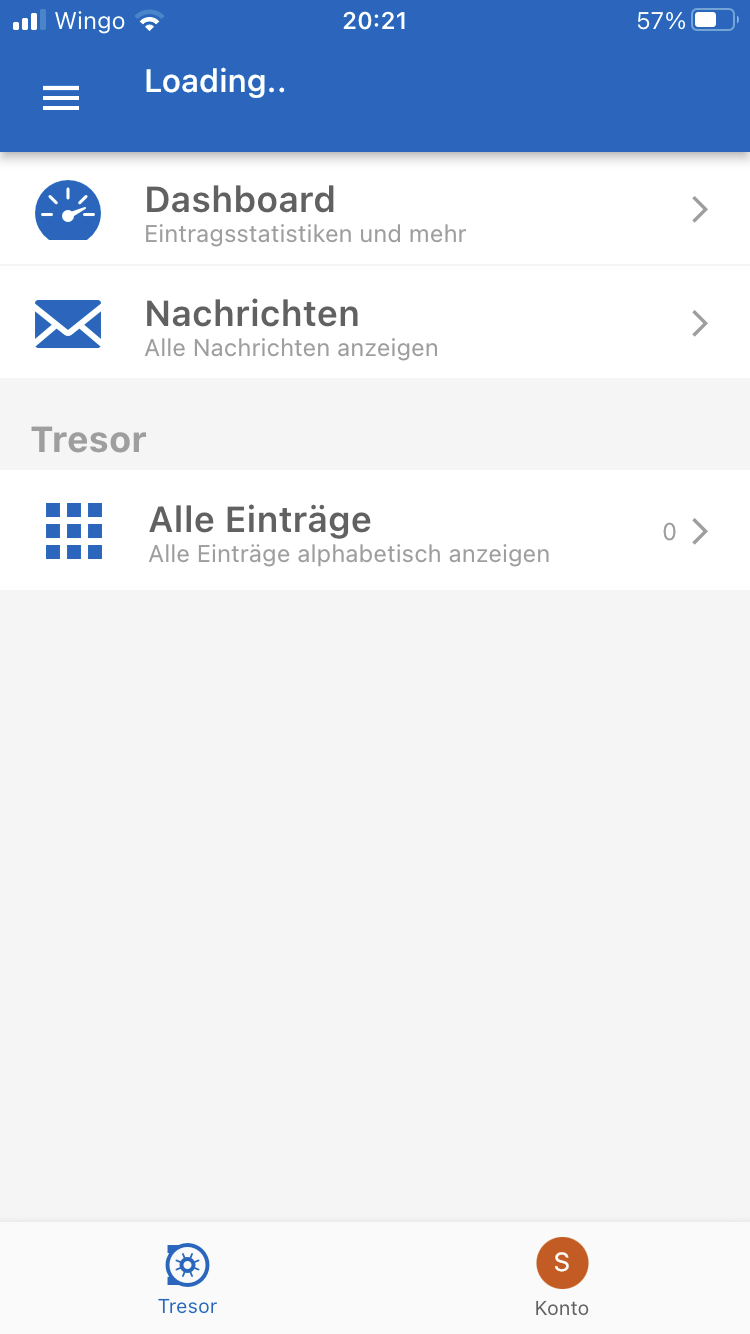
IMG_6996.png
Hi, pretty odd, it seems to be having a problem retreiving data from your instance. Can you try to reconnect the DVLS Space please? Just hold (Long-press) the Space tile in the main menu and press Disconnect.
Thank you
Sébastien Aubin
Product manager - Password Management
Hi
Thanks I did that and even removed the app and reinstalled it.
Still the same also with my user.
On thing that's a bit odd, when I authenticate, I get a page not found, but it says connected..
IMG_6997.png
Hi, can you tell me on which version of DVLS your instance is?
Thank you
Sébastien Aubin
Product manager - Password Management
Yep, it's version 2023.1.7.0
Cheers
Patrick
I upgraded to 1.8.0 now and still the same.
please when you add the add new entry function, please don't forget an option to create a password, missing this option at the moment without lastpass.
thanks!
I found why I got the 404 error, it makes a difference if I write DVLS in capital or not. I only get the 404 error when I write it in capital. So now I get a success message but right after that it says communication problems.and stays on loading. So it clearly could communicate until the authentication, so what changes after that?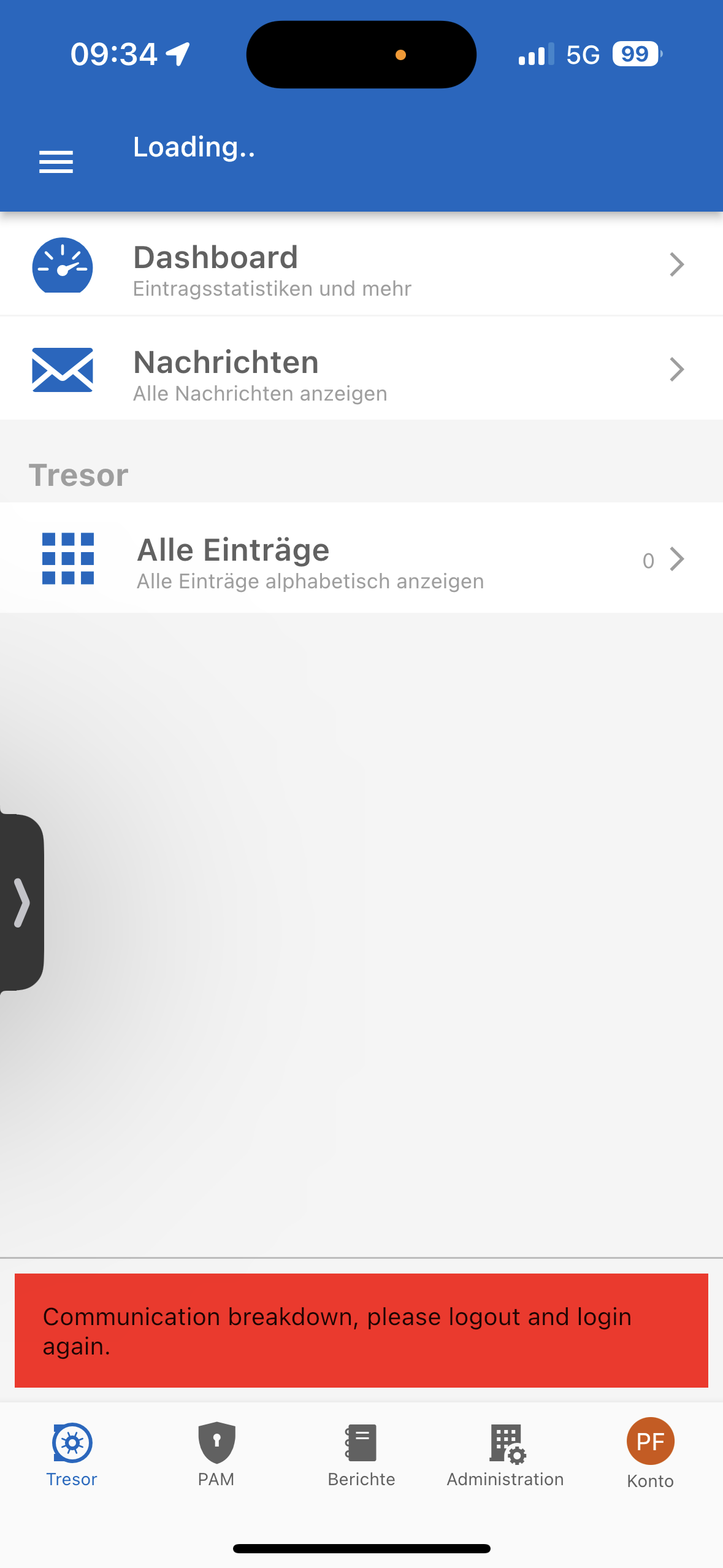
Kind regards
IMG_7604.png
Hi, good catch! We'll fix that so it will work even if you write it capitalized or not. Also, we've fixed a lot of 'edge cases' for the DVLS Spaces. This will be available on the next release.
Thank you,
Sébastien Aubin
Product manager - Password Management
Thanks. But can you tell me why the login works, but afterwards it can't communicate? How does the app communicate with the server?
Hi, it's a communication bug between DVLS and Workspace. It's not specifically your instance that causes the problem. The error label is not really 'on point' on this one. It generally means that the app cannot refresh the Token with the instance OR the app is offline. We'll do our best to fix it fast.
Thank you,
Sébastien Aubin
Product manager - Password Management
Hi, we're pleased to announce the availability of the latest version of Workspace (2023.2.0). In this update, we've introduced a new feature that allows you to create a new entry directly from the autofill for DVLS Server. To ensure optimal functionality, don't forget to sync your entries in the Autofill dashboard found in your device's settings. Please be aware that certain instances of Devolutions Server may have token restrictions, which could prevent the addition of websites through the autofill feature if the tokens have expired. If you encounter this scenario, simply reconnect your Space before adding a website to the autofill.
As we move forward, we're actively working on the next phase of improvements, set to be included in the upcoming major release (2023.3.0).
Thank you.
Sébastien Aubin
Product manager - Password Management
Thanks for the new version. After deleting and reinstalling the App (Update was not enough) I was able to connect to the server again.
So that's a step forward, also that we can add entries now from the autofill.
But how could you NOT fix the bug, that the app crashes/closes when we search for more than 3 letters in the autofill search. It's completely useless like that; as we have several entries for the same site and we can't do a search. I think it has to do, that we have a lot of entries (around 2500). Please fix this bug which I've even sent you a video to demonstrate asap.
Also editing/adding entries in the app is the next important thing.
Cheers
Patrick
Hi, initially we were unable to reproduce the error you are experiencing. However, after conducting further tests, we have discovered an issue with the memory management specifically in cases involving large vaults, such as the one you have. We made a fix and it will be available soon on the next minor version.
In regards to the add/edit entries feature, as mentioned in my previous post, we are actively working on it. To expedite the process, we plan to release minor versions that include a few entry types at a time. We will begin with the Website entry type.
Thank you,
Sébastien Aubin
Product manager - Password Management
I can confirm that the crashs after 3 letters ks fixed.
But it's not possible to add new entries from the autofill screen: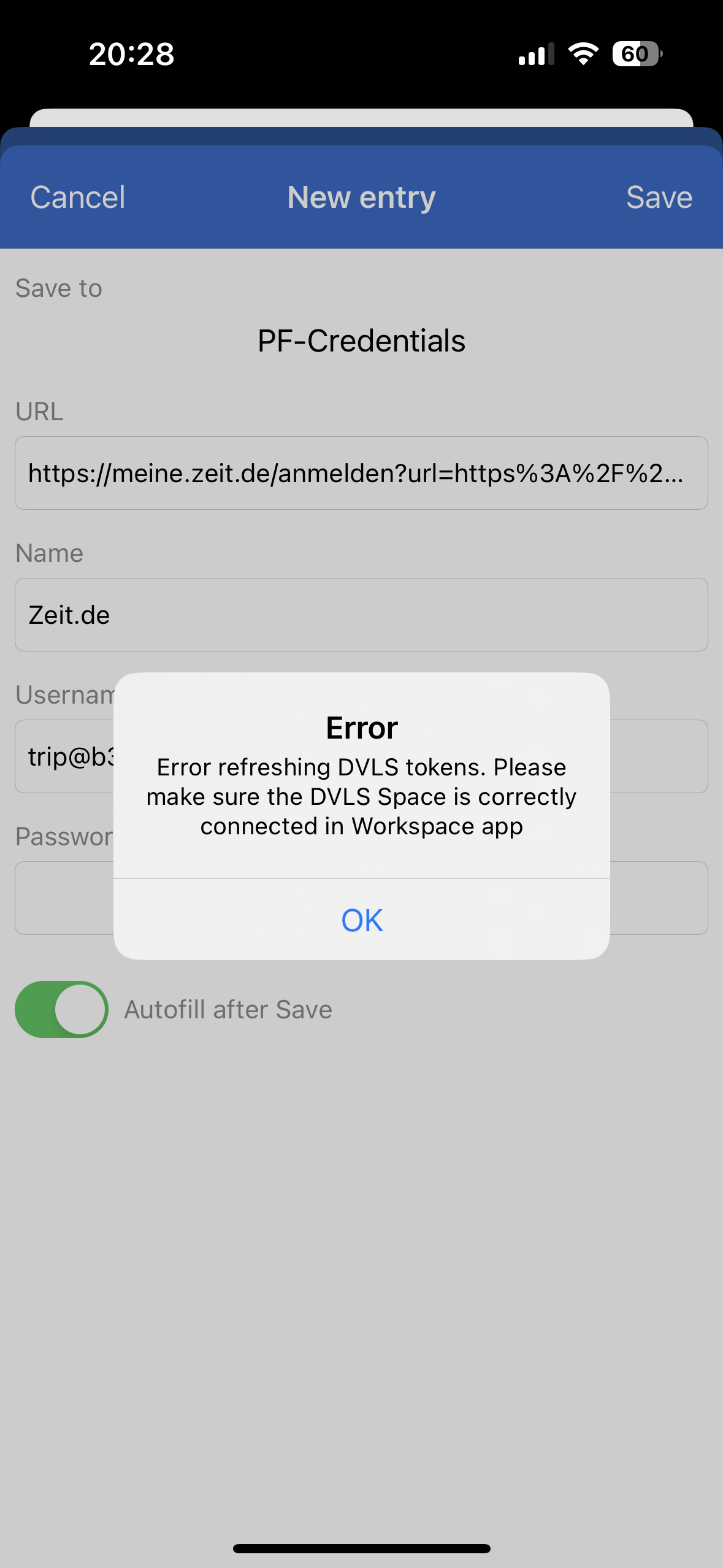
Also I can't select in which folder the entry should be created.
Can you also explain to me what the stars in the app behind the different Vaults do? I don't see any difference if they are selected or not. Also changing my vault back every time from my last used one is a pain.
IMG_9851.png
Hi, It seems that you're experiencing an issue with your DVLS Space being disconnected in the app, resulting in an error with the autofill feature. To resolve this problem, simply reconnect the Space within the app.
Currently, the option to select a destination folder is not available, but rest assured that we have it on our list of planned features to be implemented soon.
Regarding the stars, they serve as a way to mark a vault as a favorite. In the app, when you switch to a different vault, you can access the Favorites tab located at the bottom, where all your favorite vaults will be displayed.
Additionally, we offer a setting in Business Spaces that allows you to choose a specific vault as your default landing page when you open it. If this aligns with your preferences, please let us know, and we'll be adding this to our backlog.
Thank you,
Sébastien Aubin
Product manager - Password Management
Hi,
My vault is correctly connected to DVLS and I can search for any entries via the app. But I can't add any new entries via the autofill. I even disconnected and reconnected, still the same error.
If the star should mark my favorite vault, why can I select more than one?
I also don't see a Favorite Tab at the bottom to select anything. I'm always at the User Vault when I open the app, which we don't use. So I have to switch Everytime.
Also as a feature request: A search over all my (favorite) vaults instead of me first have to select the vault I need something business and switch to my private vault again.
Best regards
Patrick
Hi, sorry to hear that. We will look at it as it look like its a bug.
You can add more than one vault to you favorites vaults event with the web app:.png)
.png)
It's the same with the app: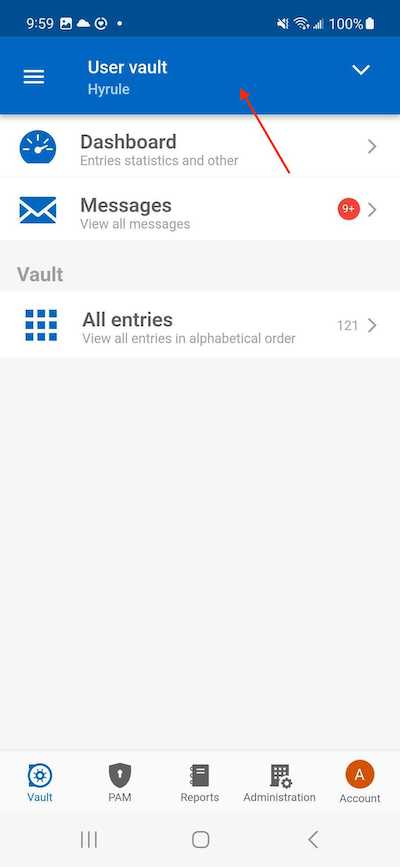
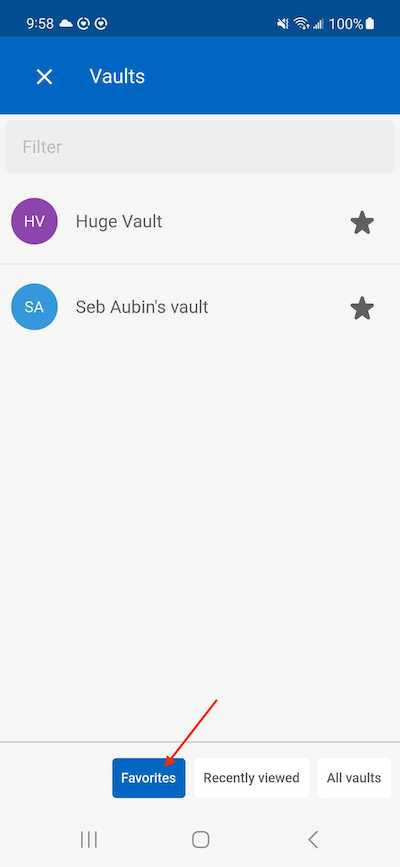
For the request, we can certainly add it to our backlog!
Thank you,
Sébastien Aubin
Product manager - Password Management
Screenshot_20230703_095953.jpg
Screenshot_20230703_095844.jpg
image (68).png
image (67).png
Hi Sébastien
When I work in the office workspace works normally.
When I am on the road I open a VPN connection to the office, I can't connect to the server. It shows Server cannot be found, but I can login via vpn to the server when it asks me to.
What is needed for access via vpn? Any open traffic from the server to the VPN ?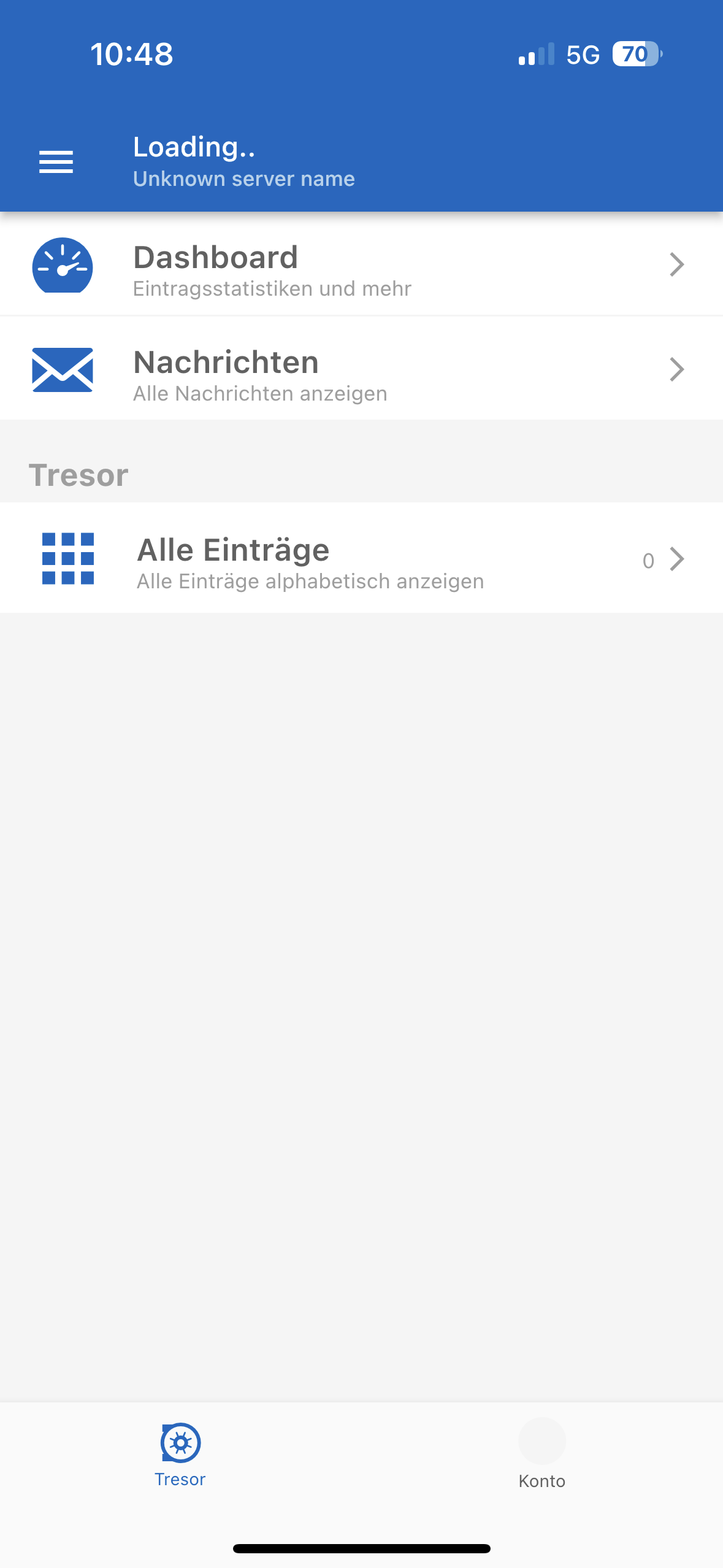
IMG_1286.png
Hi, you should be able to access your server through a VPN. Can you try to disable the option "Force token public IP validation" in the settings and try again: 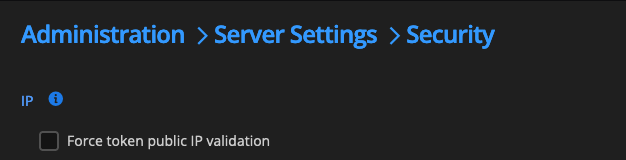
Best regards,
Sébastien Aubin
Product manager - Password Management
1007bec2-4a4e-4ad7-a745-dc39a651f665.png
Wow, that was it! Thanks!
Can you elaborate for what this setting is? We don't have the server published to the internet and all queries are coming from the local subnet or via vpn, so I wonder why it was working on our local machines , or what this setting actually does.
Thanks!
Excellent news!
This setting is designed to maintain the continuity of the device's connection with the server. It ensures that the device that initially established the connection remains consistent. In the event that your IP address changes while attempting to refresh the token, the server actively detects and safeguards against potential unauthorized tampering or interception of tokens. By monitoring IP changes, the server can protect against malicious activities and maintain the security of the communication. By disabling it, you decrease the security of the Server instance by a bit but since your server in not visible on the internet it is not a critical downgrade. If you have any further questions, please feel free to ask. I'm here to assist you and will be more than happy to help.
While i'm here, I just want to tell you that the Add/edit feature in currently ongoing and at a pretty good pace. The Website entry type should be available pretty soon (2-3 minor versions).
Also, we fixed the autofill bugs that include the one you described in this conversation. These fixes will be available in the next minor which should be out this week or next.
best regards,
Sébastien Aubin
Product manager - Password Management
Thanks a lot for the detailed explanation! Makes sense now. I would never have found that option alone 😂
The new features sounds good, also the autofill fix, so I can start adding entries again.
One thing I see that I need a lot is: to search for an entrie trough different Vaults. And an option to set the default vault would be so nice. As I don't use the personal vault, I need to switch every time when I open it.
Thanks and have a good one!
Hi, haha yes some of the settings are pretty deep. The search feature is on our planning, this should be relatively fast to implement on our side. I will keep you updated on that one too!
Best regards,
Sébastien Aubin
Product manager - Password Management
Hi, the search feature is now available for Devolutions Server in Workspace in the latest version on the store. As well as the Desktop app. Keep in mind that it’s the first phase of many so it’s not complete as the web but it should help you for your everyday use.
Best regards,
Sébastien Aubin
Product manager - Password Management
Hi
Thanks the search trough all Vaults is working! Thanks a lot.
Could you change the search behaviour a bit, so that it finds all entries which have certain words in it?
For example if an entry is like: Barracuda AntiSpam Customer1
At the moment I need to search for exactly that phrase. It would be great if I could search for Barracuda Customer1 and it would find it. Or also Barracuda and pf@barracuda.com (the email address from the entry).
Thanks and kind regards.
Patrick
Thank you for informing me that it is functioning correctly. Regarding the modifications to the Search feature, our capabilities are aligned with those of the Web, as we rely on their APIs for search functionality. If the desired feature is not present on the web platform, I would be pleased to engage in discussions with them about refining the APIs to incorporate the feature. This way, we can integrate it into our system as well.
Best regards,
Sébastien Aubin
Product manager - Password Management
Thanks a lot. Yes please engage this with this team, the search function is so important and Lastpass was so good with it.
It did not matter if the entry was named: Antispam Customer1 or Customer1 Antispam. If we entered both search terms, it would just find it.
Thanks and best regards.
Patrick
I have engaged in communication with the Devolutions Server team regarding your concerns. They will be conducting an evaluation to identify a solution that effectively addresses the issues you've encountered. Rest assured, I will provide you with updates as soon as the resolution becomes available.
Best regards,
Sébastien Aubin
Product manager - Password Management
Hey
What's the status of the minor release with the editing feature. That's the only thing missing besides the search issue at the moment. And did you fix the add new entry from the autofill menu yet?
Thanks
Patrick
Hi, initially we were unable to reproduce the error you are experiencing. However, after conducting further tests, we have discovered an issue with the memory management specifically in cases involving large vaults, such as the one you have. We made a fix and it will be available soon on the next minor version.
In regards to the add/edit entries feature, as mentioned in my previous post, we are actively working on it. To expedite the process, we plan to release minor versions that include a few entry types at a time. We will begin with the Website entry type.
Thank you,
Hi, yes, the adding an entry from the autofill bug should be fixed. We’ve conducted many tests after reproducing this bug and it’s now fixed and released. As we speak, you should be able to add entries form the autofill. For the add/edit feature, the Website entry type will be available in the version 2023.2.5. This version will be out soon. We don’t do exact dates for these kind of release but i’m confident it will be released before september.
best regards,
Sébastien Aubin
Product manager - Password Management
Hi Sébastien
How does the new version status look like? We really looking forward to the change of passwords in the app and also adding new password entries for websites.
Also the search for two words (which I think you checked with another team) would be very helpful.
Thanks and kind regards.
Patrick
Hi, we are currently in the QA testing phase. It's going well, and we should be ready to release very soon. Our plan is to release either later this week or early next week.
Best regards,
Sébastien Aubin
Product manager - Password Management
Hi, we are pleased to announce the release of Workspace version 2025.2.5, now available on both the App Store and Play Store.
In order to enable the addition and editing of entries in the DVLS Space, please ensure that you have updated your DVLS instance to the latest version, 2023.2.9.0. It's worth noting that this feature in Workspace is currently in beta and may exhibit some instability. Our team is actively addressing any issues and making necessary improvements. We encourage you to report any bugs you come across.
Kindly keep in mind that you can only add or edit the following types of entries: Websites, Folders, Credentials, and RDPs.
Best regards,
Sébastien Aubin
Product manager - Password Management
Hi Sébastien
Thanks for the new release. Just tried to edit an entry (after upgrading the DVLS server as it was not usable anymore without the update..) but the edit button is greyed out. For web and also credentials entries. Do I need to enable that somewhere?
Also tried to add a new entry, but in the save dialog I can't select the folder where to save it to (only the vault):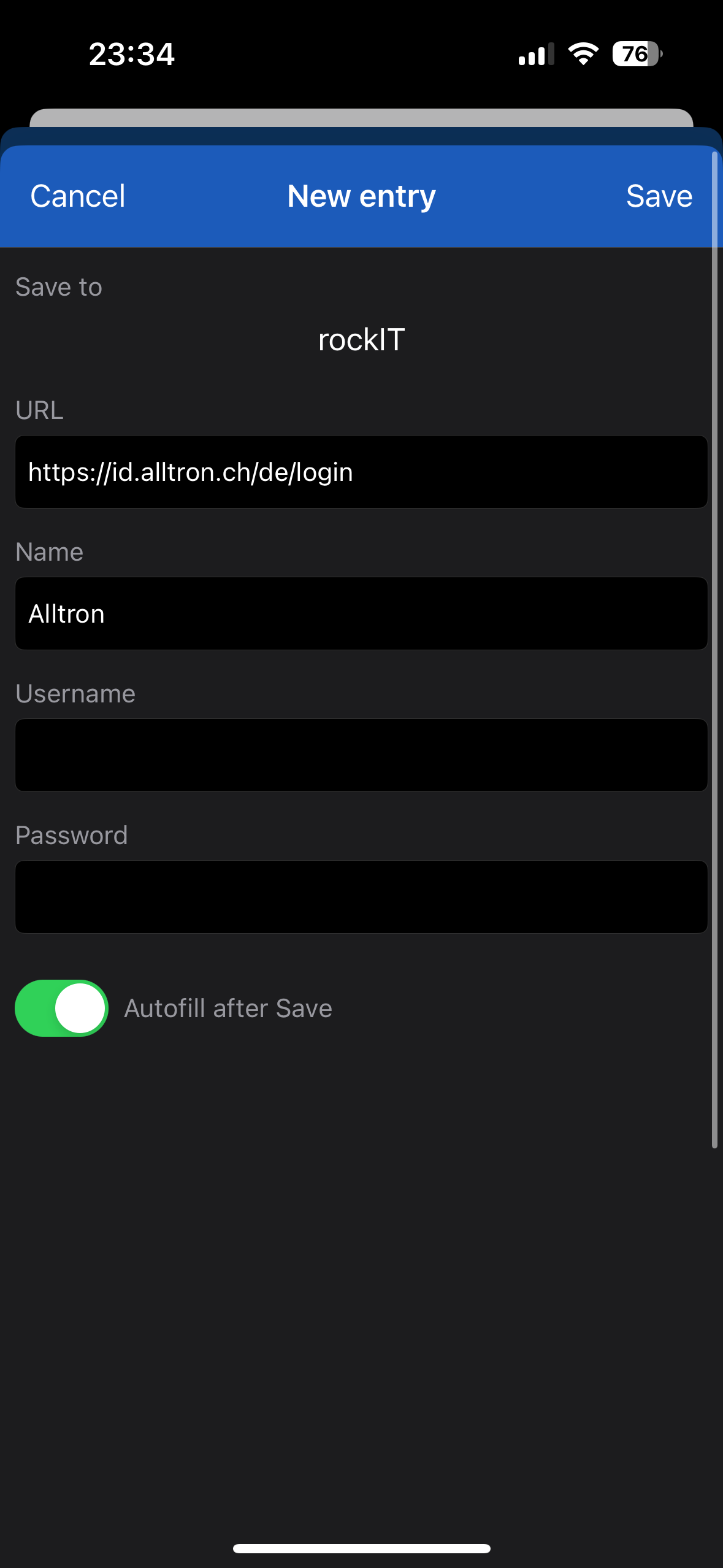
Thanks for the good work!
Cheers
Patrick
IMG_5265.png
Hi, we use the server's permissions to enable/disable the edit button. Can you check if you have acces to edit these entries on the web platform? Also, to add an entry, you can do it through the autofill (as shown on your last post) but you can also do it directly in the app like this: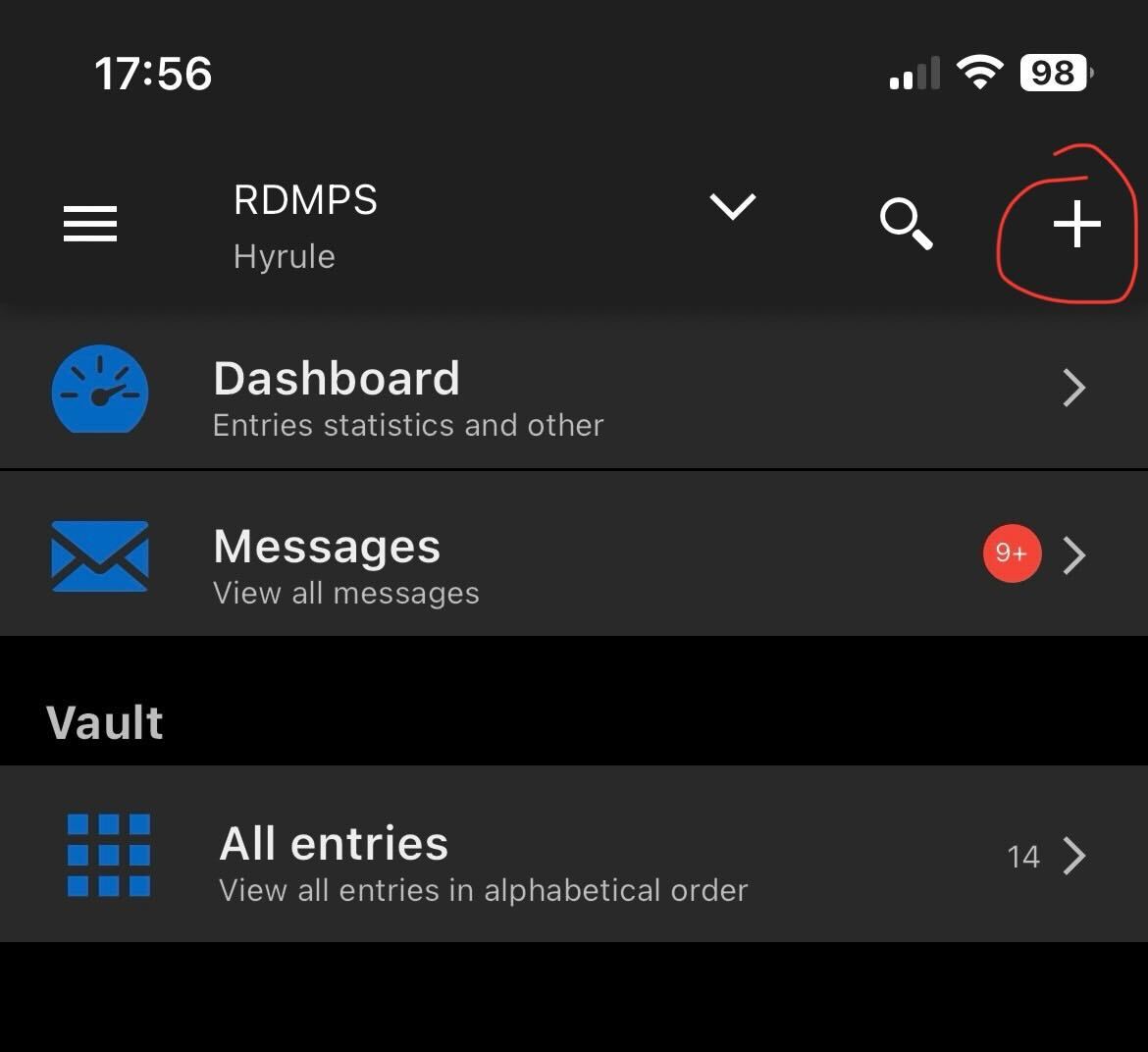
And then you will have this view to chose which type you want to add: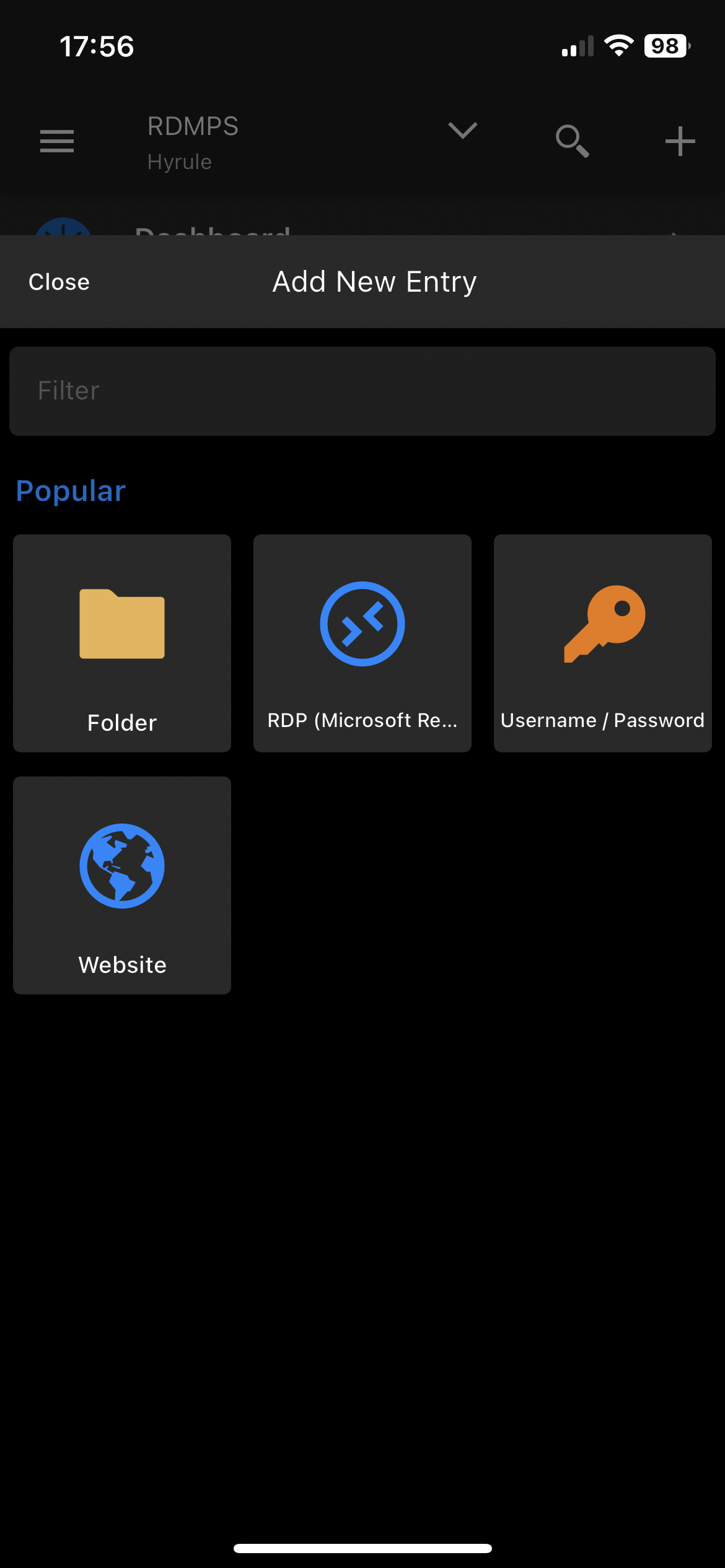
Let me know if you have the correct permission to add/edit an entry. If you have and you still can't do the work, you can try to disconnect/reconnect the DVLS space. After that, if you still can't do the work, it may be a bug and we will look at it as fast as we can.
If you have the time to do so, we can organize a support session with you so we can look at it more closely
Best regards,
Sébastien Aubin
Product manager - Password Management
IMG_1465.png
IMG_1464.jpg
Hi Sébastien
Disconnecting and adding the DVLS again did the trick and I can edit and add new entries now in the app.
The natural thing for adding new entries is via the + from the autofill, as it adds the URL and fields automatically. So be able to choose the right folder there should be possible.
Thanks and that's a big step!
Cheers
Patrick
Hi! Excellent news! I agree, it’s natural to add a new website from the autofill. The possibility to choose, from the vault tree, the destination folder is on our roadmap and should be available soon.
Best regards,
Sébastien Aubin
Product manager - Password Management
Hi
Saving new entries from autofill is not working.
It just hangs in the saving dialog.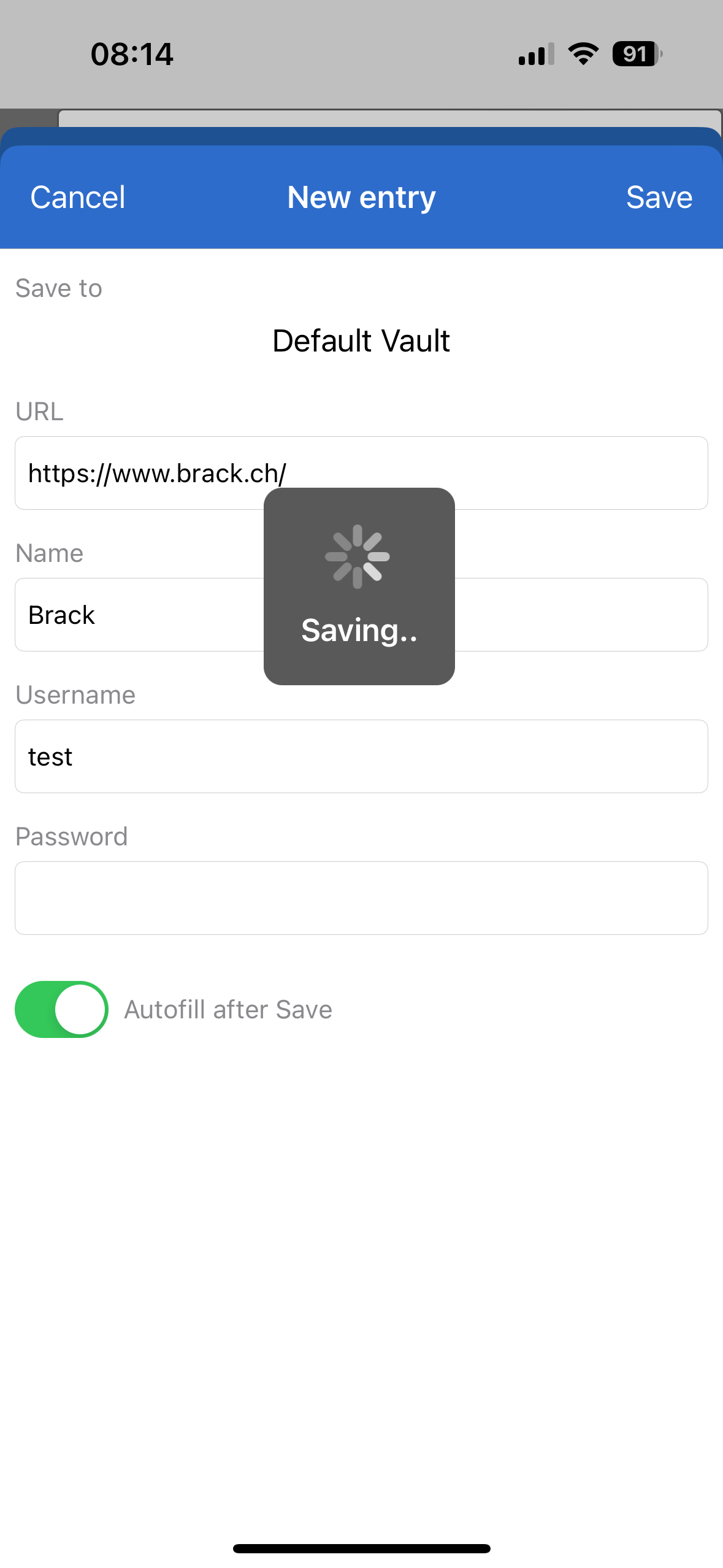
IMG_5422.png
Hello, this issue typically occurs when the token for your DVLS Space has expired and cannot refresh to provide you access to the server before transmitting the data. It appears to be happening quite frequently in your case, which prompts me to question whether you have set the 'Refresh token lifetime' to a relatively short duration, and if this setting is causing conflicts with autofill.
Do you frequently encounter a 'Reconnect' page in the Workspace app after a period of inactivity for a few hours or days? Additionally, do you have Administrator access to your DVLS instance? If so, please navigate to: Administration > Server Settings > Advanced and verify the token lifetime setting. While this setting is essential for security, it might impact your ability to use Workspace effectively.
Best regards,
Sébastien Aubin
Product manager - Password Management
Hello Sébastien
Our token lifetime is 7 days, as we had the problem of logging in every few hours in the beginning... Also I can fill Passwords and open workspace without problems.
Best regards.
Patrick
Hello, thank you for your response. We will thoroughly investigate this as a potential bug.
Best regards
Sébastien Aubin
Product manager - Password Management
Hi Sébastien
What is the status of the saving dialog? At the moment when I hit save, it does not hang anymore but does not create an entry either.
One other sing is regarding the search. They changed it in the web plugin now, that it can search for two different words at the same time and display when all of the words are in the entry.
For example the IOS app does not find an entry when I search for "apple CX" when the entry is: Apple BusinessID CX. Or if I search for "apple info" when the login email of this entry would be info@compan.com.
Could You change that so it searches like the Browser plugin?
Thanks and best regards.
Patrick
Hi
i did add a new website entry within workspace to one of my vault. Since then I'm not able to use this vault in the autofill anymore. It won't search the vault anymore. I don't know if it's a coincidence but I tried disable autofill and enable it again, and it won't search in this vault anymore.
How can this be fixed? It always says syncing autofill and seems to never finish.
One other thing I have a lot is the biometric failure if I use autofill a few times in a row. Here is a screenshot.
Thanks and kind regards
Patrick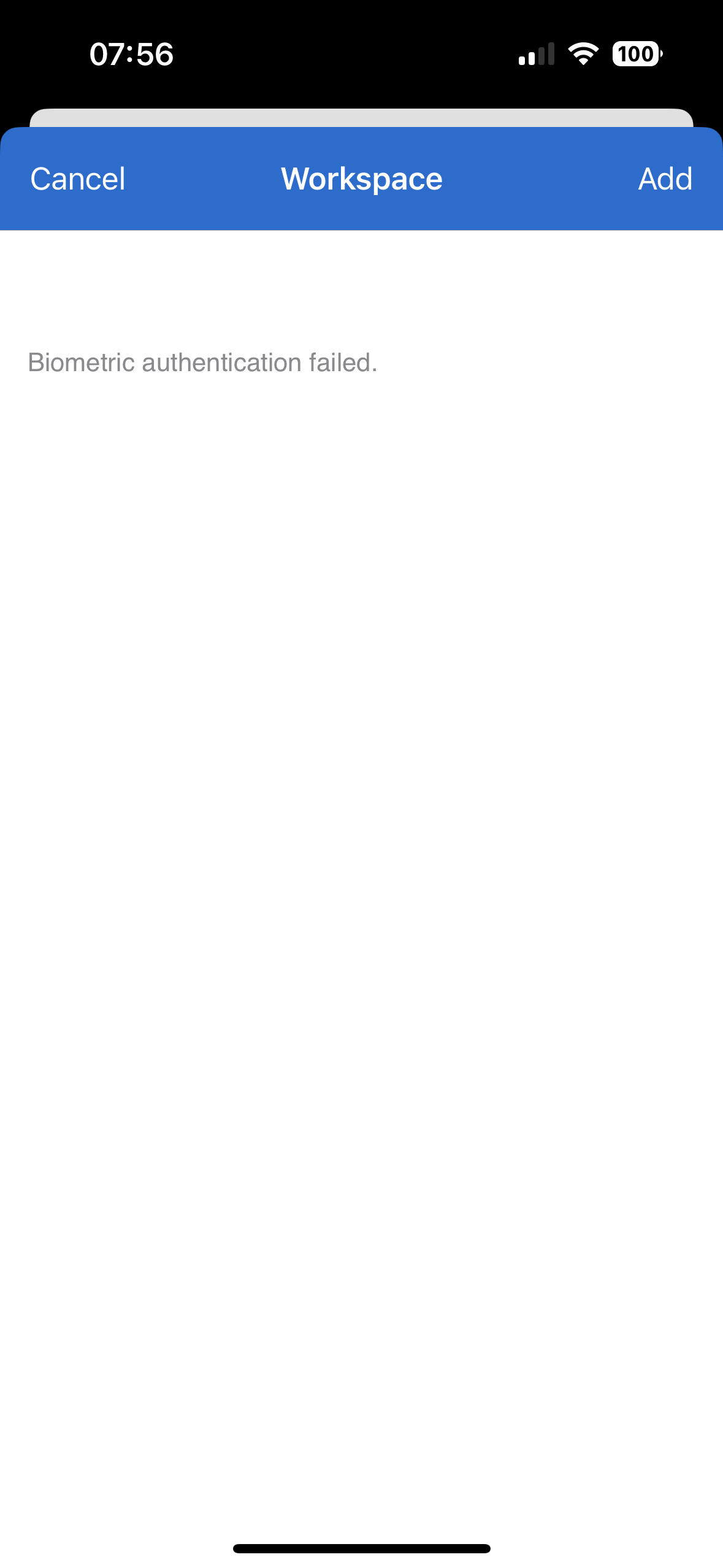
IMG_7087.png
Hi,
i did add a new website entry within workspace to one of my vault. Since then I'm not able to use this vault in the autofill anymore. It won't search the vault anymore. I don't know if it's a coincidence but I tried disable autofill and enable it again, and it won't search in this vault anymore.
This is a known bug that has been resolved for the next version.
How can this be fixed? It always says syncing autofill and seems to never finish.
Does your Space have a lot of entries? The syncing process can be a bit slow if there's a lot of entries to Sync. If you don't want all you vaults to sync, so it can be faster, you can uncheck the vault you don't want in: Autofill Dashboard > You Devolutions Server Space.
One other thing I have a lot is the biometric failure if I use autofill a few times in a row. Here is a screenshot.
This is odd, we'll look at it while working on the problem you mentioned earlier in the thread.
Best regards,
Sébastien Aubin
Product manager - Password Management
Hi,
Autofill: What is a lot of entries? :-) My Vault has 500 and the main company around 2700
I sync 5 Vaults, I have the entries from 3 Vaults but NONE of the other two. Again I had them without problems for the last months, I don't get them just since 2 days.
I now disconnected from the DVLS in the app and reconnected it. I get the 3 vaults in autofill again, but not my 2 main ones which I need.
Under Autofill, it still says syncing... Could it hang somewhere? I think the problems started when I added a manual website entry in the app...
Should I completly delete the app and test again or is there somkind of log, to check where the problem lies, that the two vaults wont sync to autofill anymore? In the app, I can find alle the entries without problems.
Best Regards
Patrick
Hi, 2700 is not necessarily a lot but it can take a few seconds to complete. If not, there must a be an error somewhere. I'm currently working on previously stated errors, i'll check for syncing errors too. Currently my workload on the autofill bugs is:
- Hangs on saving new entry and/or not saving at all
- Not finishing syncing entries
- Biometric errors
Am i missing a bug? I'll add it to my TODO list.
Best regards,
Sébastien Aubin
Product manager - Password Management
Hi
My main one was, that it won't show any entries from two vaults in the autofill anymore. So I could not login to any website anymore via autofill, as these two vaults are my main ones.
After I logged of an on again it now syncs them again. I think the problem started when I first added a new website entry in the workspace app. Was the first time I did that.
I will also send you a video regarding the biometric issue.
Cheers
Patrick
Hi, thanks for the clarifications.
Best regards,
Sébastien Aubin
Product manager - Password Management
Hi Sébastian
I've sent you several messages with bugs and did not get any feedback anymore. Did you get them?
Best Regards
Patrick
Hi, I did not. Can you try again please?
Thank you,
Sébastien Aubin
Product manager - Password Management
Ok did it again.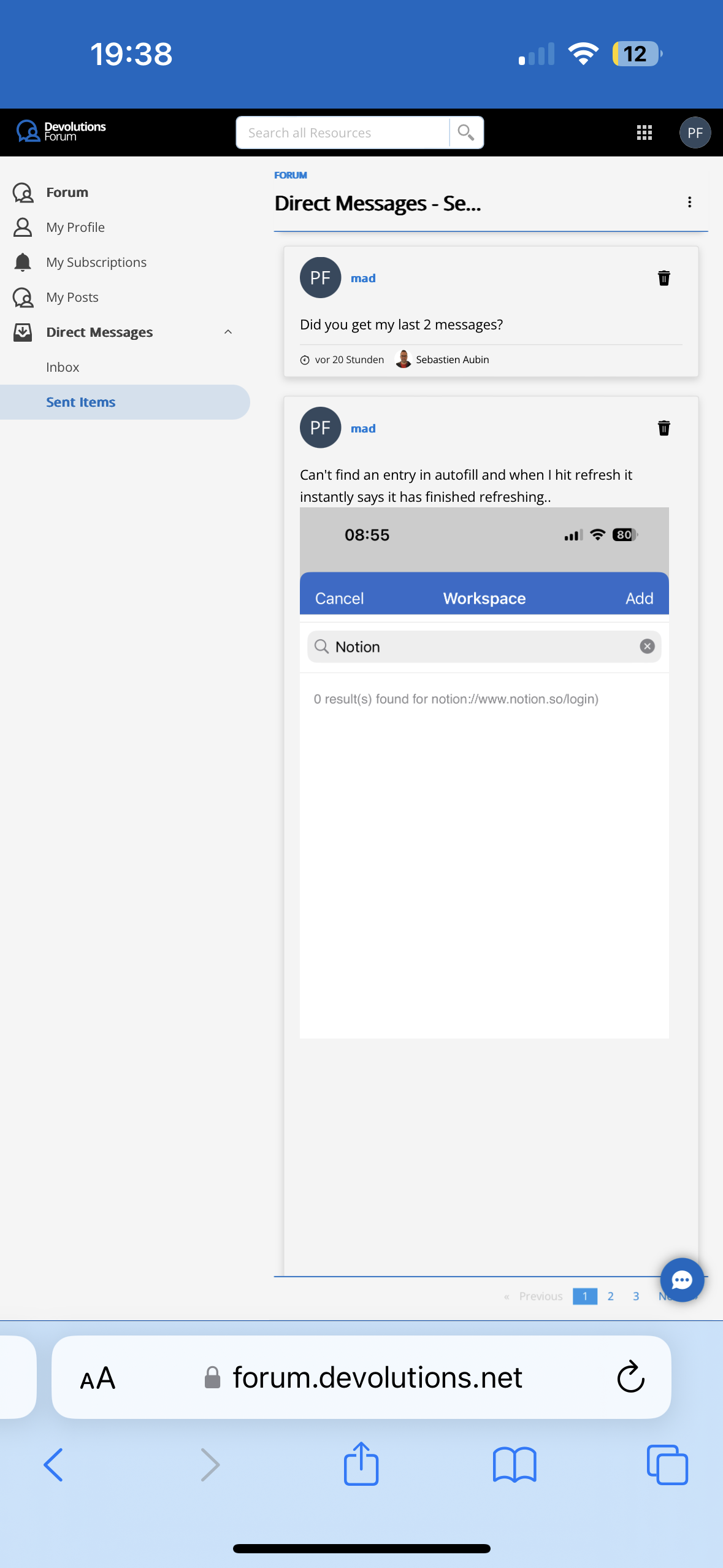
IMG_2276.png