Copy paste from different OSes

Hi,
Is it possible to copy text/files from a Linux host to a remote Windows via RDP using RDM for Linux ?
Thanks
Recommended Answer
Hello,
The issue has been resolved in the latest version of Remote Desktop Manager for Linux.
After upgrading, we recommend restarting your system to ensure clipboard services are properly refreshed.
Let us know if the issue persists after updating.
Best regards,
Carl Marien
All Comments (22)
Hi michelhoude,
You can paste text from your clipboard by pressing right-click on the RDP connection's tab when its running and then clicking on Clipboard > Type clipboard.
For files, I don't think you can send them per se, but you can setup your connection to redirect a local folder to the remote machine by going in the connection's properties. In RDP > Local Devices and Resources, you will want to enable the "Redirect specific folders" check box and press on the "..." button to add the folders you want. That way, your remote will be able to access files in that folder and you can copy them elsewhere on the machine.
I hope this helps.
Best regards
Nicolas Parr
Hi Nicolas,
sorry to reopen an old thread but :
You can paste text from your clipboard by pressing right-click on the RDP connection's tab when its running and then clicking on Clipboard > Type clipboard.
there is a way to use Ctrl +c/ Ctrl +v way? like ssh sessions?
Thank You
Andrea
Hi andrea1,
As far as we can remember, the feature has been implemented, but its possible it's having issue for one reason or another. I will look into it and get back to you.
Thank you
Nicolas Parr
Hello again andrea1,
After investigation, it has indeed been implemented and seems to work fine on my end with Sandboxing turned both On and Off. However, there is a setting in the entry that can be turned On and Off for connecting to your system's clipboard. Could you please check if you have that setting turned on? (see linked screenshot for information on where to find that option)
If it's turned On and still doesn't work, could you please send me some information about your System? Like your Linux Distribution and Desktop Environment. That way, I'll be able to investigate if this issue is due to some incompatibility and if it can be fixed.
Thank you very much.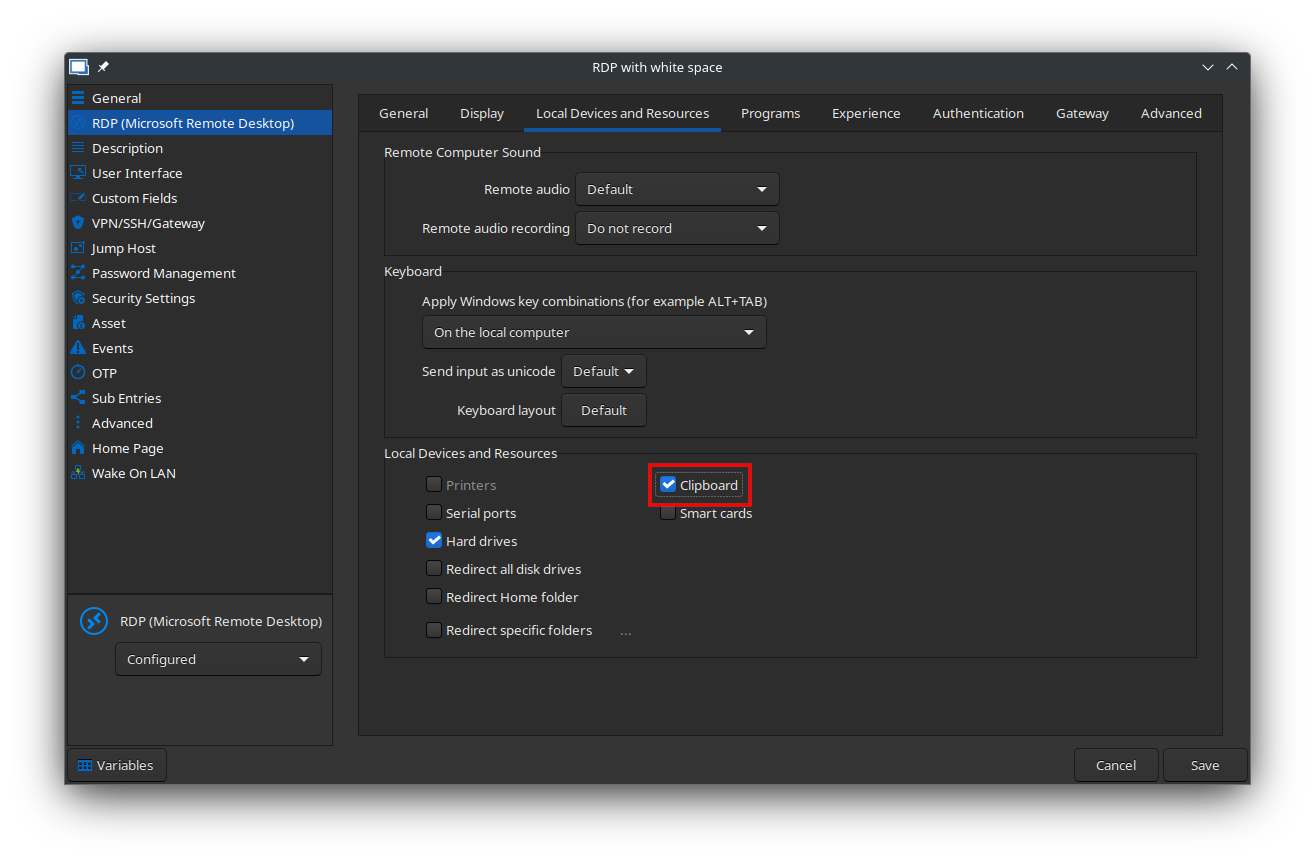
Nicolas Parr
RDP Clipboard Setting.png
Hello,
this (the pictiures below) is what is configured for one example host, even with "hard drives" flagged it do the same, i've even find that the clipboard is woring fine from the terminal inside my computer work as usual the "problem" seem only when i copy from my client to the terminal it not work with "paste" or "ctrl + v" but if a click on the tab and than "type clipboard" it work.
thank you 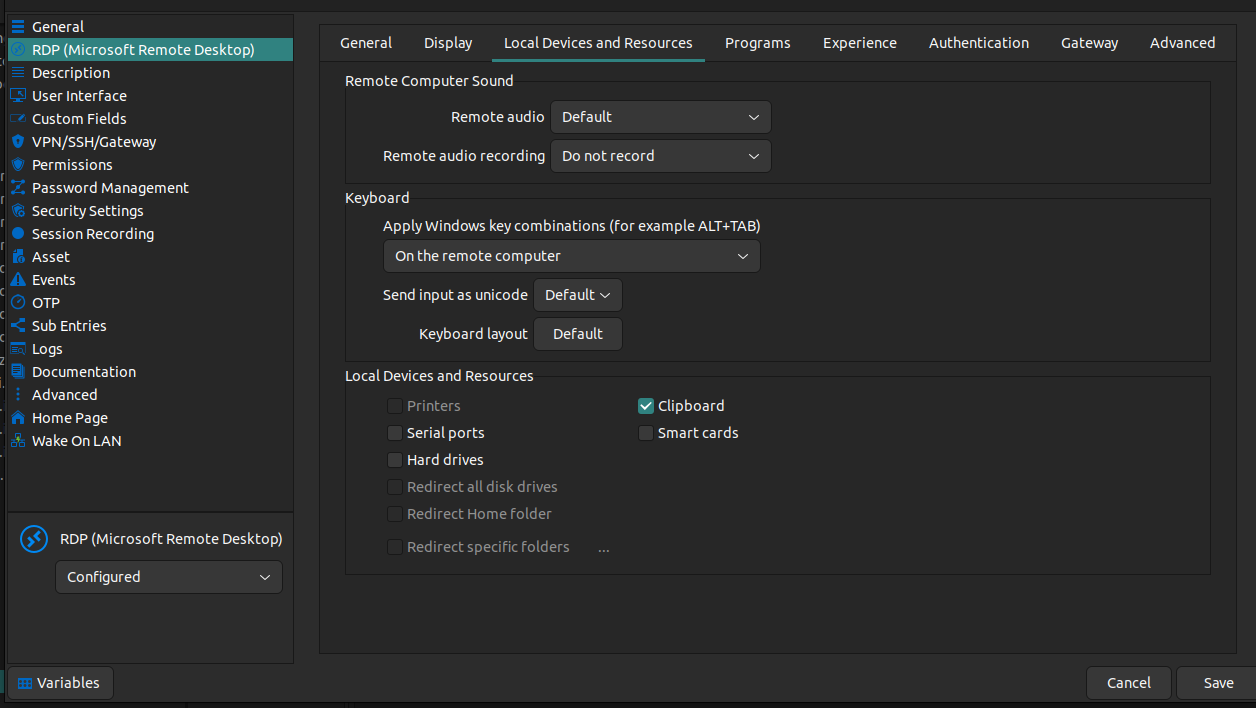
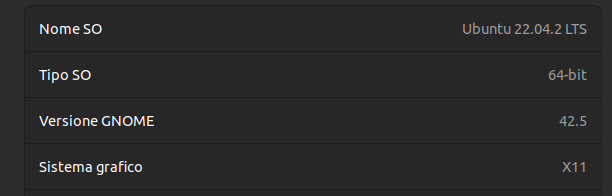
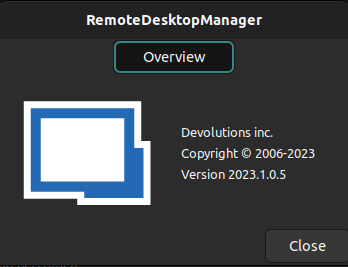
945ccf80-747b-464e-a0fe-02ace1d94767.png
e5a80a5a-50c6-4f62-a566-11304f347463.png
8553efbf-8baa-4734-a7ea-0890cb4aed36.png
Hi again,
The "Hard Drive" option should have no effect on the clipboard's behavior. I was referring to the "Clipboard" option. Pasting by right-clicking on the tab and selecting "Type clipboard" works differently to circumvent RDP servers and clients that don't enable clipboard sharing by typing each character instead of actually pasting text. If you have Clipboard enabled on both the client and server, clipboard should be shared between the two and update each other when either one copies (Ctrl+C) something and then Ctrl+V should paste that.
I'll keep searching on my end, but please make sure both your RDP entry and the server have Clipboard turned on. If it still doesn't work then, could you please run RDM via your terminal, try it again and tell me if any errors pop up in the terminal?
Thank you again.
Nicolas Parr
Hi I'm having the same issue on a Fedora 40 running KDE 6.1.
Copy-pasting via CTRL+C CTRL+V doesn´t work either with simple text or files.
I also tried to copy a test and to paste it by right-clicking the session and Clipboard -> Paste with no success.
Clipboard sharing is enabled in the connection's settings.
Does Remote Desktop Manager support Wayland sessions?
Hello nicolaramoso,
Yes RDM should work with Wayland.
I you have something like "gnome tweaks" installed, can you please try to disable it and tell me if that fix the issue?
Regards,
Gabriel Dubois
I just realized the fact that you are not on gnome.
I opened a ticket so we can try to reproduce it with Fedora and investigate further.
Regards,
Gabriel Dubois
Hello,
Could you please confirm whether you are still experiencing this issue with the latest version of RDM Linux (2025.1.0.15)?
Regards,
Gabriel Dubois
Hi,
from my limited testing it seems to work on the latest stable version from Flatpak (2025.1.0.12), I reckon that it should also be the case for the version mentioned by you.
Kind regards.
Hi - i know this is not my ticket but i am having the exact same issue. RDM 2025.3.0.08 64 bit, CachyOs on KDE. I can also use the type clipboard content from the rdp connection tab, but the copy and paste function inst working. I have checked the settings and clipboard is enabled. It was installed from the AUR using the instructions from the devolutions web site.
Hello @rodneylane888,
I tested on CachyOS KDE on wayland but wasn’t able to reproduce the issue on my side. Could you let me know which operating system the remote server is running?
Simon Duguay Létourneau
Hi Simon
Thanks for the response
Its a Windows 10 VM, and I have the same issue with a Windows 11 VM. Both are pro versions and both connected to a windows domain.
I can remote desktop to them and paste content when i RDP from a Windows machine.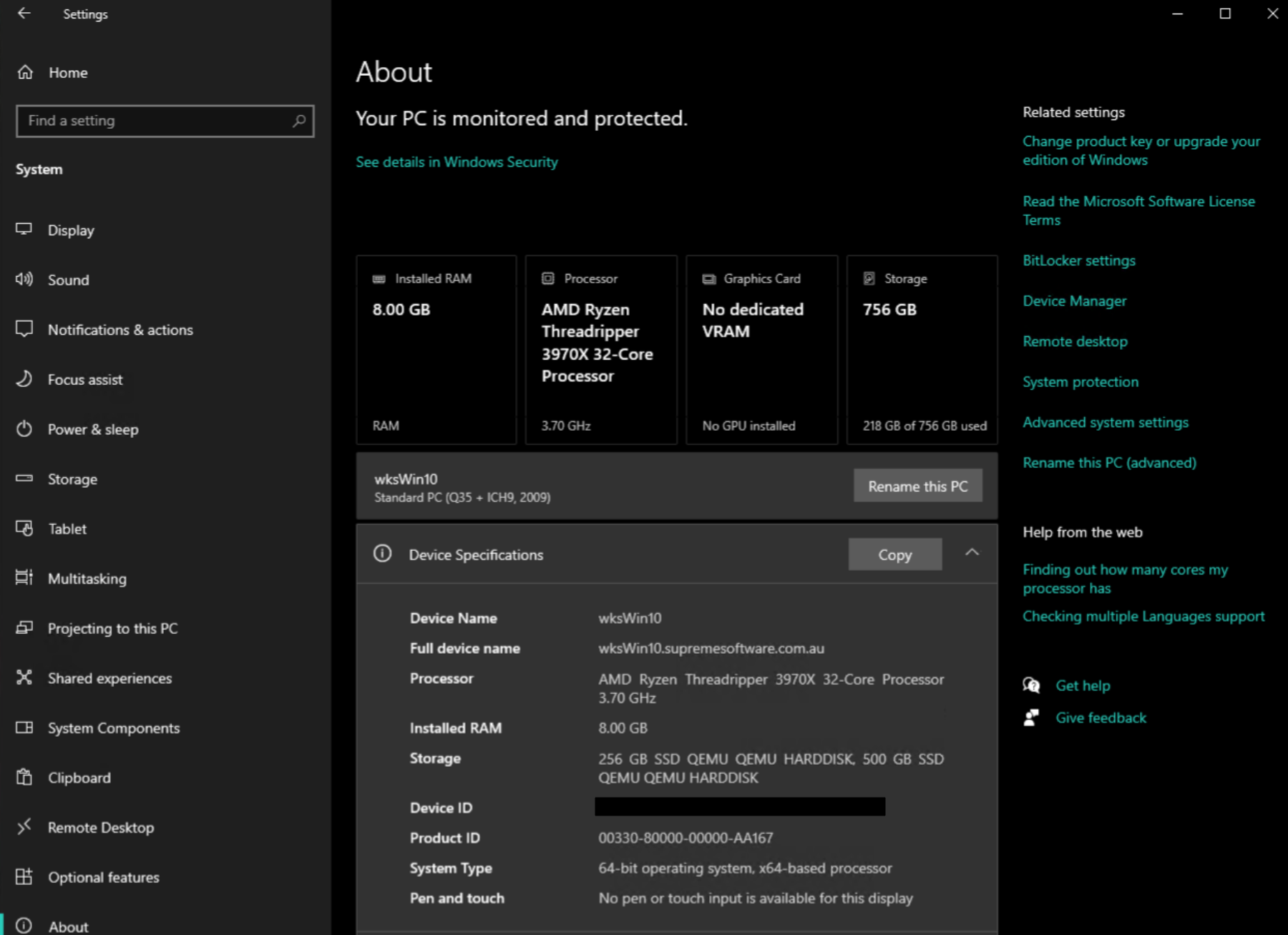
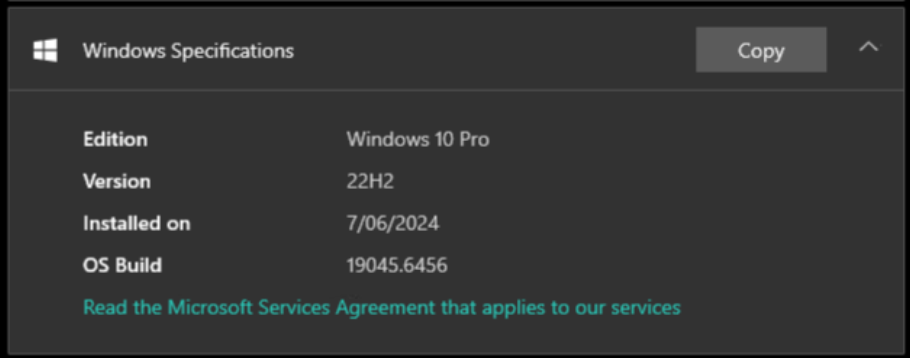
in applications like Paint and Notepad - basic copy paste wont work.
ie, copy this content as shown in image...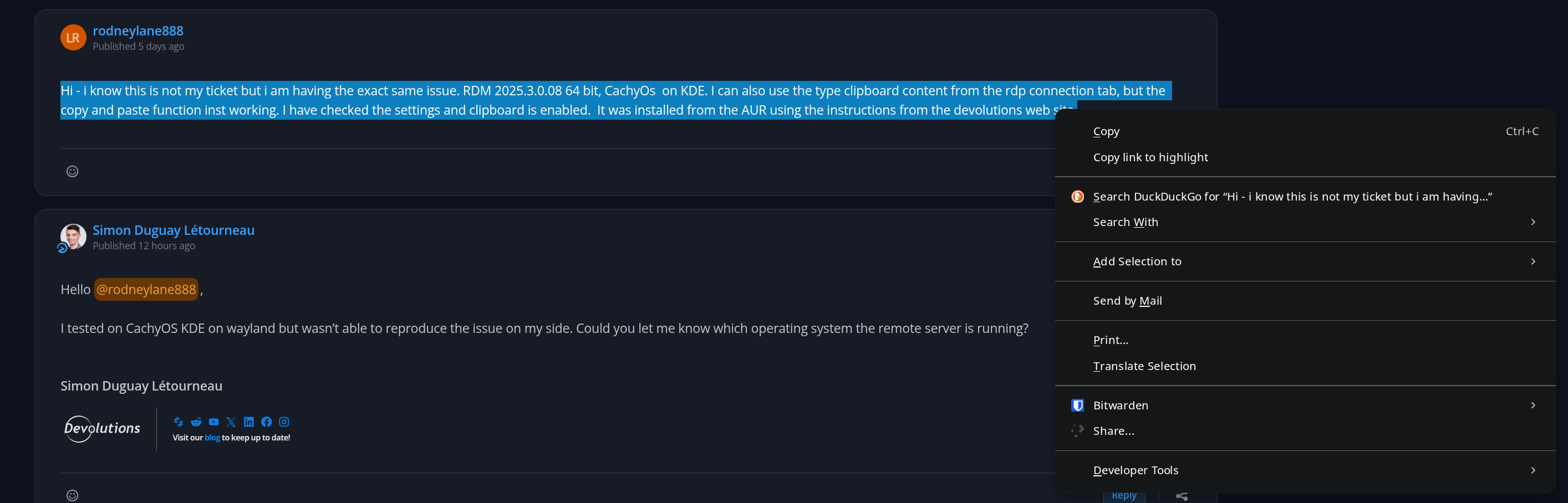
and in the VM, the paste option is not available 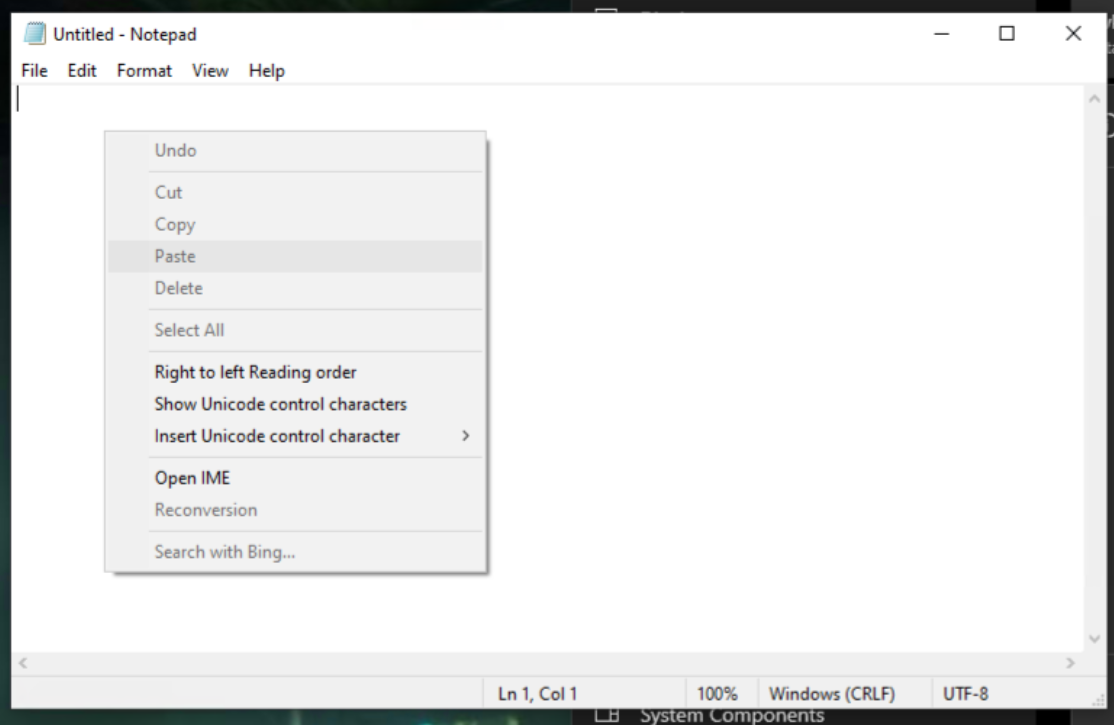
I have the same problem in Windows 11 VMs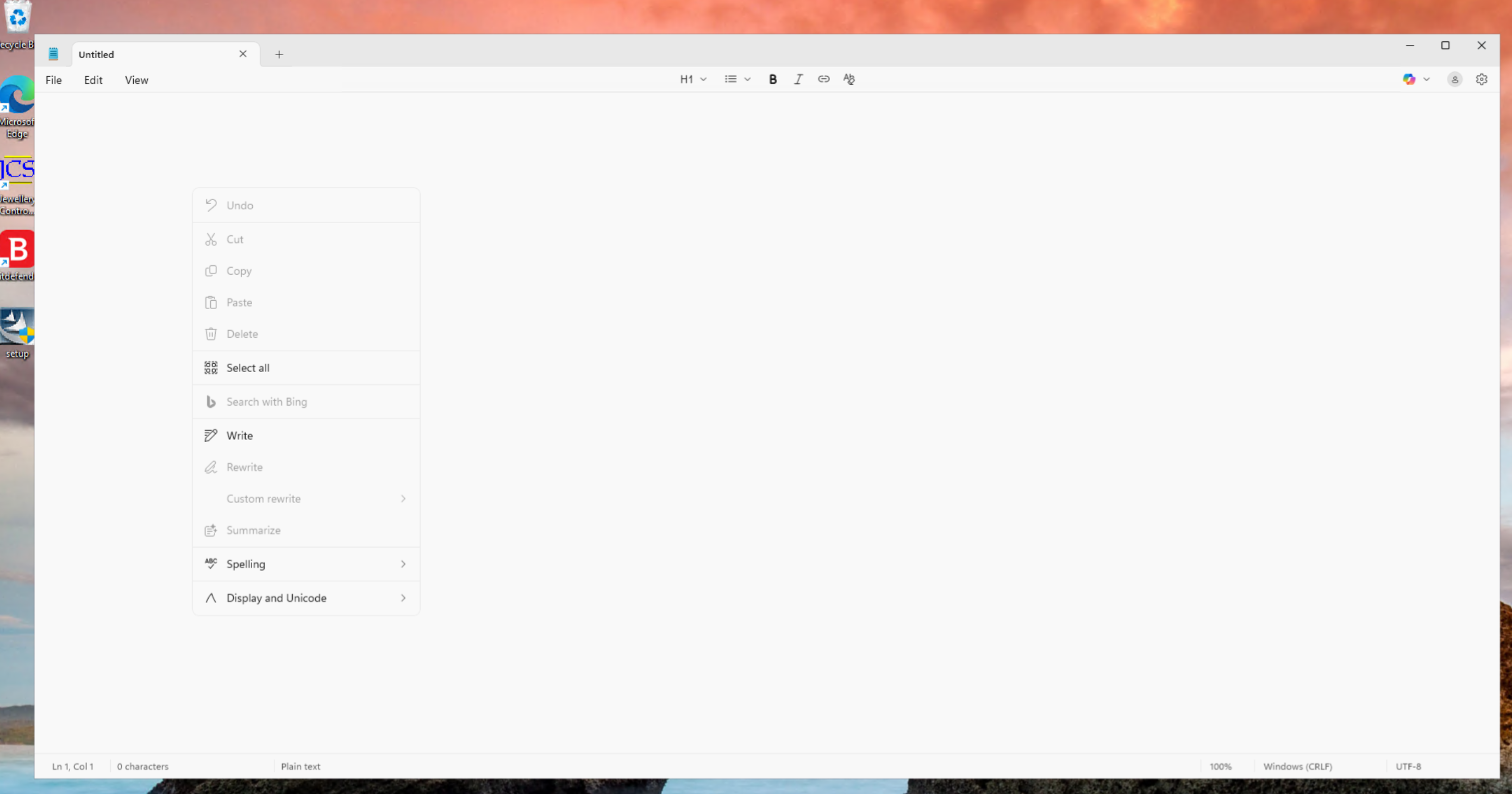
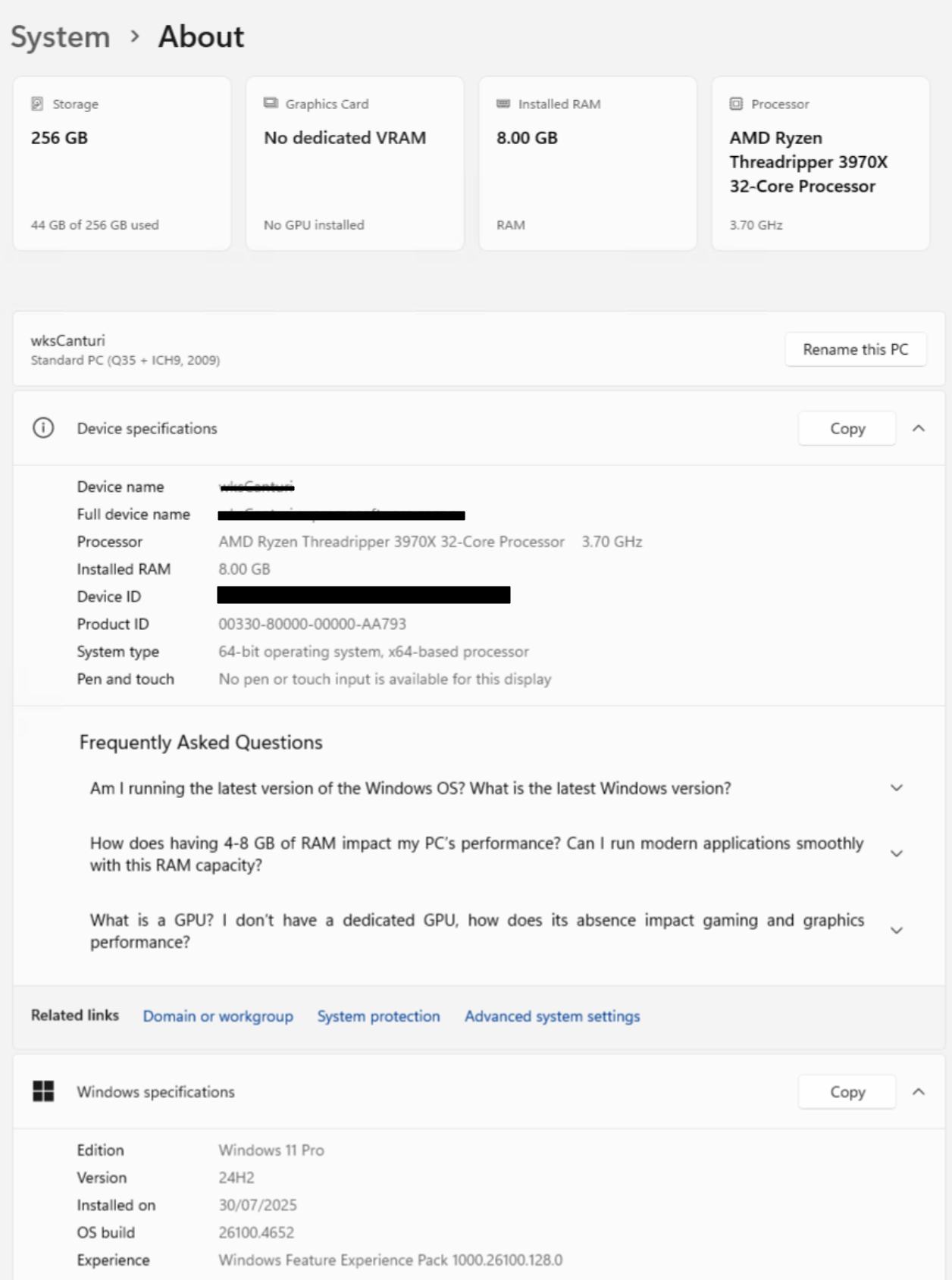
Cheers
Rod
e90dda56-ed80-494b-8dee-988ba33c3f17.png
8a8e3aa9-3cff-4e8f-a132-fca9cf589978.png
8fa657aa-0478-4e3d-8952-ac30d4b916d6.png
78c61cca-0bbb-4970-972e-437602626190.png
f80b105a-7b8d-4997-8b83-807758c1822e.png
3a6d8a8b-0a03-4a50-83ae-bc8cb723d422.png
Hello Rod,
I’ve finally been able to reproduce the issue you encountered.
Clipboard synchronization works by detecting changes made to the clipboard and sending them to the RDP session, even when RDM isn’t focused. However, it turns out that on some Linux distributions, the clipboard can only be updated when RDM is in focus. This explains why copying content within RDM works correctly, while copying something from another application, such as a web browser, doesn’t get sent to the RDP session.
I’m currently working on a fix to ensure clipboard synchronization behaves consistently across all Linux distributions.
Best regards,
Simon Duguay Létourneau
Hi Simon - Thanks for the update - very much appreciated :)
Hi Rod,
The issue you reported has been fixed in version 2025.3.0.9.
Thank you for your patience and for bringing this to our attention!
Best regards,
Simon Duguay Létourneau
Hi! I'm running 2025.3.11 on Zorin OS 18 and having this problem. For now I have to resolve to using Remmina for RDP whenever I need to do pasting inside Windows RDP. Maybe worth noting that Copy from RDP works, just not the other way around.
Best regards,
Robin
I downgraded from 3.1.1 to 3.0.9 and copy paste works again :-)
Your site however doesn't offer 3.0.9, so I had to edit the download URL to match the version.
https://devolutions.net/remote-desktop-manager/download/previous-versions/free/
https://cdn.devolutions.net/download/Linux/RDM/2025.3.0.9/RemoteDesktopManager_2025.3.0.9_amd64.deb
Hello,
I have reopened the case regarding this issue and will keep you informed of any progress on our side.
Best regards,
Carl Marien
Hello,
The issue has been resolved in the latest version of Remote Desktop Manager for Linux.
After upgrading, we recommend restarting your system to ensure clipboard services are properly refreshed.
Let us know if the issue persists after updating.
Best regards,
Carl Marien
Awesome - I'll download the update and give it a try
Cheers