Copy paste from different OSes

Hi,
Is it possible to copy text/files from a Linux host to a remote Windows via RDP using RDM for Linux ?
Thanks
Recommended Answer
Hello,
The issue has been resolved in the latest version of Remote Desktop Manager for Linux.
After upgrading, we recommend restarting your system to ensure clipboard services are properly refreshed.
Let us know if the issue persists after updating.
Best regards,
Carl Marien
All Comments (22)
Hi michelhoude,
You can paste text from your clipboard by pressing right-click on the RDP connection's tab when its running and then clicking on Clipboard > Type clipboard.
For files, I don't think you can send them per se, but you can setup your connection to redirect a local folder to the remote machine by going in the connection's properties. In RDP > Local Devices and Resources, you will want to enable the "Redirect specific folders" check box and press on the "..." button to add the folders you want. That way, your remote will be able to access files in that folder and you can copy them elsewhere on the machine.
I hope this helps.
Best regards
Nicolas Parr
Hi Nicolas,
sorry to reopen an old thread but :
You can paste text from your clipboard by pressing right-click on the RDP connection's tab when its running and then clicking on Clipboard > Type clipboard.
there is a way to use Ctrl +c/ Ctrl +v way? like ssh sessions?
Thank You
Andrea
Hi andrea1,
As far as we can remember, the feature has been implemented, but its possible it's having issue for one reason or another. I will look into it and get back to you.
Thank you
Nicolas Parr
Hello again andrea1,
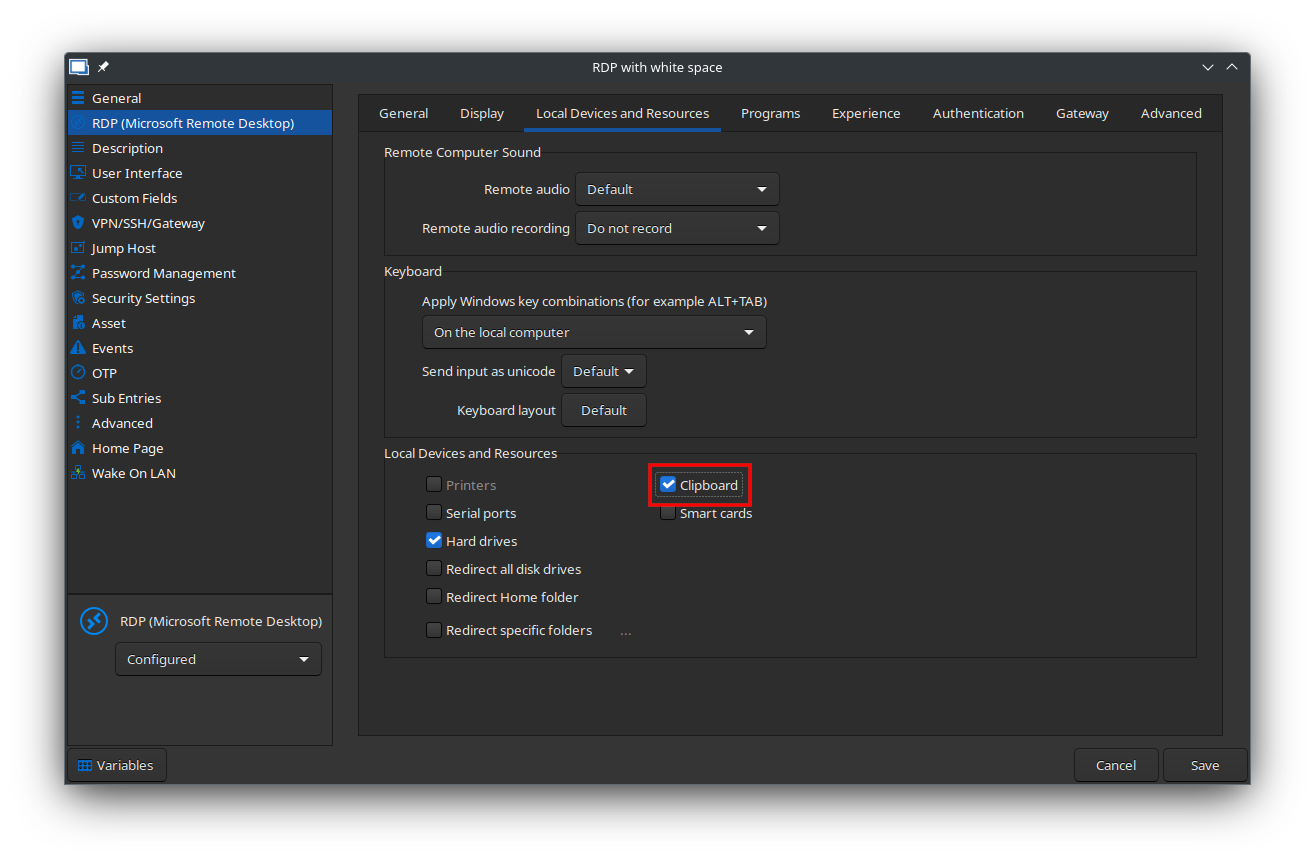
After investigation, it has indeed been implemented and seems to work fine on my end with Sandboxing turned both On and Off. However, there is a setting in the entry that can be turned On and Off for connecting to your system's clipboard. Could you please check if you have that setting turned on? (see linked screenshot for information on where to find that option)
If it's turned On and still doesn't work, could you please send me some information about your System? Like your Linux Distribution and Desktop Environment. That way, I'll be able to investigate if this issue is due to some incompatibility and if it can be fixed.
Thank you very much.
Nicolas Parr