What's needed to create an RDP connection?

Hi there
When I want to start an RDP connection, I keep getting this popup, and I can't seem to figure out what to put in there or what to install to get it to run?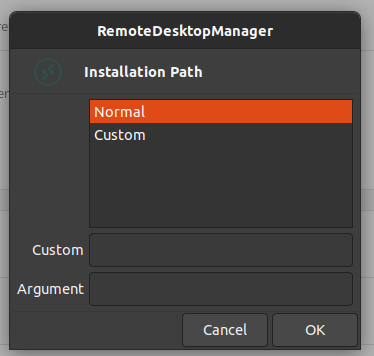
Can someone point me in the right direction? :)
Best regards,
Jesper
2021-11-11_08-48.png
All Comments (2)
Hi Jesper,
This screen appears when your session is set to external, meaning it will launch outside of RDM.
To make it work, you need to install xfreerdp on your system and selecting Normal and then clicking OK should work.
You can also launch (without any dependencies) the session embedded in RDM.
In this case, simply change the Display setting (in the General section) to Embedded.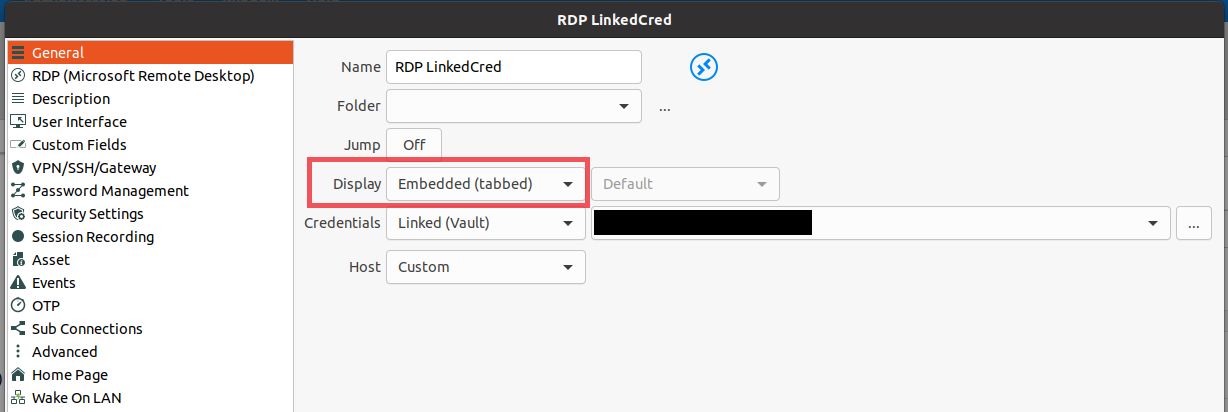
You can get there by right clicking on your RDP entry and Properties.
I hope this helps
Regards
Jonathan Lafontaine
image.png
Great - that was exactly what I needed!
Thanks :D