RDM Linux running on WSL2's new GUI App feature, UI Colours??
RDM Linux running on WSL2's new GUI App feature, UI Colours??

I'm running Win 10 Insider Fast and now can run WSL2 GUI apps natively which is amazing, I just fired up RDM Linux to test as I've actually not really played with it as in the past I've only used Linux as pure console machines so this new win 10 feature has opened up many new doors for me.
Anyway to the point of this post, I've got RDM Linux running and it works but I just tried changing the UI to Dark mode but is what I'm seeing right as it doesn't mirror Windows RDM dark mode??
As you can see above that is set to Dark UI in the Prefs, but there are still some UI elements using the light colours? As I mentioned Windows UI dark mode its all Dark with no Light UI colours whatso ever. So I'm posting this as a Bug report.
To be fair this is using WSL2g Preview so it may be a bug with that side not RDM, as i mentioned I've not tried RDM Linux on a Linux desktop machines so don't have a comparison.
I do like what I see in RDM Linux ignoring this small bug so keep up the great work!
Thanks
JK
Devolutions Force Member (and Long time Devolutions Fan)
All Comments (9)
Hi,
Theming in RDM Linux doesn't apply to the whole application.
It basically does two things
- It changes the main menu bar to fit the style of other versions of RDM (mainly Windows).
- Generated HTML page, like the dashboard, will use a light or dark theme.
Everything still light themed in your screenshot should have been handled by GTK.
It looks like Windows isn't syncing its dark mode with a dark theme on WSL2.
You might be able to manually change GTK's theme by running a tool called gnome-tweaks.
In the Appearance section, you can select which theme is applied.
Regards
Jonathan Lafontaine
I couldn't see the original poster's screenshot but I have to assume it is the same thing I am experiencing 4 years later. Is something wrong with my system or is there a way to get a true dark mode in RDM on Linux? I am running Fedora 41 with Gnome with all updates installed and the latest version of RDM if that helps.My kernel version is 6.13.9-200.fc41.x86_64 and I have a system (laptop) running Intel drivers and Nvidia (570.133.07). If the below is expected behavior, is there a plan to change it in the near future? Thanks in advance.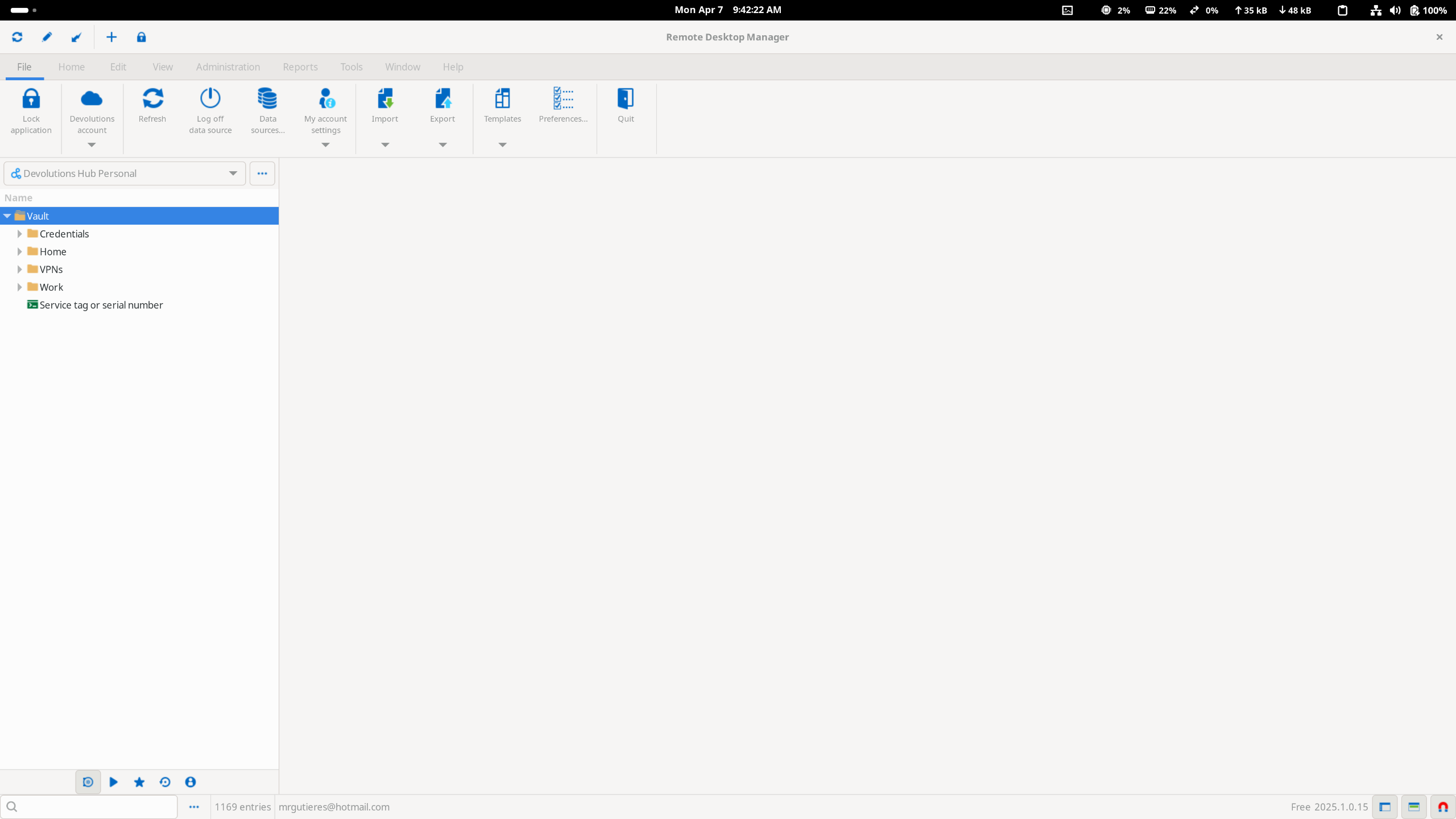
87e2bbbb-8dac-49c4-8d85-b1a67af8073e.png
Def seems like WSL2 / Windows issue rather than Devolutions issue. WSL2 still seems like a constant work in progress lol, test with another WSL2 GUI app e.g. GEDIT, if its the same you know its Microsoft WSL2 Issue, then use the Github.com repo for WSL as I have since.
try GNOME Tweak Tools as Jonathan suggested maybe...
Dark Theme in WSL2 GUI
JK
Devolutions Force Member (and Long time Devolutions Fan)
Def seems like WSL2 / Windows issue rather than Devolutions issue. WSL2 still seems like a constant work in progress lol, test with another WSL2 GUI app e.g. GEDIT, if its the same you know its Microsoft WSL2 Issue, then use the Github.com repo for WSL as I have since.
try GNOME Tweak Tools as Jonathan suggested maybe...
Dark Theme in WSL2 GUI
I apologize I should have been clear: I am not running WIndows nor WSL2, no VMs whatsover. The Fedora that I am running is local to my laptop's hard drive.
Def seems like WSL2 / Windows issue rather than Devolutions issue. WSL2 still seems like a constant work in progress lol, test with another WSL2 GUI app e.g. GEDIT, if its the same you know its Microsoft WSL2 Issue, then use the Github.com repo for WSL as I have since.
try GNOME Tweak Tools as Jonathan suggested maybe...
Dark Theme in WSL2 GUI
I apologize I should have been clear: I am not running WIndows nor WSL2, no VMs whatsover. The Fedora that I am running is local to my laptop's hard drive.
Above should still apply for Dark mode tweaking, assume you have checked within RDM itself too right?? Enable dark theme in Remote Desktop Manager: easy guide - Devolutions Blog
JK
Devolutions Force Member (and Long time Devolutions Fan)
Def seems like WSL2 / Windows issue rather than Devolutions issue. WSL2 still seems like a constant work in progress lol, test with another WSL2 GUI app e.g. GEDIT, if its the same you know its Microsoft WSL2 Issue, then use the Github.com repo for WSL as I have since.
try GNOME Tweak Tools as Jonathan suggested maybe...
Dark Theme in WSL2 GUI
I apologize I should have been clear: I am not running WIndows nor WSL2, no VMs whatsover. The Fedora that I am running is local to my laptop's hard drive.
Above should still apply for Dark mode tweaking, assume you have checked within RDM itself too right?? Enable dark theme in Remote Desktop Manager: easy guide - Devolutions Blog
Thank you. I had to do some Google Fu but based on what you said above, I realized I was missing some packages
Now it works. 
Does this mean that RDM is a GTK2 or GTK 4 application? Also, is there a way to force it to use Wayland rather than X11 under XWayland?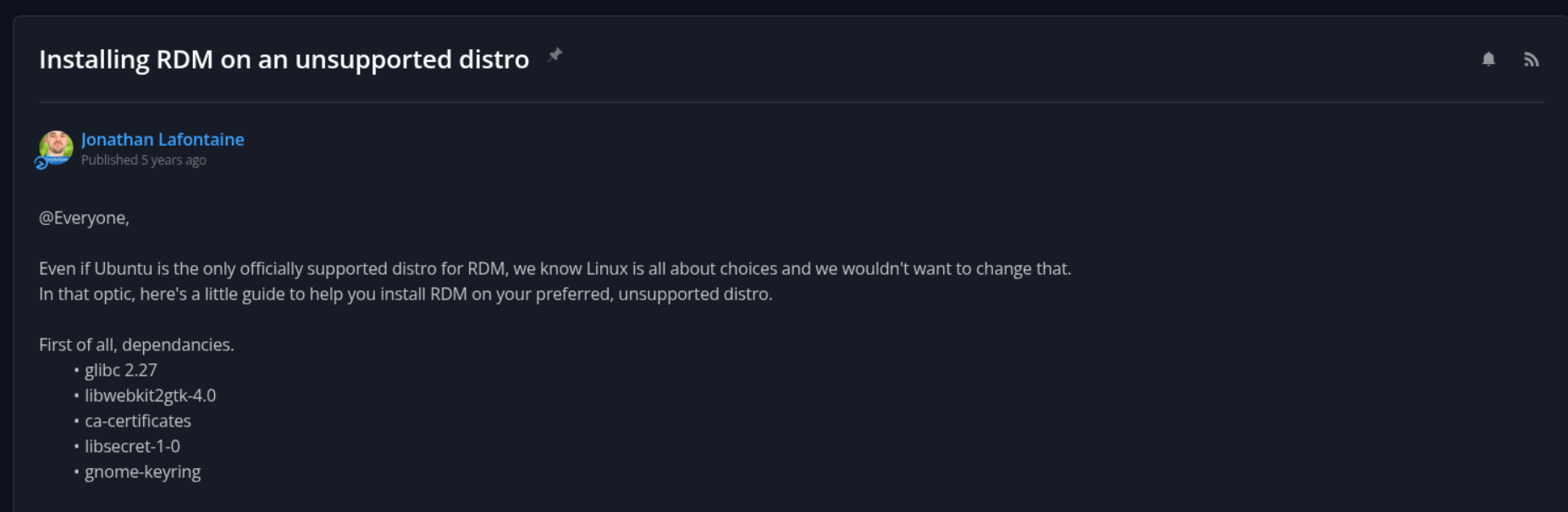
be932629-6a55-4073-87f0-17c140ced03f.png
b555d7c5-ba58-4c02-b0bb-dc399cb2c2cb.png
b8796c8c-1925-4159-b729-2d4d869d8e84.png
f1808f2e-7c1c-447c-8971-14babc8194da.png
I answered one of my two questions using the command GTK_DEBUG=interactive remotedesktopmanager... still learning Linux... now I just need the Wayland question answered 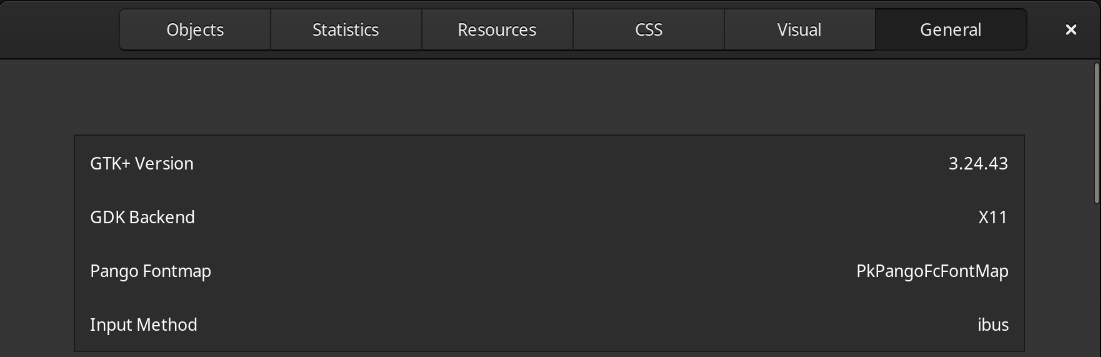
ae9611bc-06c8-4bc4-8601-f9d56bac8de3.png
Hello mrgutieres,
At the moment, we've had to force our application to run under XWayland instead of native Wayland, because we're using Avalonia on RDM Linux. Avalonia gives us strong cross-platform windowing support, which is a big advantage for our project. However, native Wayland support is still experimental and not yet suitable for our use case.
As soon as native Wayland support becomes stable and feature-complete, we’ll definitely look into switching away from XWayland.
Regards,
Gabriel Dubois
Thank you for the reply Gabriel. Much appreciated. Looking forward to the native support.