FDM not starting, only splash screen

Hi,
I don`t know if there is a post about this already, I haven`t found it.
New Debian install and when I try to launch the app we can see the splash screen showing up but then it disappears and that`s it, the app won`t start.
Any suggestions ?
Thanks in advance
All Comments (14)
Hi,
Most probably, your distro doesn't ship with libwebkit2gtk-4.0-XX already installed.
If this is the case, installing it (libwebkit2gtk-4.0-37 most likely) will fix this issue.
If this doesn't fix your issue, you can run RDM in a termal using the remotedesktopmanager (or remotedesktopmanagerfree) command.
That should give you a callstack of the error that will surely help us pinpoint what the problem is.
Regards
Jonathan Lafontaine
also on my latest ubuntu it doesn't start, it's greyed out and locked
the terminal doesn't have any message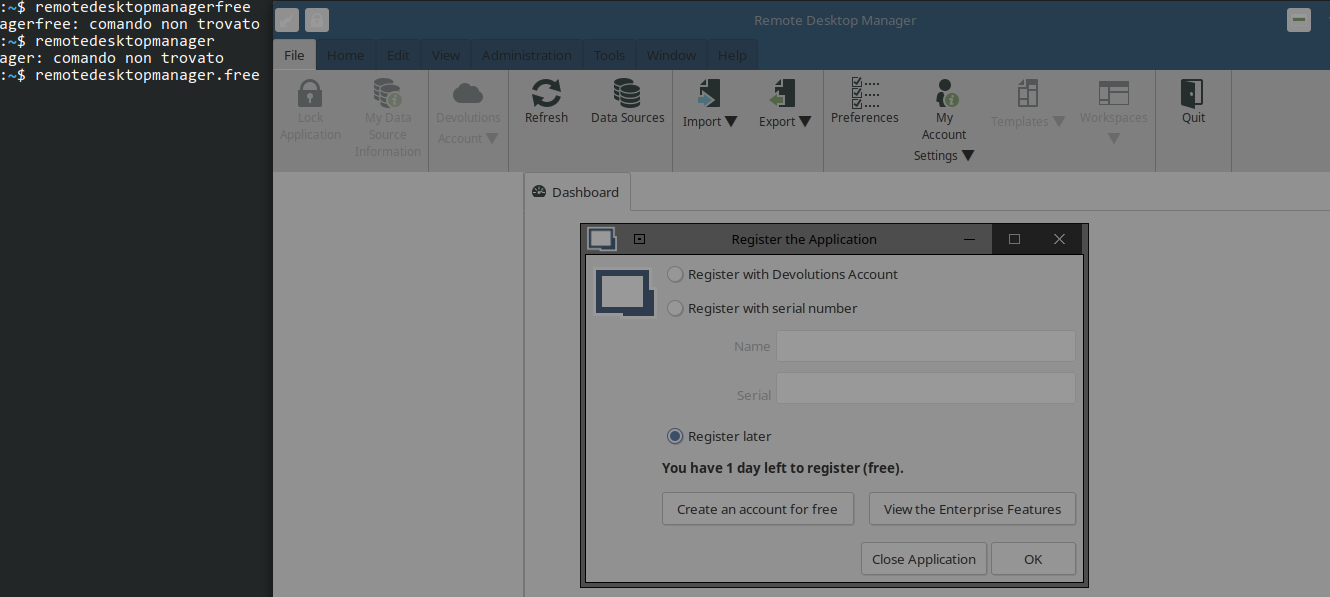
libwebkit2gtk-4.0-37 is already installed (2.30.5-0ubuntu0.20.04.1)
edit: I pressed esc several times and the splash screen went away. probably is due because i replaced gnome with another de
2021-03-14_08-56.png
I'll have to do some testing to reproduce the greyed out screen.
What version of Ubuntu are you running?
Yes some DE, particularly KDE, have trouble correctly showing the application if the registration window pops up.
Jonathan Lafontaine
I am running Ubuntu 20.04 but I use KDE instead of GNOME
Do you use Kubuntu or install KDE over a Gnome installation?
Jonathan Lafontaine
Now that I think about it, this time I directly installed kubuntu instead of changing it later
Alright, I'll do some testing on Kubuntu to see why the first window is greyed out.
Jonathan Lafontaine
I'm also on a Kubuntu 20.04 installation and the splash screen comes up, I'm able to click the "Register with Devolutions Account" radio button and the logo pops up but then can't get past that. I've tried having my default browser open and logged in to my Devolutions account but no luck there. Also when I run from terminal (remotedesktopmanager.free) there is no error or output of any kind
When I first installed I did have to install libwebkit2gtk like instructed above
Hi,
Internally, we have fixed the splash screen that prevented user input.
I can send you a Release Candidate build if you are interested.
Also, the deb file now has dependencies so manually installing libs should be a thing of the past.
Jonathan Lafontaine
Hi,
Internally, we have fixed the splash screen that prevented user input.
I can send you a Release Candidate build if you are interested.
Also, the deb file now has dependencies so manually installing libs should be a thing of the past.
I would be very interested in the release candidate. Thanks for the quick response!
Hi. Ditto on the interest in an update or release candidate.
The problem is the same for me, although I have KDE installed after Ubuntu. I can eventually get the splash screen to go away with an ever-mysterious combination of esc and mouse clicks. How can I try your release candidate?
Hi,
The build containing the splashscreen fix (2021.1.1.4) has just been released.
You can download it from our website.
Regards
Jonathan Lafontaine
Hi,
The build containing the splashscreen fix (2021.1.1.4) has just been released.
You can download it from our website.
Regards
Just wanted to thank you again as this release, as well as the release candidate you allowed me to download both contained the fix I needed. Thanks!
My pleasure!
I'm glad the fix worked well for you.
Regards
Jonathan Lafontaine