License expiration is listed wrong in web panel
i have just spotted the license expiration is showing wrong after upgrading to new wayk bastion
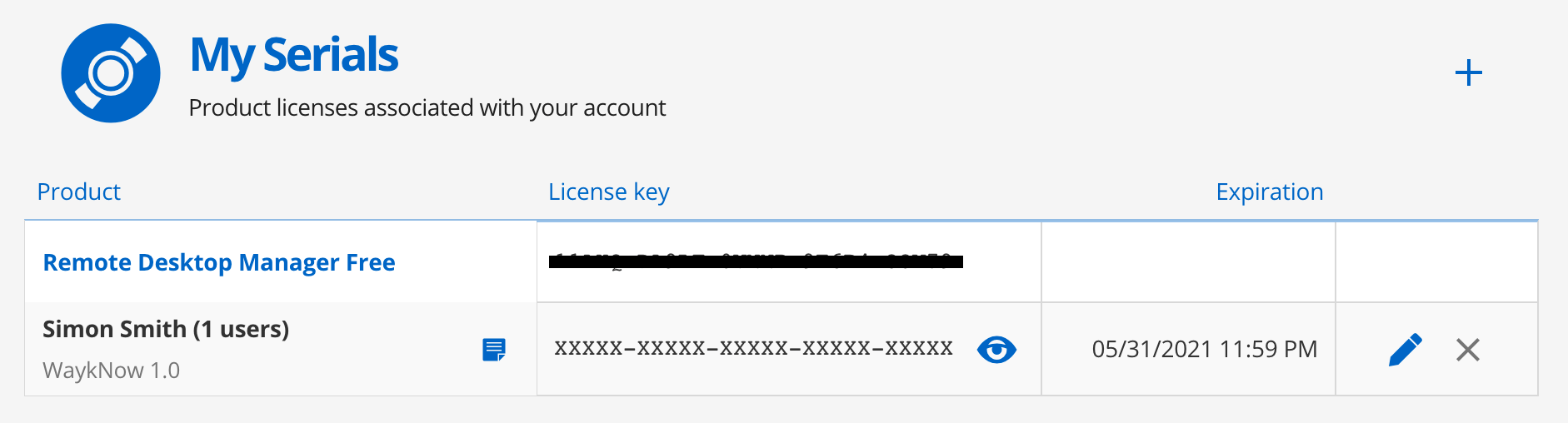
i bought my license at the end of the month of may but its showing as expiring in jan 2021 ?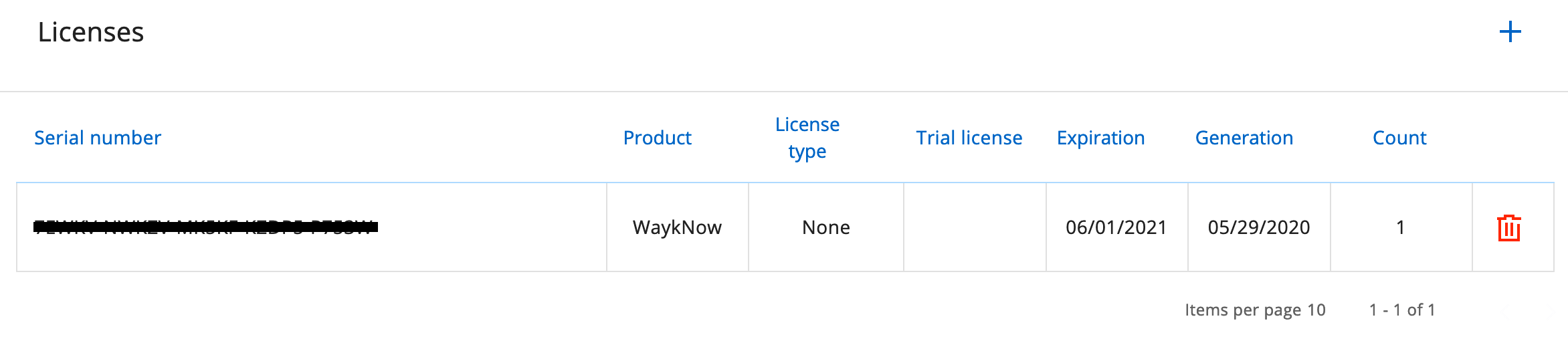
Screenshot 2020-11-09 at 11.23.31.png
Screenshot 2020-11-09 at 11.21.40.png
All Comments (6)
Hello,
According to your screen capture, the expiration date is June 1st, 2021 (MM-DD-YYYY). You can compare it with the Generation date that correspond to May 29th, 2020.
Best regards,
Érica Poirier
Hi Erica,
OMG ive just realized, its using the US format for the date!
i hate that, wish we could specify the date format ourselves! and i can then select UK format
DD/MM/YYYY not MM/DD/YYYY
Regards
Simon
Hi Simon,
Thank you for your feedback and your suggestion.
An improvement request has been sent to our engineering department. Once an update will be available, we will update this thread.
Best regards,
Érica Poirier
Hi Simon,
We have reviewed what we are doing in Wayk Bastion with regards to date formatting, and we will look into adopting ISO 8601 (https://www.iso.org/iso-8601-date-and-time-format.html) which is the internal date format (YYYY-MM-DD) consistently throughout the application. As for locale-specific date formatting, we're taking note of it, but it would be for future improvement as it requires the addition of locale detection, and locale override if detection fails.
Best regards,
Marc-André Moreau
Hi Marc,
the format of YYYY-MM-DD would be amazing!
i use it for databases mainly (YYYY-MM-DD HH:MM:SS)
Regards
Simon

Hi Marc,
the format of YYYY-MM-DD would be amazing!
i use it for databases mainly (YYYY-MM-DD HH:MM:SS)
fully agree here. especially since it's a unique, you generally dont see a date format with dashes that isnt in that order, while with slashes it's a lot more ambiguous.