Unable to register the application

When running on Fedora 32, i am unable to click the import button when trying to "use registration from data source"
This is Remote Desktop Manager 2020.2.2.0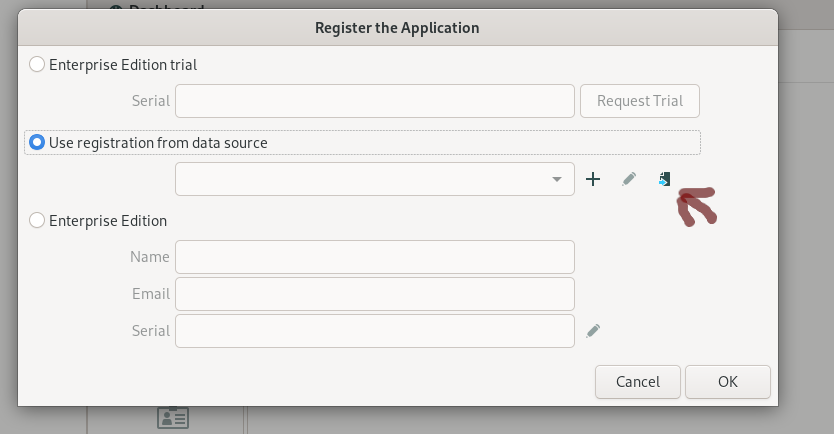
Screenshot from 2020-08-03 11-17-38.png
All Comments (4)
I will look into this.
Jonathan Lafontaine
Hi Jonathan,
any update on this?
We have problems too with this dialog.
We have DPS Platinum and I cannot select my prior created Datasource and if I create a new DPS Team Edition Datasource it says: "The user has not been assigned a valid serial number,..."
In comparision: On OSX the same dialog appears too, but after Cancel you can create a DPS Datasource, connect to it and after that the dialog won't popup again.
Edit: tested with 2020.2.3.0, no change
Kind Regards
Markus
======================
Now that we can import data sources, I should be able to make this button work for the next release.
Jonathan Lafontaine
Thanks Jonathan!
Kind Regards
Markus
======================