SSH doesn't use full screen, cuts off top area

I've attached a screenshot to better show this. Basically I'm seeing two problems, one more serious than the other.
1) The top part is cut off. Almost as if the server tabs are covering the SSH window. This makes it impossible to edit a text file on the system. In the screenshot I have htop running and you can see that the top is cut off (The first core CPU utilization is cut off and completely missing) shown by the green arrow.
2) Not sure if this is an issue with tmux (which we run) or an issue with RDM Linux. This doesn't happen in RDM Windows so I'm leaning toward a RDM Linux issue. The entire display width is not showing up in the Linux SSH session. Shown by the yellow box in the screenshot, this entire area is usable, but tmux isn't stretching across so I believe there's some setting not getting sent across properly. What's interesting, is that the entire width is usable, as seen in my second screenshot

STEPS TO REPRODUCE:
- Open RDM Linux on a 1920x1080 monitor, maximized
- Connect to a linux server via SSH
- Open top (my screenshot is htop, but this works with any program)
- Notice that the first two lines are missing. First line should start with 'top'

All Comments (13)
I don't seem to be able to reproduce your issues.
htop uses the full screen real estate and I'm not missing the first 2 lines in top.
I don't however, run tmux for any of those tests.
Are you able to try without tmux to help us narrow it down?
Jonathan Lafontaine
Weird, the screenshots were inline. Not sure why they are missing now. I did test without htop and still have the same issue. Let me find the screenshots and attach them separately
Weird forum thing, the screenshots don't show up when the page loads, but they show up after you add a reply.
I assume you meant you tested without tmux and not htop?
Here's what it looks like on my 4k laptop display.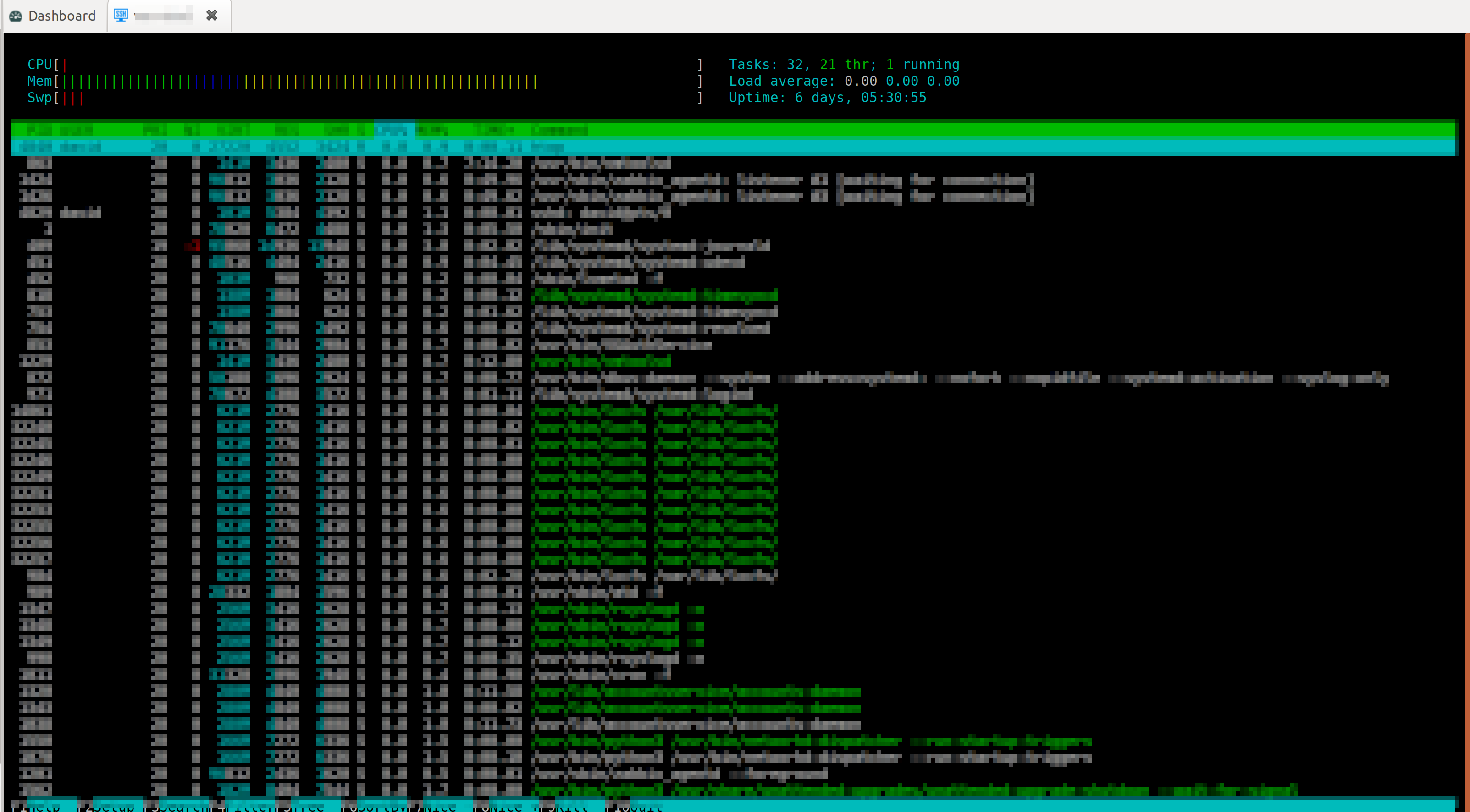
Jonathan Lafontaine
Screenshot from 2020-06-17 11-48-38.png
Yea I meant without tmux.
I've done some more testing and this is a monospace/variable space font issue and maybe only an issue on KDE (I was unable to reproduce this issue on Ubuntu Gnome, but changing the font there does cause some weird issues in a terminal. On a semi-related note, RDM locked up when I was editing a server entry and now RDM thinks I'm already editing that entry.
RDM seems to be using the "General" font in KDE rather than the "Fixed width" font. As a workaround, I can set the general font to a monospace one and it resolves the issue in RDM. (see screenshot)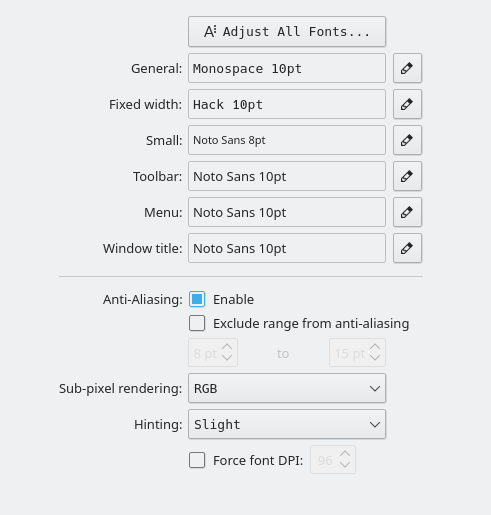
I'll test this in a KDE VM when I get a chance.
font-settings.png
ssh-font.png
ls-dir.png
^ fixes the width issue, but not the missing first lines for me it seems.
@Jonathan
So I'm able to reproduce this issue on my Ubuntu VM (top missing), what's odd is that if I unmaximize my RDM window I can reduce the vertical size enough that I can see the full terminal. See screenshots below
Unmaximized RDM, full terminal 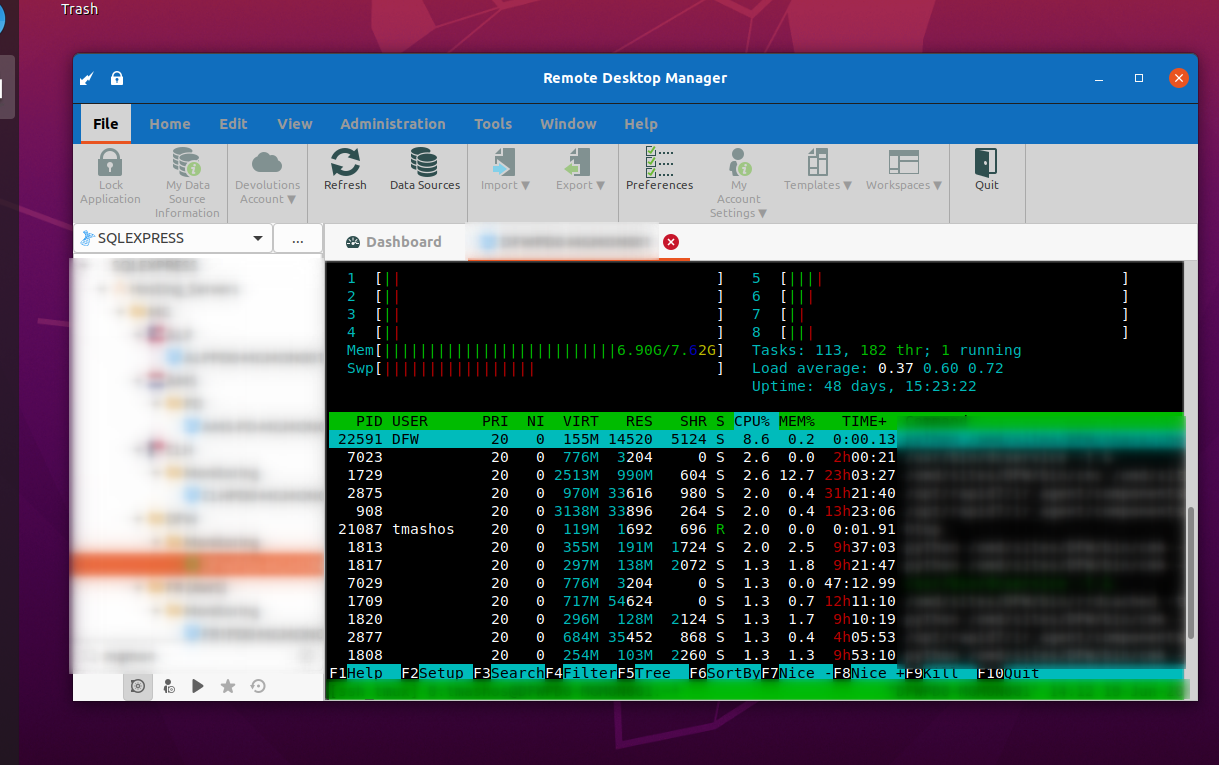
Maximized RDM, missing top row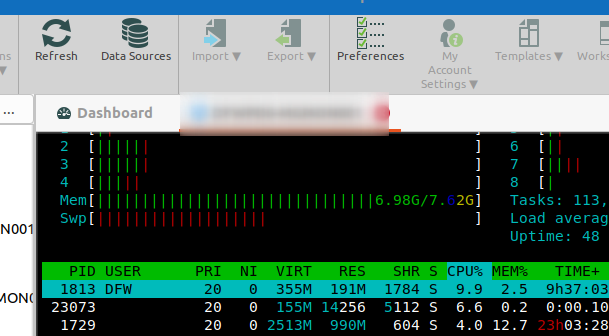
So it seems to be related to the terminal size? Although I'm not sure why it then works fine on your 4K screen when the smaller I get the better it is. If you resize your RDM window are you able to "break" it?
ubuntu-max.png
ubuntu-unmax.png
I'll do some more testing based on the information you provided.
At face value, it looks like a scaling issue based on a wrong aspect ratio.
Jonathan Lafontaine
I think you might be right. I just noticed that I'm able to scroll and see the missing top lines
This is still an issue in 2020.2.1.0
This is still an issue in 2020.2.5.0
This is still an issue on 2020.3.0.0.
I just tested this on a server we that doesn't run any of our standard config (so it should be fairly close to a standard Ubuntu AWS install) and it also exhibits the same problem.
I know this has been an issue for a long time.
I'll check with the dev in charge of the SSH intergration and hopefully this can be solved sooner rather than even later.
Jonathan Lafontaine
Thanks Jonathan. Right now my workflow when connecting to a linux box is to split my tmux window and resize one of the panes so it doesn't cut the top off anymore. A small workaround, but a proper fix would be great.