Semi-Black screen on Windows Server Core 19608
Hi guys,
I got a problem on a server I remote into. It's running a fresh brand new copy of windows server core1608 preview and I installed chocolatey and then instaled wayk-now using chocolatey. Everything went smooth, and I am able to launch wayk-now, but I noticed two problems.
- The version of wayk-now that get installed is 2019.2.1 and While, wayk-now offers to download the newer version, it fails to launch the update
- When I remote into the server, I get what looks like a compleatly black screen. I say it looks like it's black becasue If I press menu buttons on the read screen, I can see them on my wayk-now screen, but not the app that the menu i from.
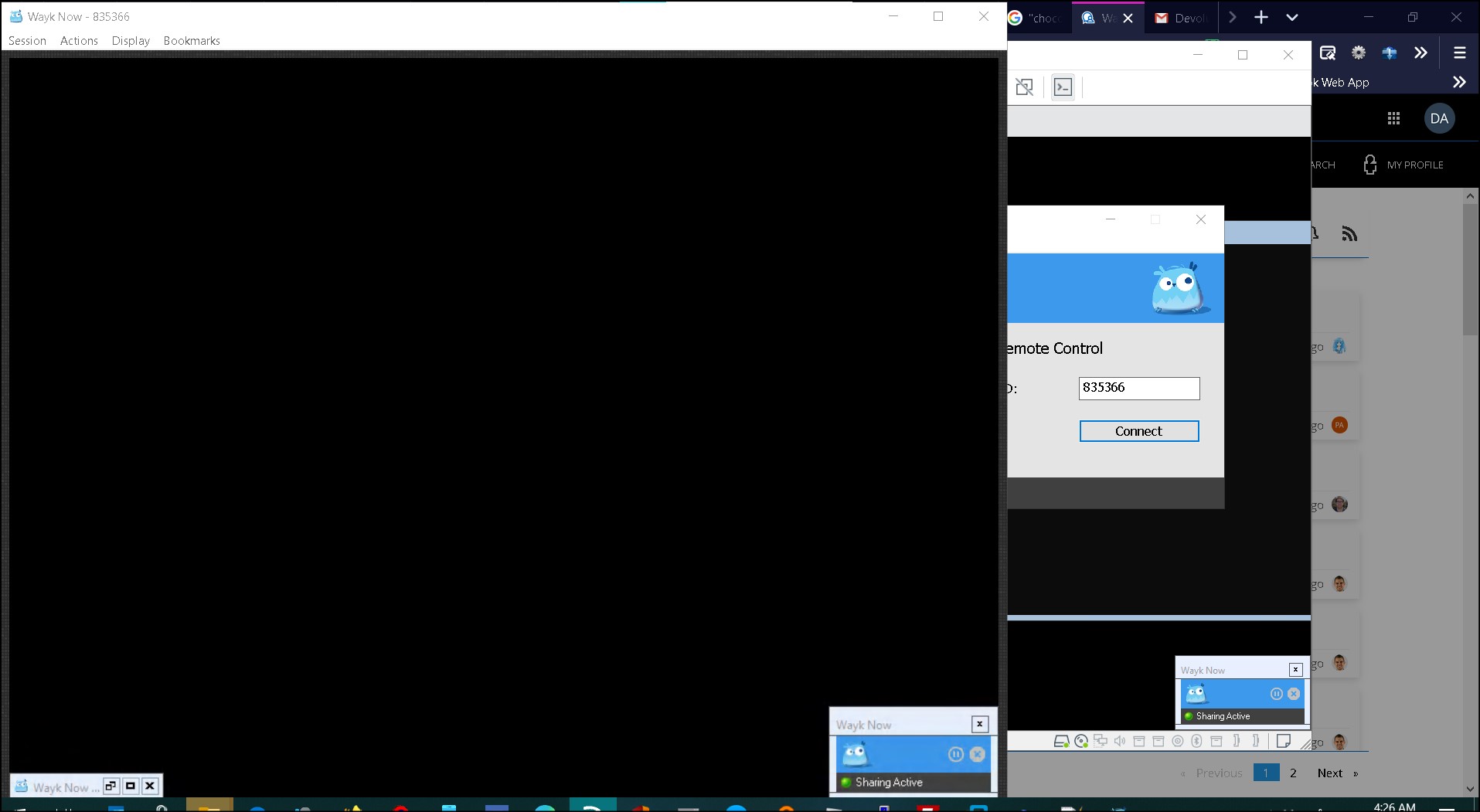
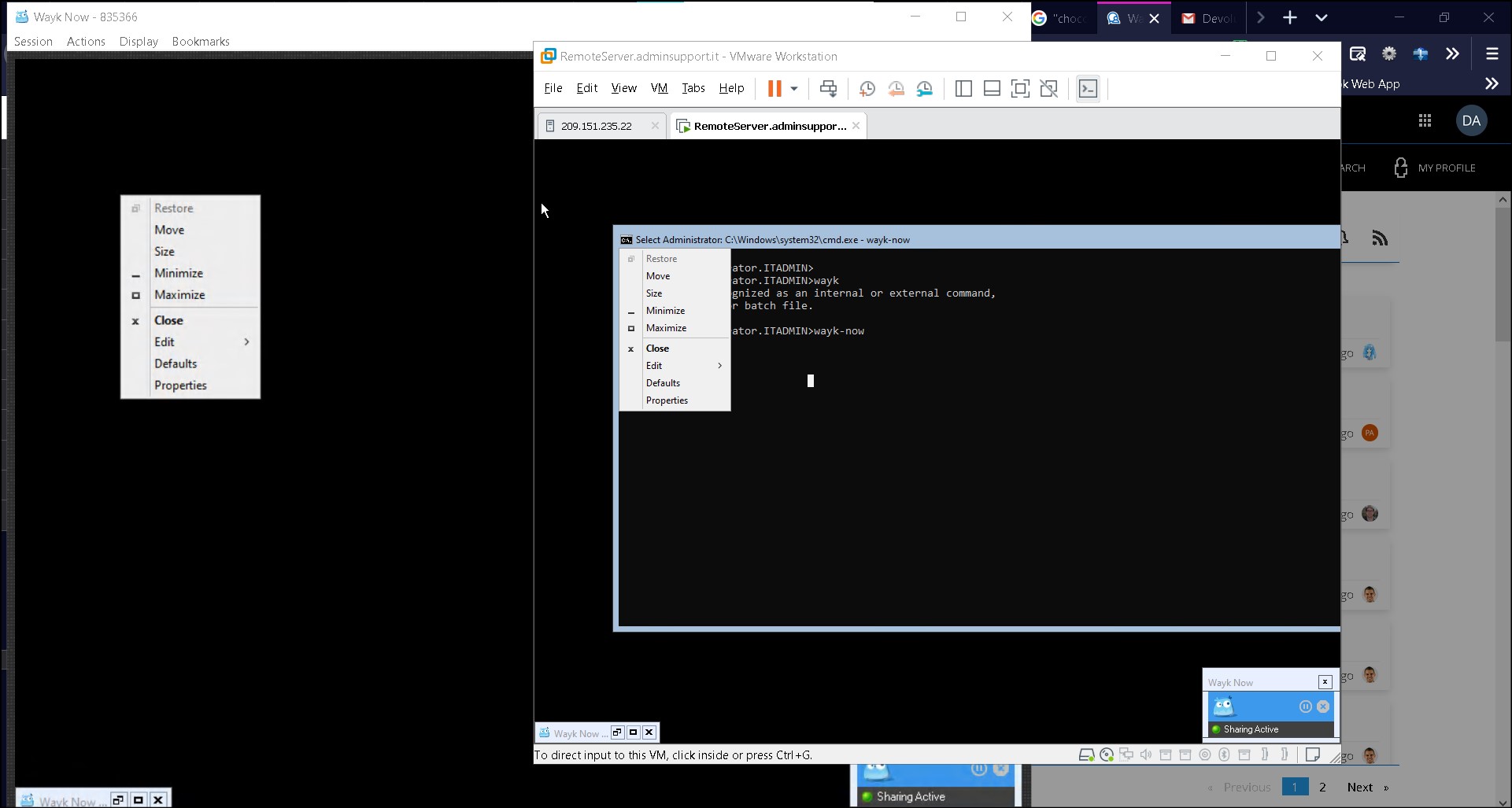
Wayk-now bug2.jpg
Wayk-now bug1.jpg
All Comments (5)

do other versions of server core have the same problem? iirc server core had a lot of stuff especially relating to the GUI removed so chances might be server Core and wayk dont really work that well together
also if not already done, install the background service as wayk without that does not really deal well with admin stuff.
also are there any logs when the newer versions fail?
Hi Damian,
The chocolatey package was not made by us, and unfortunately installs an out-of-date version of Wayk Now. I would recommend using the Wayk Now PowerShell module to install Wayk Now on server core: https://github.com/devolutions/WaykNow-ps
All you'll need is the following on a fresh Windows Server environment:
Install-Module WaykNow
Import-Module WaykNow
Install-WaykNow
Windows Server core is supposed to work just fine, and I am not sure if the issue you observe is linked to the old release you've been using or not, or if it has to do with the fact that this is a Windows Server preview build. Start by installing the latest release, making sure to install the unattended service (default installation option), and then we can take a look at it from there.
Best regards,
Marc-André Moreau
Hi Damian,
We did some tests in Windows Server core, managed to reproduce the issue, and finally found the root cause of the problem. Since Windows Server core has limited graphics rendering capabilities, DXGI 1.2 graphics capturing fails, so we fallback to the GDI-based capture method (slower, but should normally always work). We couldn't find a pattern for the windows that were captured and those that weren't, but adding the CAPTUREBLT flag to our GDI capture calls made it work, at the cost of causing some cursor flickering (not in Wayk Now, but it would cause the cursor to flicker on the remote system some). After further investigation, it turns out that the reason why the CAPTUREBLT flag would be required for server core, is because desktop composition is disabled in server core. This is good news, because we could adapt our code to detect if desktop composition is disabled and only use the CAPTUREBLT flag when necessary.
All of this to say, we won't have a fix for today's release (2020.1.6) but we've added a ticket to make a proper fix that should make its way into the following release.
Best regards,
Marc-André Moreau
so it was server Core after all :-)
Hello
Wayk Now 2020.1.7 is now available for download, and contains a fix for display capture on Server Core systems. I encourage you to install the latest version and let us know if the issue is resolved.
Thanks and kind regards,
Richard Markievicz