Can wayk den use CRT certificate

Hi,
I am researching the wayk den certificate's authorization issue. i find the related instruction here:https://github.com/Devolutions/WaykDen-ps#certificate-configuration. It suggest us use pem + key or pfx (PKCS#12) format. Can we use the CRT+key format ? since CRT is similar likt PEM, they are trasferable .
Thanks
Best regards,
Shawn
All Comments (17)
Hi Shawn,
The .crt file extension is often used for either the textual (pem) representation or binary representation of a certificate. If your .crt file is in textual representation (pem) it should work. As for the binary representation, it cannot be used to encode a chain (multiple certificates) unlike the textual encoding. Since configuring a chain is important (leaf certificate + intermediate CA), a format that cannot encode a chain is not supported, which is why we support .pem + .key or .pfx.
Best regards,
Marc-André Moreau
Hi Marc,
Thanks a lot for the detailed explanation, i will have a try using .crt with textual representation , then revert you my update.
Best regards,
Shawn
2327 0807
Hi Marc,
Before i config the certification, i want to reconfig my configuration. i followed the instruction(https://github.com/Devolutions/WaykDen-ps#configuration), after i tying my new realm, windows pop out two errors forbiden me to moving forward, could you help me on it? and how could i proceed?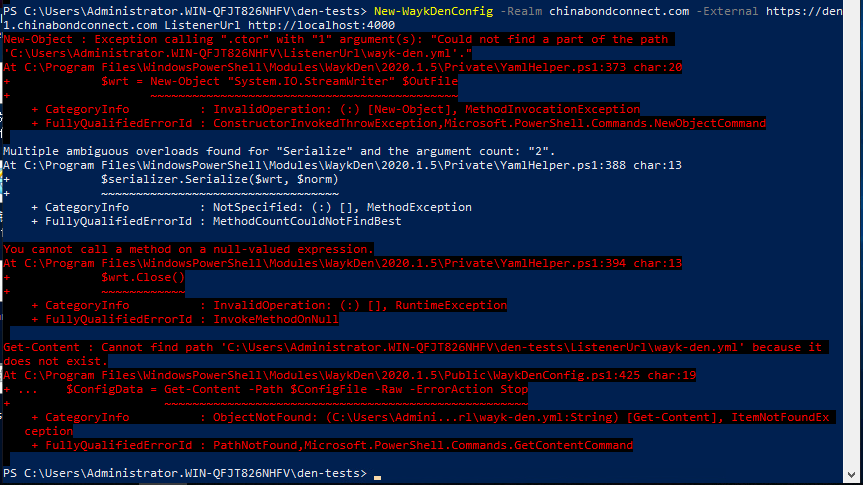
1.PNG
Hi Shawn,
The command in the screenshot has a few issues, it should look like this:
Set-WaykDenConfig -Realm 'chinabondconnect.com' -ExternalUrl 'https://den.chinabondconnect.com' -ListenerUrl 'http://localhost:4000'
Best regards,
Marc-André Moreau
ohh, my typo!
Thanks Marc!
Hi Shawn,
The command in the screenshot has a few issues, it should look like this:
Set-WaykDenConfig -Realm 'chinabondconnect.com' -ExternalUrl 'https://den.chinabondconnect.com' -ListenerUrl 'http://localhost:4000'
Best regards,
Hi Marc,
I think i met another problem, this time is related to certificate.
I try to install my .crt certificate, but an error stoped me:
I am sure my .crt is textual certificate, which i could see the letters using UltraEdit. the file is decode using ANSI.
Best regards,
Shawn
2327 0807
2.PNG
Hi Shawn,
You can always send the .crt file to wayk@devolutions.net
Maybe the file isn't UTF-8 without the byte order mark (BOM). Otherwise, there must be some other formatting issue with it.
Best regards,
Marc-André Moreau
okay,Marc,
Let me send you my crt file. and i will have a try of CRT encoding UTF-8 without the byte order mark(BOM).
Best regards,
Shawn
Hi Shawn,
I just replied to your email. Here's a summary:
The certificate only included the leaf certificate, and there is a bug in the script when the chain contains only one certificate. The good news is that since you should always include the intermediate CA in the chain and it was missing, I added it for you and sent back the chain that should work with the current version of the cmdlet.
Best regards,
Marc-André Moreau
Thanks Marc,
I would try it again.
Best regards,
Shawn
2327 0807
Hi Marc,
I can install the certificate, but after i done my Jet Relay url set up, an unexpected error pop out, can you help that? i really confused why Jet cannot establish the SSL connection, my certificate is valid.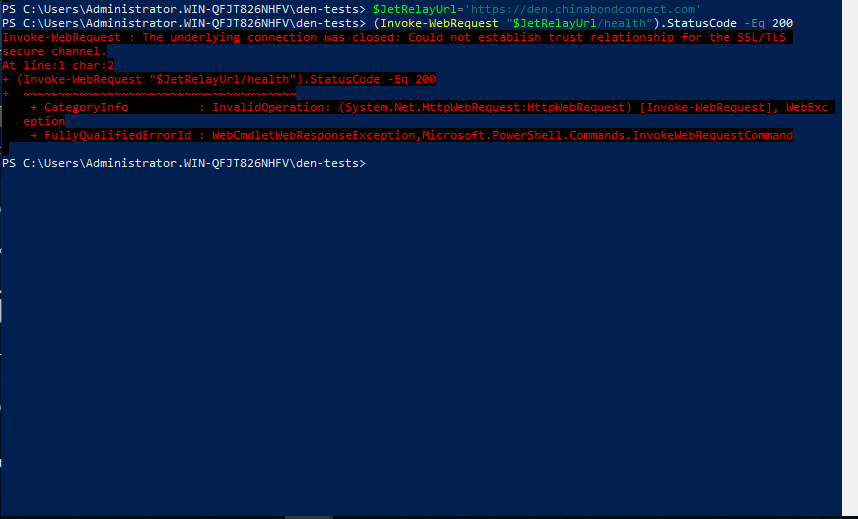
URL jet.PNG
Hi Shawn,
Check your DNS and networking configuration, because den.chinabondconnect.com appears to point to a Fortinet Fortigate appliance now. Just open it in a browser and go through the certificate warnings, you'll see it is not Wayk Den on the other side.
Best regards,
Marc-André Moreau
Yes, Marc.
I would share more background information:
I had registered the domain name, link to my server. of course i had a firewall to protect. the port 443 is occupied by the mgmt application of firewall. i had make some configurations of firewall, but i still cannot set up the relay server.
I tried to open my server IP:443 address, but in vain, still cannot find the resource.
It is harss me a while.
Hi Shawn,
Check your DNS and networking configuration, because den.chinabondconnect.com appears to point to a Fortinet Fortigate appliance now. Just open it in a browser and go through the certificate warnings, you'll see it is not Wayk Den on the other side.
Best regards,
19.PNG
Hello Shawn,
I'm Maxime from the support team.
Could you please take us through how you setup your relay server(Jet)?
From there, we'll be able to better assist you.
Here's our guide on how to set it one such server up : https://github.com/Devolutions/WaykDen-ps/blob/master/docs/getting-started-relay.adoc
Best regards,
Hi Maxime,
Nice to meet u!
Definitely, we followed the steps intrusted by your guidence.
Background: We had registered a web domain: den.chinabondconnect.com, pointing to the server that runing well. but we put a firewall in our data center to protect the internal network. The mgmt agent of firwall take over port 443.
We follow the steps gave by instructions,
> Import-Module WaykDen
> cd ~/den-test
Set-JetConfig -JetInstance 'den.chinabondconnect.com' -JetListeners @('tcp://0.0.0.0:8080', 'wss://0.0.0.0:7171,wss://<jet_instance>:443')
> Import-JetCertificate -CertificateFile .\fullchain.pfx -Password 'poshacme'
> Start-JetRelay

JetRelay started!

> $JetRelayUrl = 'https://jet.buzzword.marketing'
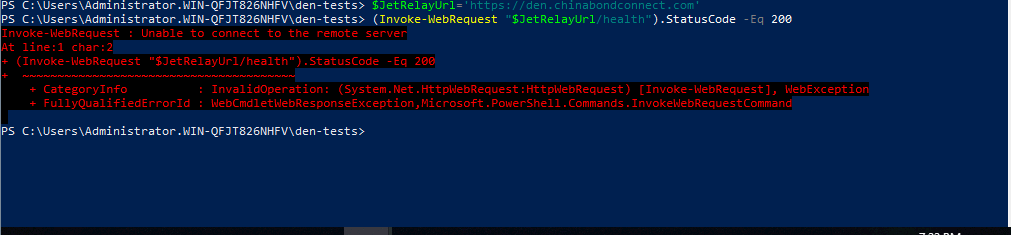
> (Invoke-WebRequest "$JetRelayUrl/health").StatusCode -Eq 200
Cannot connect remote server
The server assigned internal IP: 192,168,XX.7, i tried to use browser open the website: 192.168.XX.7:443 using server' browser, but in vain!
I telnet the IP :192.168.XX.7:443 through another PC in LAN, but still in vain.
Best regards,
Shawn
2327 0807
Hello Shawn,
I'm Maxime from the support team.
Could you please take us through how you setup your relay server(Jet)?
From there, we'll be able to better assist you.
Here's our guide on how to set it one such server up : https://github.com/Devolutions/WaykDen-ps/blob/master/docs/getting-started-relay.adoc
Best regards,
I have another question: i do not want to use argo tunnel et.al. i want to deploy my server as the relay server, and assign the domain i have to this server.
Hi Shawn,
Using an argo tunnel is not a requirement, it is only a service that makes exposing your services online much easier.
This being said, if you wish to deploy your jet relay server under den.chinabondconnect.com alongside Wayk Den, you will need to use a custom HTTPS port for the relay server because port 443 is already taken by Wayk Den.
Here is what it would look like with both services (Wayk Den and the Jet Relay) running on the same machines, on different ports:
den.chinabondconnect.com:443 -> WaykDen:443
den.chinabondconnect.com:8080 -> JetRelay:8080
den.chinabondconnect.com:7171 -> JetRelay:7171
In the above example, ports 8080 (TCP) and 7171 (custom HTTPS) are used by the jet relay. Here is what the Jet config would look like:
Set-JetConfig -JetInstance 'den.chinabondconnect.com' -JetListeners @('tcp://0.0.0.0:8080', 'wss://0.0.0.0:7171,wss://<jet_instance>:7171')
You will need to configure the proper port forwarding for all the ports. Your JetRelayUrl would be https://den.chinabondconnect.com:7171, since https://den.chinabondconnect.com:443 should point to Wayk Den (443).
Best regards,
Marc-André Moreau