Wayk Den - Azure

Hi
i have created an azure VM and installed al the prereq
i have followed this guide
https://github.com/Devolutions/WaykDen-ps/blob/master/docs/getting-started-argo.adoc
But at step 6 im not seeing the machines where i have logged in, with the account.
I only see the machine under connections tab
The machines group is empty
what can i do?
edit:
Is it with this tool also possible that i connect 1 user to 1 specific workstation?
All Comments (8)
Hi,
Make sure that you go in the "Machines" and not the "Machine groups" tab. If the machine is not listed, make sure that it was correctly registered for unattended access, it requires an additional step after logging in from Wayk Now. We intend to reduce the steps required to register a machine for unattended access in future releases.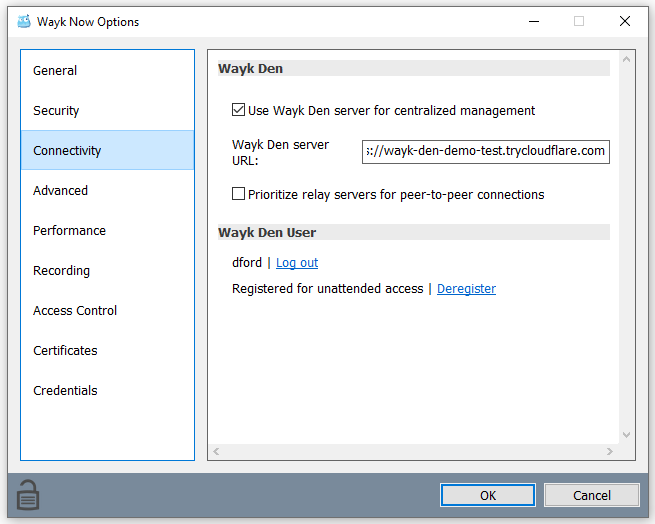
Let me know if it works after verifying that the machine was registered
Marc-André Moreau
now_den_server_user_dford_registered.png
HI and thank you,
the machine is registered, machine and machine groups are empty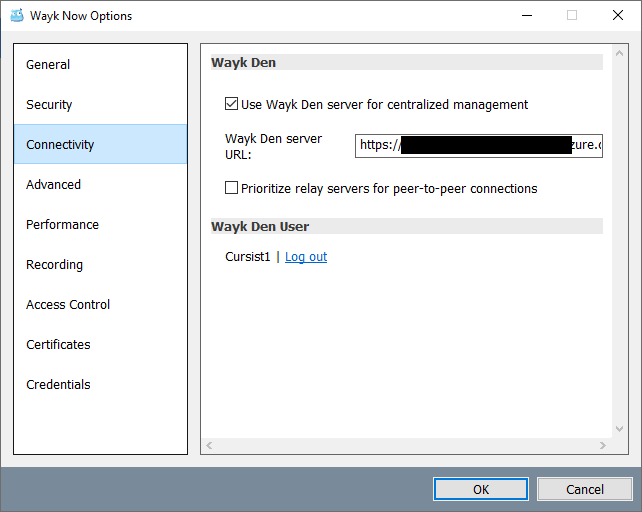

wayk den.png
machines.png
getting also this error when refresh pag:
TypeError: Cannot read property 'sortChange' of undefined
at e.ngAfterViewInit (https://URLazure.com/web/5.436eb2fa8fb02f46921f.js:1:260421)
at Se (https://URLazure.com/web/main.a49daa0cafa54590663c.js:1:1023027)
at xe (https://URLazure.com/web/main.a49daa0cafa54590663c.js:1:1022870)
at ve (https://URLazure.com/web/main.a49daa0cafa54590663c.js:1:1022608)
at qr (https://URLazure.com/web/main.a49daa0cafa54590663c.js:1:1045040)
at https://URLazure.com/web/main.a49daa0cafa54590663c.js:1:1044394
at qr (https://URLazure.com/web/main.a49daa0cafa54590663c.js:1:1044448)
at yi (https://URLazure.com/web/main.a49daa0cafa54590663c.js:1:1051224)
at https://URLazure.com/web/main.a49daa0cafa54590663c.js:1:1044899
at qr (https://URLazure.com/web/main.a49daa0cafa54590663c.js:1:1044910)
Client error can create some instability in the application. We recommend to refresh the page. If the error continue to occured please send it to u
Hi,
The "Register for unattended access" clickable link is absent in your screenshot (connectivity tab), which indicates that the Wayk Now service is either not installed or currently not running. Are you using the standalone executable or did you install Wayk Now using the .msi? You should be using the .msi installer + service for unattended access.
Best regards,
Marc-André Moreau
ahhh...sorry for that.
it is working
Question,
is it then possible the user1 logs in the portal and connect to 1 workstation?
Hi Hans,
Can you just let me know on which page you make the refresh to help me to reproduce the error.
Regards,
Nicolas Girot
Hi,
For your question "is it then possible the user1 logs in the portal and connect to 1 workstation?"
Yes, it is possible to launch Wayk Now from the Wayk Den web interface. See the screenshot below: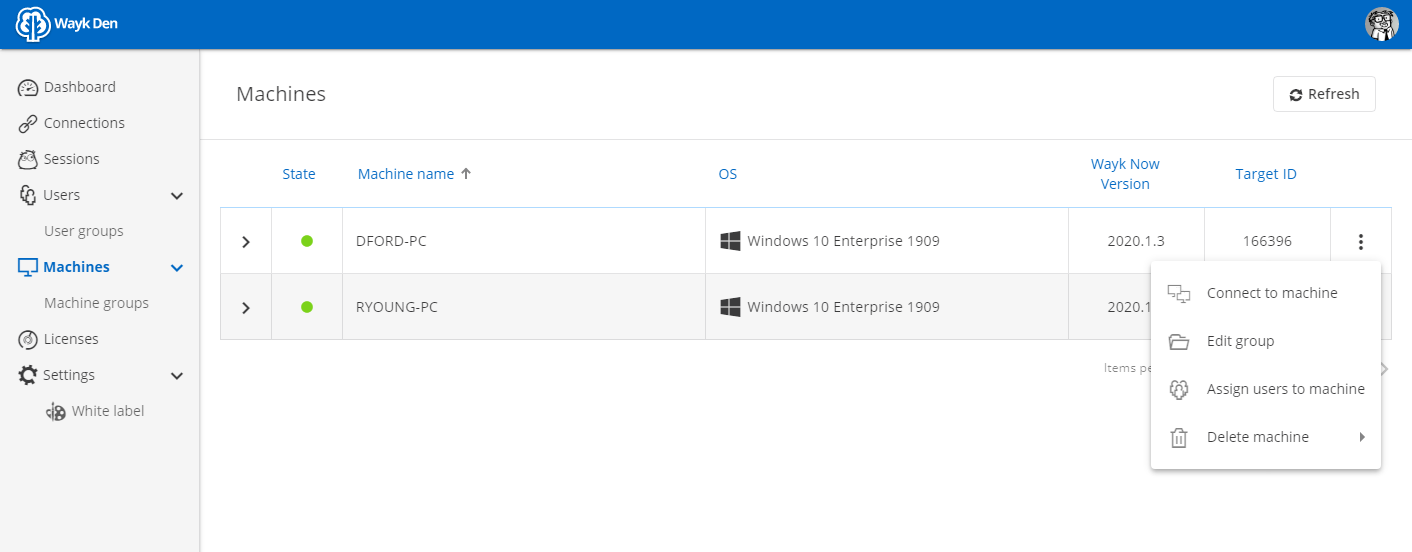
Marc-André Moreau
wayk_den_connect_to_machine.PNG