DPS 2019.2.12.0 Shows RDM Window and Hangs then Crashes After Update

Disabled
DPS 2019.2.12.0 Shows RDM Window and Hangs then Crashes After Update. I tried an in-place update and once I received the error, I uninstalled and tried a fresh install with same results.
Previous DPS version 2019.1.20.0
2020-01-31_8-51-51.png
2020-01-31_8-50-51.png
All Comments (13)
Disabled
Reinstalled DPS version 2019.1.20.0 and launched console without issue. Is this a known issue with 2019.2.12.0?
Hello,
Yes it's a known issue with the DPS Console 2019.2.12 and we haven't identified the problem yet.
Please see the following troubleshooting article to solve your issue.
https://kb.devolutions.net/dps_console_crash_with_devexpress.html
To help us identifying the issue, have you updated your Windows Server lately? Are one of those KBs part of your update list?
Best regards,
Érica Poirier
Disabled
Server has been updated recently. That update is not found.
2020-01-31_14-26-19.png
Hello,
Thank you for the information.
Can you find any of the other KBs? The list I have provided comes from a load balancing installation where one of the server had the console issue and those are the list of the KBs that are installed on that faulting server.
There is no clue at all in the %appdata%\Devolutions\DPSConsole folder. Even if we compare its content before and after the unsuccessful update, other then the GUIDs or date and time fields, there is no differences. So that's why we are looking for a Windows Update that could lead us to maybe something interesting.
Best regards,
Érica Poirier
Disabled
Followed the article and was able to get the console to launch after installation of 2019.2.12.0. I will proceed with updating the web apps.
Also, we have many Windows security updates on this server. The server is not load balanced, as it is our DEV environment, where I test these types of updates.
Hello,
Thank you very much for the information. Glad that the DPS Console is now working.
Best regards,
Érica Poirier
hi!
I think i'm facing the same issue. The troubleshooting article has been moved or deleted.
is there other url / guide we can follow?
tnx
@danieltrequena,
What version of DVLS Console are you running?
Do you get an error message or it's just crashing?
Best regards,
Jeff Dagenais
We run Devolutions Password Server Console 2019.2.12.0
I get a common windows error (see attached screen capture) over a grey windows from the DVLS console...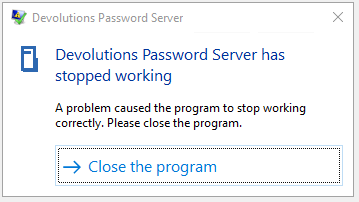
I also get a blank page when i try access via web, maybe that's related.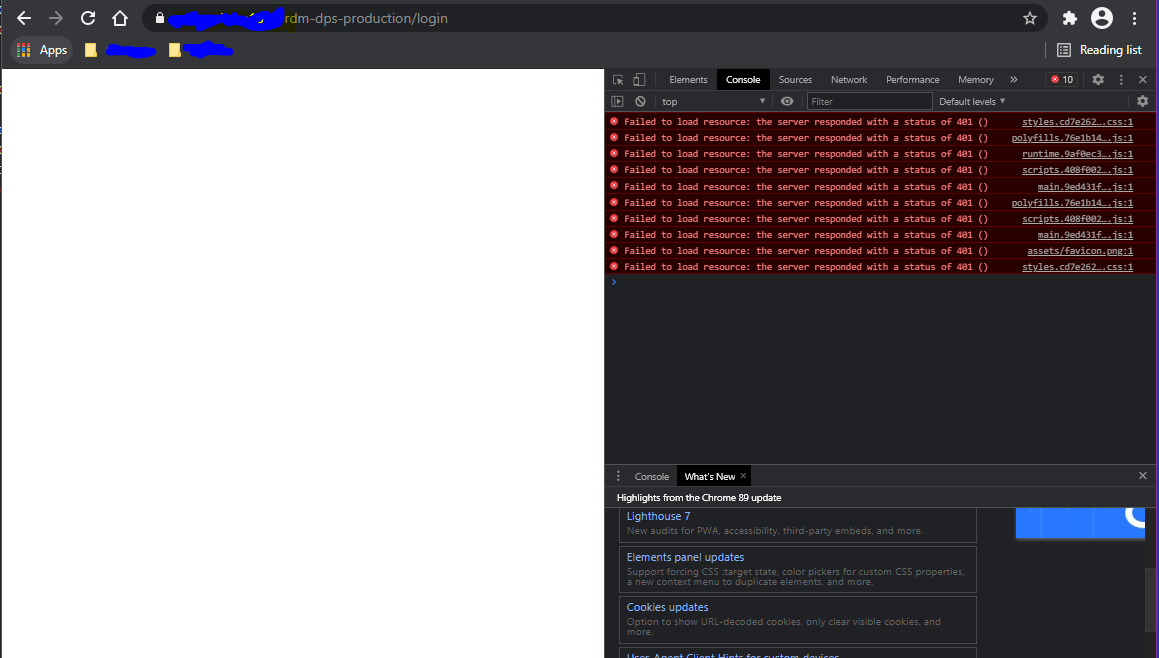
I don't know how to debug this :S
We have another DVLS instance running and i can't find any differences in the IIS config...
Any help/guide/documentation will be welcome :)
Capture2.PNG
Capture.PNG
Hello,
Thank you for your feedback.
Indeed the article has been moved and here is the new link. This should help you to solve the issue.
https://kb.devolutions.net/dps_console_crash_with_devexpress.html
Best regards,
Érica Poirier
Thank you Érica!! That has solved my DVLS Console crashes :)
I have to make some probes on the other problem, because it can be a IIS / configuration problem more than a DVLS failure.
Have a nice Friday :)
d
Just for reference:
i got the 401 authentication problem solved!
it had something to do with IIS > Authentication preference within IIS.
Everything works as expected now! :)
Hello,
Thank you for your feedback and glad that your DVLS works properly now.
Best regards,
Érica Poirier