Copying all "remote management" details to a bunch of other hosts

Disabled
Hi there,
Just wondering how one would copy the Remote Management tab details from one host to a handful of other hosts?
I've tried to piece together bits from this forum but haven't had any luck.
Basically want to mirror all the settings in the screenshot to a selection of hosts.
Thanks!
RemoteDesktopManager64_5BJu6VKg0W.png
All Comments (3)
Hello Steven,
Thank you for contacting us on that matter.
In order to apply these settings to multiple entries at once, you could use one of the 2 following methods:
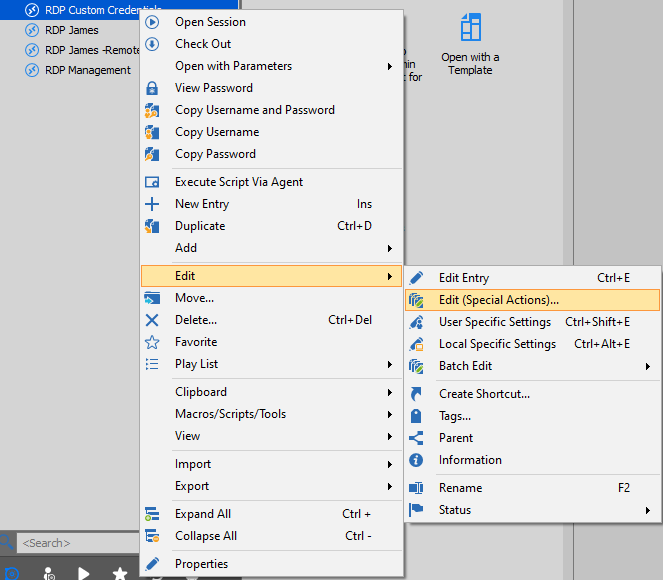
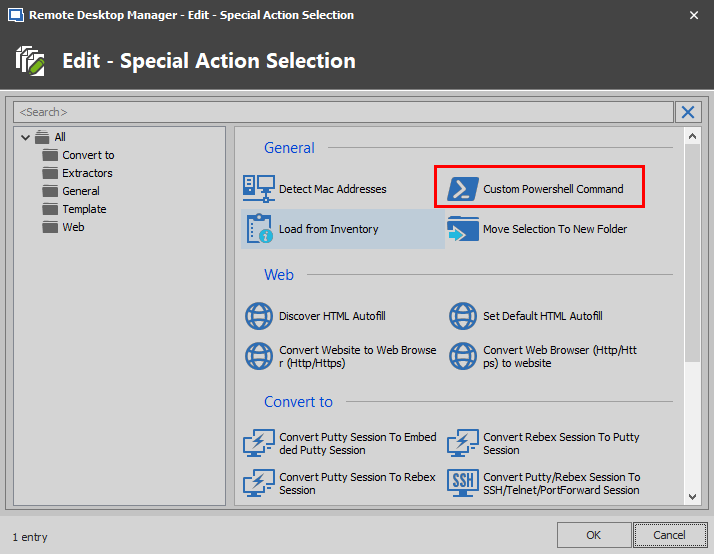
1- Use the Edit (Special Actions) -> Custom PowerShell Command feature to run the following commands on your entries:
$connection.Tools.ManagementMode = "IDRAC"
$connection.IDrac.AutoSubmit = "false"
$connection.IDrac.UseAutoFillTimer = "true"
$connection.IDrac.UseLegacyControlIDs = "true"
$connection.MetaInformation.ServerRemoteManagementUrl = "https://$HOST$-idrac/login.html"
$connection.Tools.ILOCredentials.CredentialSource = "SessionSpecific"
$connection.Tools.ILOCredentials.UserName = "root"
$connection.Tools.ILOIsSupported = "true"
$connection.Tools.IntelAMTCredentialSource = "CurrentSession"
$RDM.Save();
Doing so will fill in all the information you have shown us in your screenshot but the password, which cannot be filled using this method. For more information on that matter, please refer to this link: https://help.remotedesktopmanager.com/powershell_batchactionssamples.htm
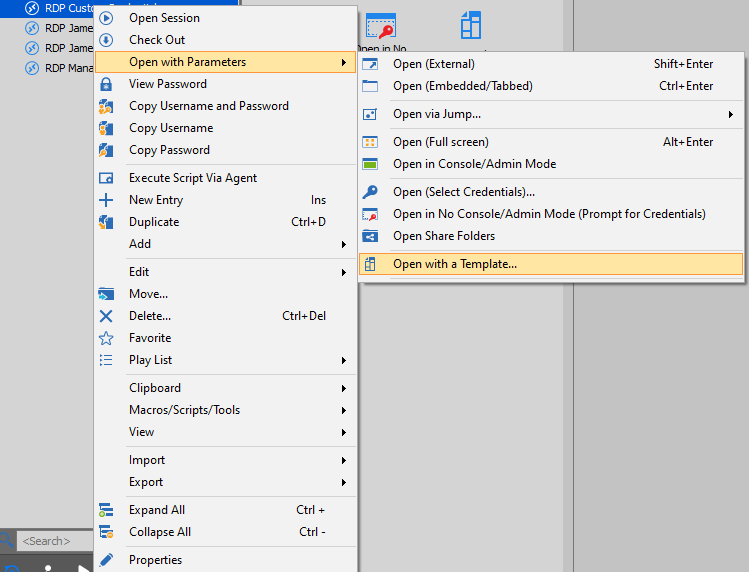
2- You go under File -> Templates -> Manage Template and create a Template with these settings already configured. Doing so will allow you to use the "Open with Template" feature to launch any of your entries with those settings:
Please follow these steps to create your template: https://help.remotedesktopmanager.com/commands_creatingtemplates.htm
Best regards,
James Lafleur
OpenWithTemplate.png
CustomPowerShell.png
editspecial.png
Disabled
Thank you! I went with your first option and made a couple of changes to the script:
$connection.Tools.ManagementMode = "IDRAC"
$connection.IDrac.AutoSubmit = "false"
$connection.IDrac.UseAutoFillTimer = "true"
$connection.IDrac.UseLegacyControlIDs = "true"
$connection.MetaInformation.ServerRemoteManagementUrl = 'https://$HOST$-idrac/login.html' #had to change the double quotes to single quotes
$connection.Tools.ILOCredentials.CredentialSource = "CredentialEntry" #made created credential entries in the database to make this easier
$connection.Tools.ILOCredentials.CredentialConnectionID = "xxxxxxxx-xxxx-xxxx-xxxx-xxxxxxxxxxxx" #ID of the credentials made above
$connection.Tools.ILOCredentials.UserName = "root"
$connection.Tools.ILOIsSupported = "true"
$connection.Tools.IntelAMTCredentialSource = "CurrentSession"
$RDM.Save();
Thanks again - this made our lives so much easier :)
Disabled
Hi again - just wondering what the string would be to disable the Remote Management check box?
I've tried:
$connection.Tools.ManagementMode = ""
$connection.Tools.ManagementMode = "false"
$connection.Tools.ILOIsSupported = "false"
But none of them seem to disable the check box. Any advice would be welcome :)
Cheers
edit: never mind! this worked:
$connection.Tools.ILOIsSupported = $false;