SSH shell login to firewall without root

Hi,
we like to connect to sophos utm firewalls with deactivated root login.
We use a login user and then afterwards we enter the "root" user with "su -" and password.
How may we automate this?
Both users / passwords, should be saved in a seperate password entry and should be linked to the ssh connection.
Best regards
Daniel
All Comments (5)
Hello,
Could you explain us how you accomplish this using Putty?
Best regards,
Jeff Dagenais
Hello Jeff,
we don't do accomplish this using Putty. We like to accomplish nearly all automatable things through RDM.
Best regards
Daniel
Hello,
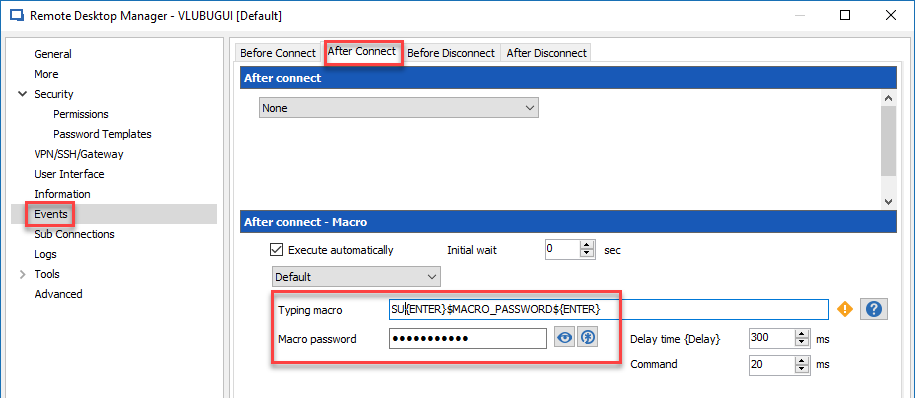
It's not possible to configure two different credentials inside the same SSH Shell entry, however, it may be possible to send the second credential using a typing macro.
In your SSH Shell session, click on Events and on the After Connect tab. You can then use the Typing Macro field to enter the commands and save the password in the Macro Password to hide the password. You probable need to adapt the macro in my screenshot to your environment.
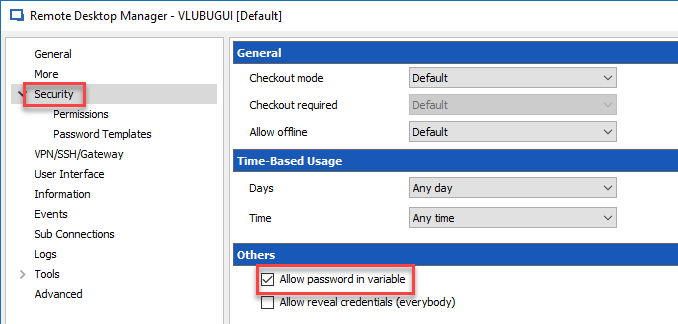
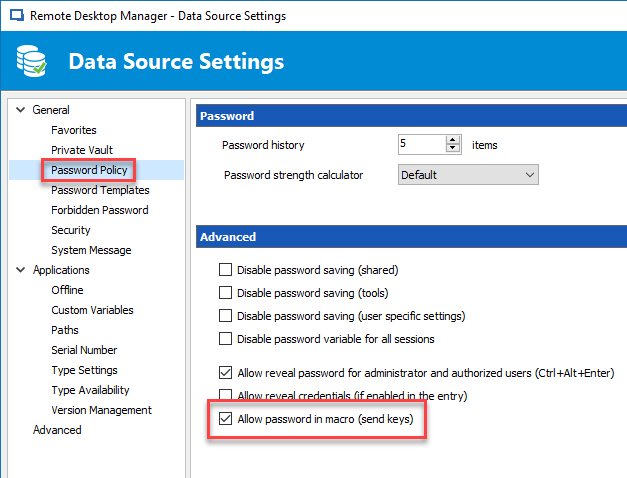
Please note that you would need to enable two options to be able to send the password via the macro.
In the same SSH Shell session, go in Security and enable the Allow password in variable option.
In Administration -> Data Source Settings -> Password Policy, enable the Allow password in macro option.
Best regards,
Jeff Dagenais
2018-04-12_11-49-59.png
2018-04-12_11-48-22.png
2018-04-12_11-44-36.png
Hello Jeff,
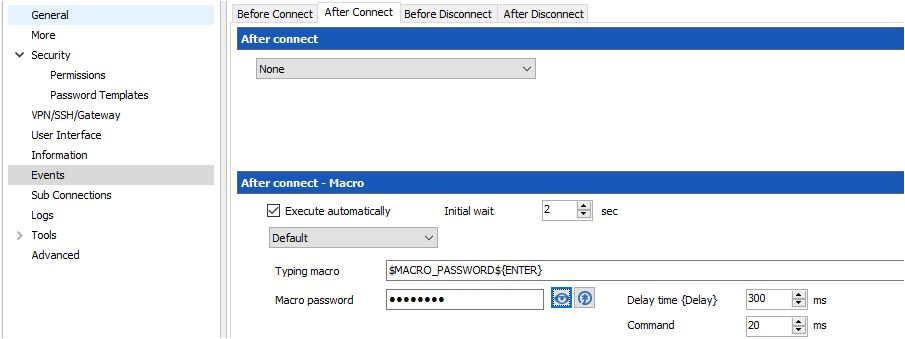
your example did not work (for our sitiation), but you gave me the right direction. Thank you!
What did not work was: Root passwort submission. Nothing happened, as if the password and the "enter" was not submitted.
This worked:
and then
Regards,
Daniel

2.JPG
1.JPG
Hello,
Thank you very much for your feedback, glad that you have been able to make this work.
Have a nice day.
Best regards,
Jeff Dagenais