Cannot create new entry in Private Vault

I'm using Password Vault Manager 8.1.0.0 with an Azure SQL database. I am unable to create any entries in Private Vault. Any ideas on why that might be?
All Comments (14)
Hello,
This issue may occured when you are connected with the same account that you have used to create the database.
If you create an PVM administrator account and use this account to connect to the database via the File -> Data Sources menu, the private vault should work as expected.
Best regards,
Jeff Dagenais
Jeff,
Hi, I have done this and I am still unable to create an entry in the Private Vault. I also created a dedicated user account to test this for the SQL server and it still doesn't work either. Could you please offer some more input?
Hello,
Could you post a print screen of your Administration -> Users menu as well as your File -> My Data Source Information report please.
Best regards,
Jeff Dagenais
I've attached the requested screen shots
My_Data_Source_Report.png
Users Menu.png
Hello,
Our Quality Assurance department has been able to reproduce your issue.
A ticket has been opened to our engineering department to resolve this issue.
Best regards,
Jeff Dagenais
Hi, Can I get a follow up on this? I have users who still can't use private vault.
Hi Taishi,
I see that the issue is fixed in the version of 8.5.4.0 of password vault manager.
Could you give it a try and see if you can create an entry in your private vault?
Best regards,
Alexandre Roy
I am still unable to create an entry. Could you please let me know what the requirements are on the backend to use this feature??
Currently I am using an SQL database on Azure to store all the data. All application users have their own log in however from the application there is 1 username connecting it to the database for implementations.
Hi again,
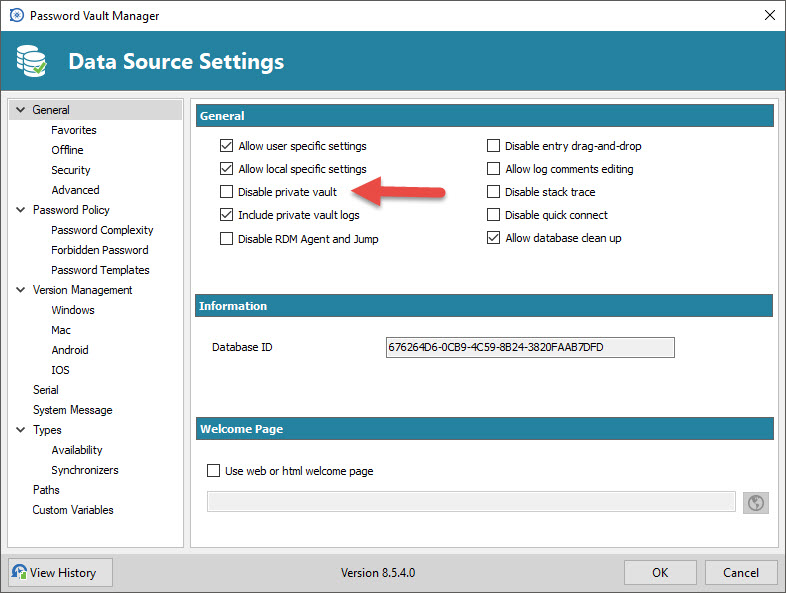
The private vault is usually accessible by anyone who's a user of the datasource, unless you disabled the private vault from
Administration >Data Source Settings > general tabs.
But I doubt that is the case here if you actually tried to create an entry.
Are you getting any specific error when you are trying to create the entry?
(If so could you share a screenshot?)
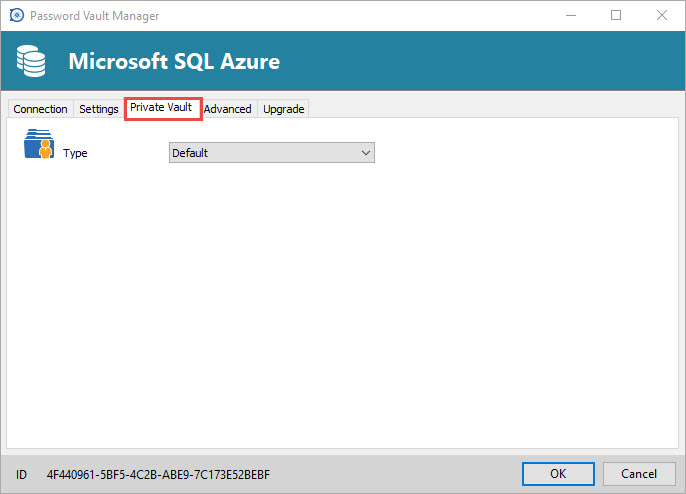
Also when you edit your datasource and you go in the private vault tab, which type of private vault are you using ?
Best regards,
Alexandre Roy
Datasource Private vault.jpg
Disable Private vault.jpg
Hello,
Are you available for remote assistance?
Please send an email to support@devolutions.net for additional information.
Best regards,
Marc Beauséjour
Hi, yes I'm just now able to get to this. Yes I would like to give an opportunity for remote assistance. What time would you guys be able to do this?
I've also checked the settings above and here are the results.
1.) The private vault is usually accessible by anyone who's a user of the datasource, unless you disabled the private vault from
Administration >Data Source Settings > general tabs.
Private Vault setting is not disabled in data source settings.
2.) Are you getting any specific error when you are trying to create the entry?
(If so could you share a screenshot?)
I am not getting any errors. The entry just doesn't get created.
3.) Also when you edit your datasource and you go in the private vault tab, which type of private vault are you using ?
I am using default.
Hi,
Sorry Marc is in vacation this week.
Could you possibly verify if the username in RDM and the username in the database match.
I see that in the two screenshots you provided that the user names doesn't match.
If it does, Marc will get in touch with you soon.
Best regards,
Alexandre Roy
no they don't match. This is what I have now
my_DB_INFO.png
2017-07-28_1409_user_admin.png
Hello,
As per your second print screen, you are connected with a user named pvmmanageradmin.
This user is not present in your first print screen which is a print screen of your Administration -> Users menu.
Could you create the pvmmanageradmin user in the Administration -> Users menu and then retry the Private Vault.
Best regards,
Jeff Dagenais