Using RDM session credentials for external scripts

Hi, i wonder if its in some way would be possible to use credentials from RDM in external powershell-scripts, without the need och checking "Allow reveal credentials (everybody)"
example:
$RDMsessions=Get-RDMSession
foreach ($RDMsession in $RDMsessions)
{
$pwd=$RDMsession | Get-RDMSessionPassword
$usr=$RDMsession | Get-RDMSessionUserName
$secpasswd = ConvertTo-SecureString $pwd -AsPlainText -Force
$credentials = New-Object System.Management.Automation.PSCredential ($usr, $secpasswd)
Invoke-Command -ComputerName $RDMsession.Host -Credential $credentials -ScriptBlock {Get-process}
}
All Comments (5)
Hi,
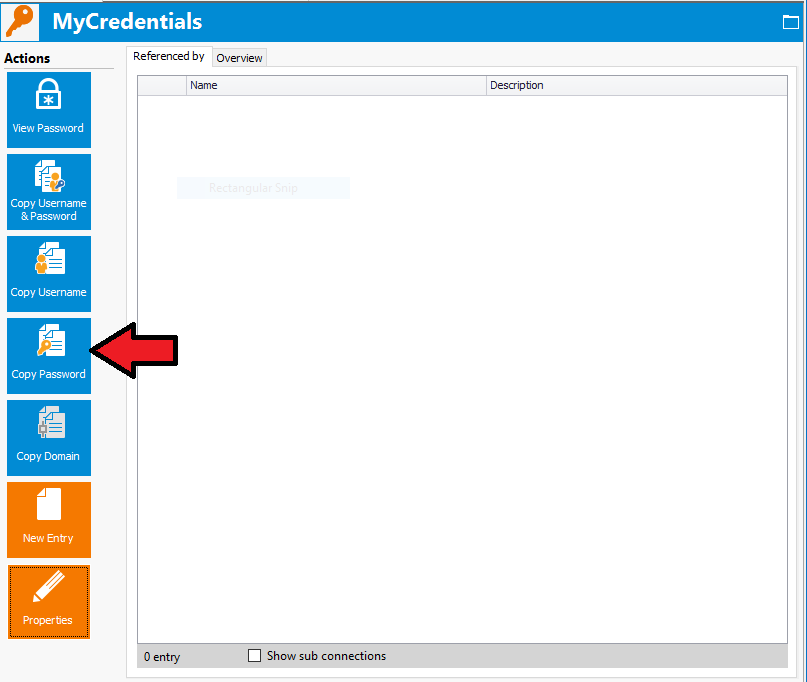
You can get the password in PowerShell only if you can copy the password in RDM.
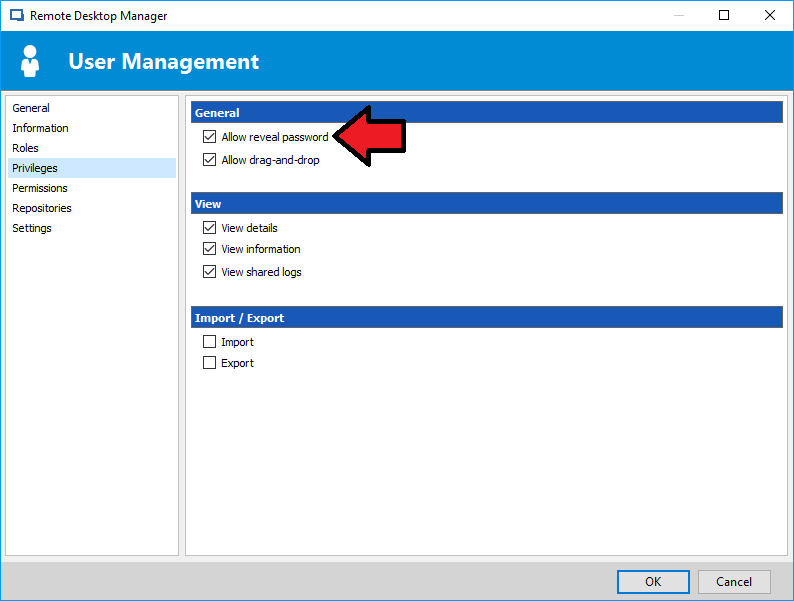
If you use an advanced a data source, you can allow the user to reveal the password in its user management in the Privileges tab
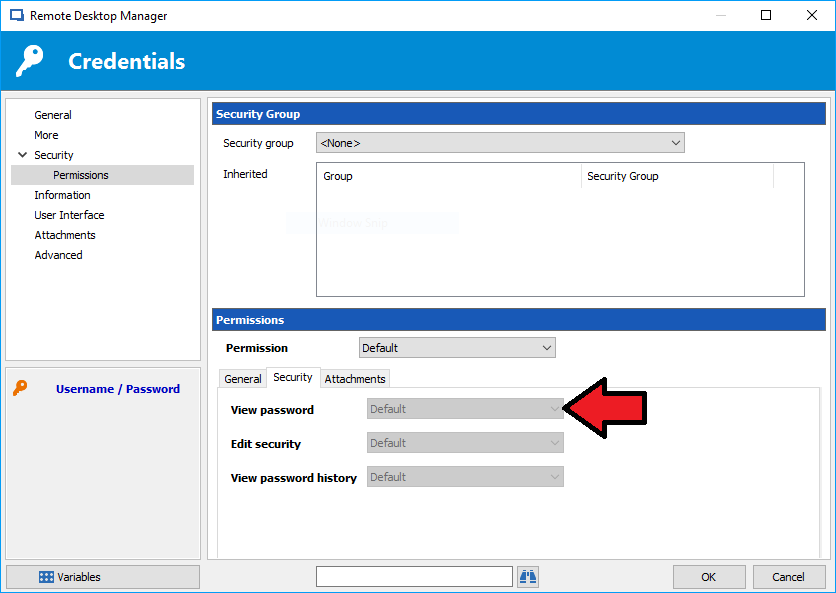
If you don't want to give this privilege to the user, another way to allow the copy password than "Allow reveal credentials (everybody)" in the session is to change the permissions. You would need to modify the View Password permission in your session in security -> Permission under the tab security.
Best regards,
Olivier Désalliers
UserAllowRevealPassword.PNG
CredentialsSecurityPermissions.PNG
CopyPasswordCredentials.png
Thanks, for some reason i can't get Get-RDMSessionDomain to return any data when the credential repository is used.
Get-RDMSessionPassword, Get-RDMSessionUserName works fine with credential repository. Am i doing something wrong or could it be a bug?
Hi,
What is the credentials type?
Best regards,
Olivier Désalliers
hi not sure what you mean but when i create a new Credential i create it by "Add New Entry" -> Credentials -> "Username / Password". We're using MSSQL server as a datasource.
credential_type.PNG
Hi,
We have made a fix with credentials resolving in Get-RDMSessionDomain. It targets all credentials type (Username/Password, KeePass, LastPass, etc) and it might fix your problem.
It will be available in the next RDM version.
Best regards,
Olivier Désalliers