utilisateur MAC non visible

Bonjour
J'ai une bd SQL sur laquelle j'ai des users remote desktop manager et password vault manager.
pour les users pc, tout va bien.
je viens d'installer PVM sur un MAC et l'usager ne peut rien faire et je ne le vois pas dans ma liste des users.
Pourtant, quand on teste sa connexion à la base de donnée et au serveur ça fonctionne.
Que puis-je faire pour l'ajouter et lui donner des droits de ma console RDM
Merci
All Comments (14)
Bonjour,
Quel version de Remote Desktop Manager et Password Vault Manager pour PC utilisé vous?
Quel type de user utilisé vous (Windows ou SQL)?
Merci
Benoît Sansregret
RDM 11.1
PVM 7.1 pour pc
PVM 3.0 pour MAC
Et nous utilisons des users windows
Hello,
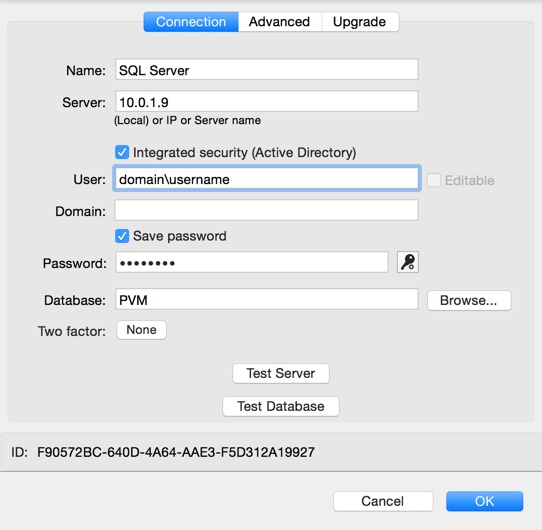
In PVM Mac, have you configured your SQL data source like the following?
The Integrated Security box need to be checked and the appropriate domain\username need to be enter in the username field.
Please note that this is a print screen from PVM 3.0.8.0
Best regards,
Jeff Dagenais
2016-02-19_21-19-50.jpg
Bonjour,
Oui,
c'est comme ça que l'on a configuré notre source de donnée
Merci
Hello,
Could you post a print screen of the data source configuration as well as the error message.
Best regards,
Jeff Dagenais
Hi,
it seems like i can't post photos in a quick reply so I replied to the email
thank you
Rudy
Hello,
To post print screens on the forum, you need to click on Add reply first
and then Attach files
Best regards,
Jeff Dagenais
2016-02-22_13-42-33.jpg
2016-02-22_13-41-55.jpg
HI
here are the print screen
thank you
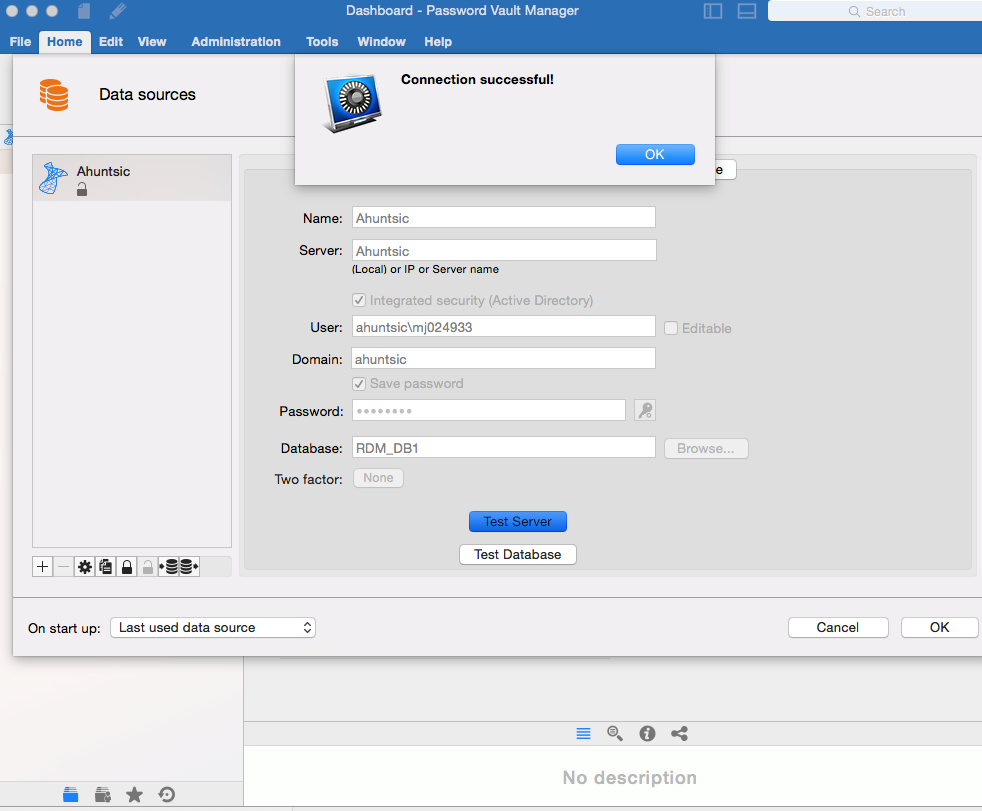
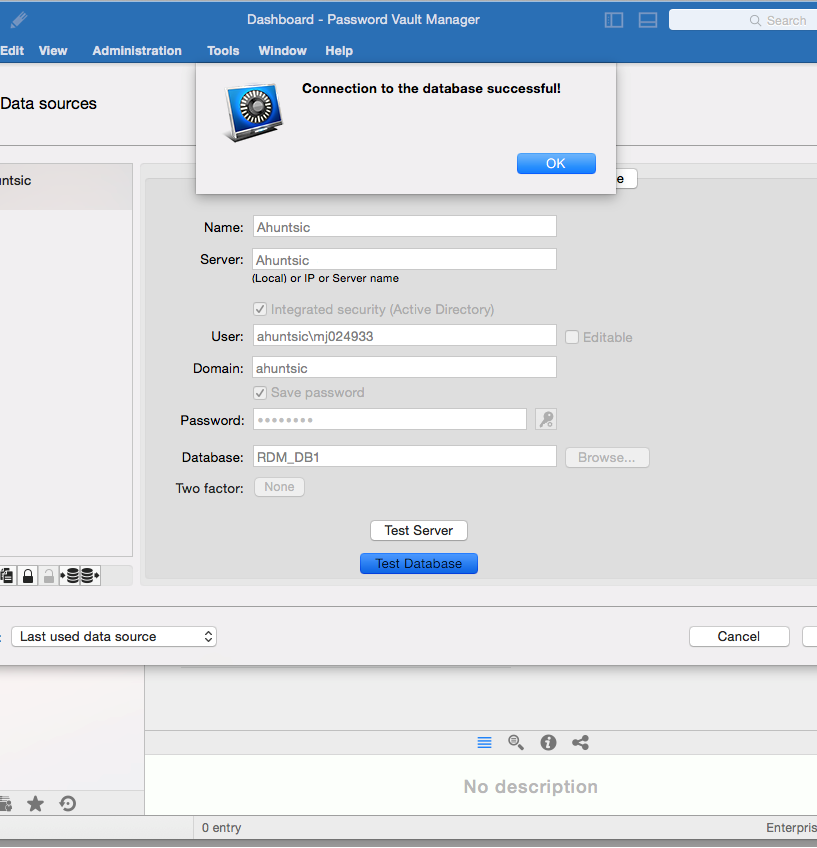
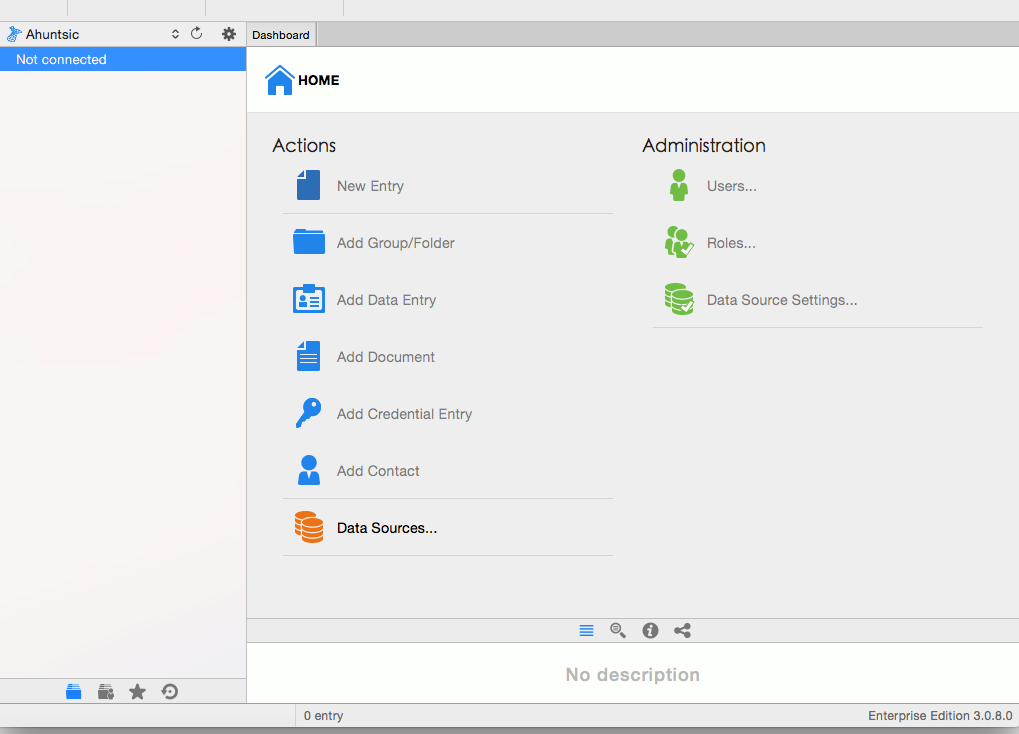
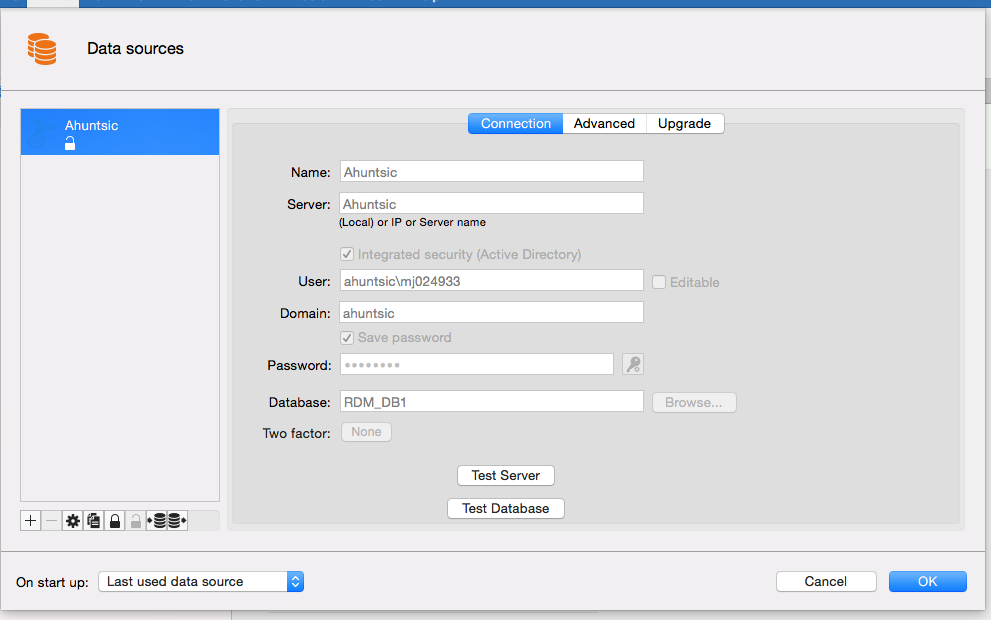
data source.png
not connected.png
database test.png
server test.png
Hello,
Thank you for the print screens.
In the User field, could you just put mj024933 instead of ahuntsic\mj024933
Best regards,
Jeff Dagenais
we had tried that,
but it seemed like it did not want to work
we'll try it again
ok i see him in RDM and i gave him rights, but he still can't do anything and he doesn't see his folder
Hello,
Is there something relevant in Help -> View Application Log?
Best regards,
Jeff Dagenais
Hi
Here is the log file
thank you
log mac.txt
Hello,
As per your logs, you are using a Certificate Security Provider. This is not supported on Mac, however it's on our ToDo list to support it.
The woraround for the moment is to disable the Security Provider if you want to connect your mac on the data source.
Sorry about that.
Best regards,
Jeff Dagenais
 Special Q&A
 Our CTO is answering your AI questions
A rare opportunity — ask our CTO directly.